Webinar (Wednesday, October 21) — Aligning HR, Finance, and Sales: Mastering Sales Comp Without Breaking Your Plan
Register
- Sales commission software pricing in 2026 follows three main models: per-user or per-payee fees billed annually, tiered or flat-rate packages, and custom quotes, which are the standard for mid-market and enterprise businesses.
- Per-user pricing is the most common model for sales commission software, and the main question in a quote is who counts as a user: sales reps receiving commissions only, or also admins, managers and finance staff who need access.
- Hidden costs of sales commission software include plan reconfiguration fees, data migration, premium ERP or HRIS integrations, advanced analytics add-ons and training for new hires; this guide recommends a buffer of 20-50% of the first-year licence cost for setup.
- Excel stops working for sales commissions when a team grows beyond 10-15 reps, when calculations take more than one full day each month, when reps frequently dispute payouts, or when plans include multiple tiers, accelerators or splits.
- Qobra is quote-based sales commission software for mid-market RevOps teams, with a no-code engine and AI features such as natural-language plan creation, an “Explain my comp” assistant and conversational reporting that cut commission disputes.
Calculating sales commissions seems straightforward until it isn’t. As your team grows and your compensation plans evolve, the simple spreadsheet that once worked perfectly becomes a source of errors, disputes, and wasted hours. This is where sales commission software comes in, promising automation, accuracy, and transparency.
But what does it actually cost?
Unlike a simple SaaS subscription, the price of sales commission software isn't always listed on a public page. It depends on your team's size, the complexity of your commission structures, and the integrations you need. This guide breaks down the pricing models, cost drivers, and hidden fees you can expect in 2026 to help you budget effectively and choose the right solution.
What is sales commission software and why is pricing hard to compare?
Sales commission software is a specialized tool designed to automate the entire process of managing variable compensation. It connects to your data sources (like a CRM), applies your specific commission rules, calculates payouts, and provides dashboards for sales reps, managers, and finance teams.
The primary goal is to replace manual, error-prone spreadsheets with a reliable, scalable system.
However, comparing prices between vendors can be challenging for a few key reasons:
- Customized Needs: No two sales
compensationplans are identical. A solution that works for a 10-person team with a flat commission rate won't fit a 200-person team with tiered accelerators, splits, and clawbacks. Most pricing is therefore tailored. - Opaque Pricing: Many vendors, especially those serving mid-market and enterprise clients, don't publish their prices. They prefer a custom quote model after understanding your specific requirements.
- Total Cost of Ownership (TCO): The monthly subscription fee is just one part of the cost. Implementation, training, support, and integration fees can significantly impact the total investment.
Main pricing models in 2026
Vendors typically use a combination of three main models. Understanding them is the first step to decoding a price quote.
Per-user or per-payee pricing
This is the most common model in the SaaS world. You pay a set fee per person who is being paid commissions through the platform, usually on a monthly basis but billed annually.
- How it works: If the price is £40/user/month and you have 50
sales reps, your base cost would be £2,000 per month. - Best for: Companies of all sizes, as it scales predictably with team growth.
- What to watch for: Clarify who counts as a "user." Is it just the
sales repsreceiving commissions, or does it also include admins, managers, and finance personnel who need access?
Prices in 2026 range widely from one vendor to the next. The final price depends heavily on the feature set and vendor.
Flat-rate, tiered, and custom quote models
Instead of a pure per-user cost, many vendors bundle their offerings.
- Tiered Pricing: Vendors offer several packages (e.g., Basic, Growth, Enterprise) with different feature sets and user limits. For example, a "Growth" plan might include up to 50 users and advanced reporting, while an "Enterprise" plan adds compliance features and premium support.
- Flat-Rate Pricing: Less common, this involves a single fixed price for a defined set of features, regardless of user count. This is typically only suitable for very small businesses with simple needs.
- Custom Quote: This is the standard for mid-market and enterprise businesses. The vendor will assess your needs—including plan complexity, integration requirements, and support levels—before providing a tailored price. Almost all complex implementations will fall into this category.
Usage-based and enterprise pricing factors
While less common, some pricing can be influenced by usage metrics like the number of transactions or deals processed. For enterprise clients, the final quote is a comprehensive package that includes not just the software license but a full suite of services, from a dedicated implementation manager to ongoing strategic support.
What drives the total cost of sales commission software?
The total cost of sales commission software is driven by three factors: the complexity of the commission plans, with team size and approval workflows; the CRM and Salesforce integrations; and implementation, onboarding and support. The sticker price is just the beginning of the total cost of ownership.
Commission complexity, team size, and approval workflows
The more complex your rules, the more you'll pay. A simple plan where reps earn 10% of every deal is easy to automate. However, the cost goes up as you add layers, such as:
- Tiered
Commission Structures: Rates that change after a rep hits a certain percentage of their quota. - Accelerators and Bonuses: Special incentives (SPIFFs) or higher commission rates for over-performance.
- Splits and Overlays: Rules for sharing commissions between multiple reps on a single deal.
- Clawbacks: Policies for reclaiming commissions if a client churns or a deal is cancelled.
- Approval Workflows: The need for managers or finance to review and approve payouts before they are finalized.
CRM and Salesforce integrations
A commission platform is only as good as the data it receives. A deep, native integration with your Customer Relationship Management (CRM) system is non-negotiable.
- Impact on Price: Standard integrations with major CRMs like
Salesforceor HubSpot are often included in base packages. However, connecting to custom objects, requiring complex data mapping, or integrating with less common systems (like an ERP or internal database) will increase implementation costs. - Why it Matters: Without a seamless
CRMintegration, you’ll be forced to manually export and import data, reintroducing the very errors and delays you’re trying to eliminate. An automatedSalesforceconnection ensures that a deal marked "Closed-Won" feeds the commission calculation without a manual export.
Implementation, onboarding, and support
Getting started with a new system requires a dedicated setup process. These services are often priced separately from the software license.
- Implementation: A one-time fee for configuring the platform to your exact specifications. This includes translating your existing
commission plansinto the software's logic and connecting it to your data sources. - Onboarding & Training: Ensuring your admins know how to manage the system and your
sales repsunderstand their dashboards. - Support: Standard support is usually included, but premium packages with a dedicated account manager or 24/7 service will come at an extra cost.
Attention: Scrutinize the statement of work
When you receive a quote, always ask for a detailed breakdown of implementation and onboarding costs. Understand exactly what is included—how many hours of support, which integrations will be configured, and what training materials will be provided. This prevents unexpected bills down the line.
Hidden costs buyers often miss
Budgeting accurately means looking beyond the monthly subscription. Here are some common costs that can catch buyers by surprise:
- Plan Reconfiguration Fees: Your business will evolve, and so will your
commission plans. Some vendors charge a fee each time you need to make significant changes to your plan logic. - Data Migration: If you need to import years of historical commission data for reporting or analysis, there may be a cost associated with it.
- Premium Integrations: While standard
CRMconnections are common, integrating with ERP (NetSuite), HRIS (Workday), or business intelligence tools often costs extra. - Advanced Analytics: Basic dashboards are standard, but if you want predictive forecasting or custom reporting modules, they are often sold as add-ons.
- Training for New Hires: The initial team training may be included, but ongoing training for new employees might not be.
Excel automation vs. dedicated commission software
Many organizations start with Excel, and for a small team with a simple plan, it works. But as you scale, the "free" tool starts to accumulate hidden costs in the form of wasted time, costly errors, and demotivated reps.
| Feature | Excel / Spreadsheets | Dedicated Commission Software |
|---|---|---|
| Accuracy | Prone to human error (typos, formula mistakes). | Automated calculations based on a single source of truth (CRM). |
| Transparency | Reps are often in the dark until payday. | Real-time dashboards show reps their potential earnings instantly. |
| Time-to-Calculate | Can take days for Finance/Ops teams each month. | Calculations are instant and run automatically. |
| Scalability | Becomes slow and unmanageable with more reps and rules. | Designed to handle hundreds of reps and complex commission structures. |
| Audit & Security | No clear audit trail; version control is a nightmare. | Secure, with role-based access and a full history of all changes. |
| Motivation | Disconnected from daily sales performance. | Directly links sales activity to earnings, boosting motivation. |
When to switch? It's time to move away from Excel when you experience one or more of these pains:
- Your team has grown beyond 10-15 reps.
- You spend more than one full day each month calculating commissions.
- Your
sales repsfrequently dispute their payouts. - You've made a significant overpayment or underpayment due to a formula error.
- Your
commission plansinclude multiple tiers, accelerators, or splits.
For a deeper dive, explore the full comparison between Excel, internal solutions, and dedicated software.
How to estimate your budget and ROI
To create a realistic budget, you need to estimate both the costs and the potential return on investment.
1. Estimate Your Total Cost of Ownership (TCO):
- License Fees: Start with the per-user monthly price given in each vendor quote. Multiply by your number of payees and by 12 to get an annual estimate.
- Implementation Fees: Budget a one-time fee. For mid-market companies, this can range from a few thousand to tens of thousands of pounds, depending on complexity. A safe bet is to buffer 20-50% of your first-year license cost for setup.
- Add-ons: Do you need premium support or special integrations? Add those costs to your estimate.
2. Calculate Your Potential ROI:
Your return comes from three main areas:
- Time Savings: Calculate the hours your Finance and RevOps teams spend on commissions each month. Multiply that by their average hourly cost. This is your most direct cost saving.
- Example: 20 hours/month x £50/hour = £1,000 saved per month or £12,000 per year.
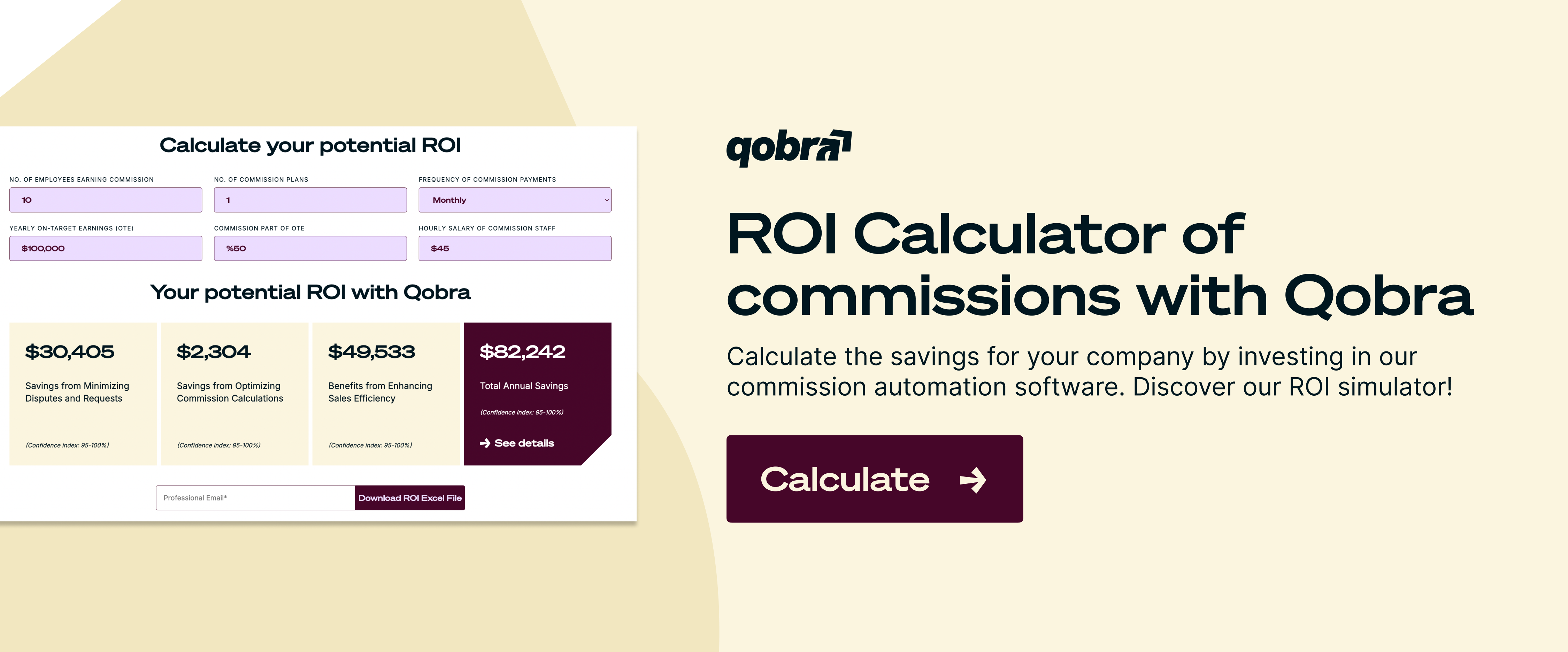
- Error Reduction: Review past payouts. Even a 1% error rate on a total annual commission payout of £1 million is a £10,000 loss. Automation drastically reduces these overpayments.
- Improved Sales Performance: This is harder to quantify but is often the most significant benefit. With real-time visibility into their earnings, reps are more motivated. Reduced disputes and increased trust in the numbers mean less time spent on "shadow accounting" and more time selling. Reliable commissions are a powerful tool for retaining top talent.
Beyond price, value: platforms like Qobra justify their cost through fast deployment, a no-code engine, and AI features (natural-language plan creation, an "Explain my comp" assistant, conversational reporting) that cut disputes and save RevOps teams hours every month. Qobra pricing is quote-based: Qobra does not publish a price or a price range.
How to compare vendors when pricing is not public
When you can't compare sticker prices, you must compare solutions. Follow this structured approach to make an informed decision.
- Define Your Requirements First: Before you talk to any vendors, document your needs. List all your current and planned
commission structures, identify your must-have integrations (e.g.,Salesforce, NetSuite), and specify the number of users. - Shortlist Vendors: Look for providers who have experience with companies of your size, in your industry, and with similar
CRMsetups. Read case studies and third-party reviews. - Run a Standardized Demo Process: Provide the same requirements document to each shortlisted vendor. Ask them to demonstrate how their platform would handle your most complex commission rule. This allows you to compare apples to apples.
- Request a Detailed Price Breakdown: Ask for a quote that separates one-time fees (implementation, data migration) from recurring fees (licenses, support). Ask about any potential add-on costs.
- Check References: Talk to current customers who are similar to you. Ask them about their experience with implementation, how responsive the support team is, and whether they encountered any unexpected costs after signing the contract.
Advice: Think about the future
When evaluating software, don't just solve for today's problems. Choose a platform that can grow with you. Does it have a no-code rule engine that allows your RevOps team to easily adjust plans without relying on the vendor? A flexible solution will save you time and money as your commission plans inevitably evolve.
FAQ
What are the most common pricing models for sales commission software?
The most common models are per-user/per-payee per month, tiered packages based on user counts and features, and custom quotes for enterprise clients. Most mid-market and larger businesses will receive a custom quote.
How much does sales commission software cost per user?
Prices per user vary widely from one vendor to the next, and many vendors only share them in a custom quote. Entry-level plans are at the lower end, while enterprise-grade solutions with advanced features and support are at the higher end.
When should my company switch from Excel to a dedicated tool?
You should consider switching when you spend more than a day per month on manual calculations, when commission disputes become frequent, or when your team grows beyond 10-15 reps and your commission plans involve any complexity (tiers, splits, accelerators).
Are implementation fees always a separate cost?
It depends on the vendor. Some include basic implementation in their package price, while most charge a separate, one-time fee for setup, data migration, and training. It is crucial to clarify this during the sales process.
Are there reliable alternatives to Excel for managing sales commissions?
Dedicated commission software is the main alternative to Excel for managing sales commissions. Dedicated commission software automates calculations from a single source of truth such as the CRM, shows sales reps their potential earnings on dashboards, and keeps a full history of all changes with role-based access. Dedicated commission software is designed to handle hundreds of reps and complex commission structures, where spreadsheets remain prone to typos and formula mistakes.