Webinar (Wednesday, October 21) — Aligning HR, Finance, and Sales: Mastering Sales Comp Without Breaking Your Plan
Register
- Automate and centralize commissions: a dedicated platform ingests CRM/ERP data, performs real-time calculations, and single-sources payouts to eliminate spreadsheet error and manual reconciliation.
- Prioritize core features: a no-code rule engine, real-time dashboards for reps and managers, native integrations, audit trails, dispute workflows, and advanced reporting/forecasting.
- Expect measurable ROI: large time savings for Finance/RevOps (days per month), fewer payout errors, because a rules engine, approvals and an audit log replace hand-built formulas (field audits find spreadsheet cell error rates of 0.4% to 2.5%, Panko, 2008), higher quota attainment among reps, and clearer cost-to-revenue visibility.
- Choose based on scale and TCO: map current and future plan complexity, evaluate ease of admin and rep adoption, verify pre-built integrations, and factor implementation, support, and consulting costs.
- Implementation best practices: clean and validate CRM data first, pilot core plans, run end-to-end tests including payroll exports, require demos and an ROI/business-case, and confirm support/SLAs before signing.
Commission software for sales automates commissions in five steps: it syncs closed deals from the CRM, applies the plan's rules (tiers, accelerators, splits, clawbacks) to every deal, routes the results through approvals, exports the approved payouts to payroll ahead of the monthly pay run, and logs every plan and payout change in an audit trail. Reps see their earnings update as deals close, and finance closes the month from one set of figures rather than a shared spreadsheet. This guide compares eight platforms on those steps: Qobra, CaptivateIQ, Everstage, Spiff by Salesforce, QuotaPath, Xactly Incent, Performio and Varicent.
Key takeaways
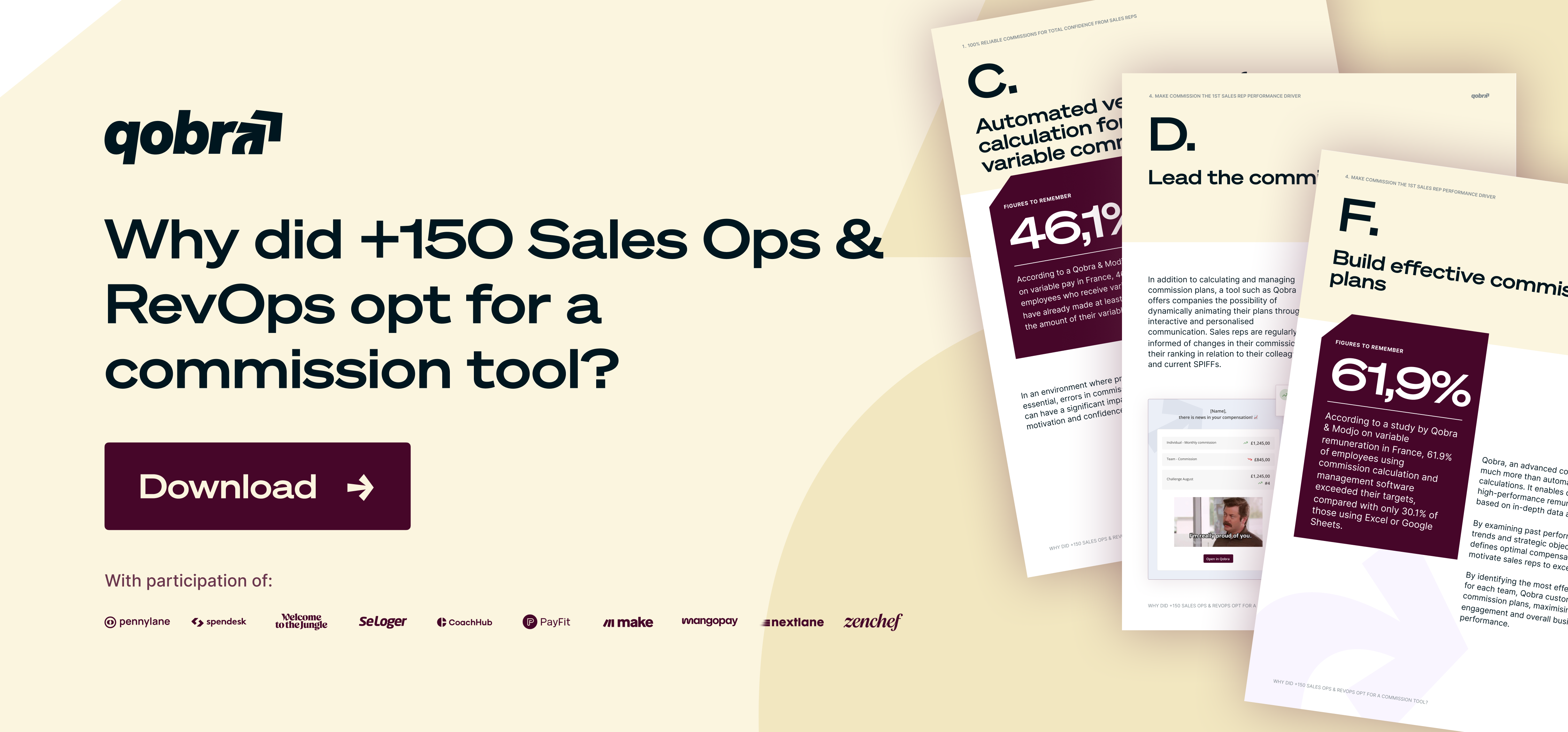
- In a 2024 Qobra x Modjo survey of 1,409 sales professionals in France, 61.9% of reps using a commission tool exceeded their sales targets, against 30.1% of reps on spreadsheets (Qobra x Modjo study, 2024).
- Field audits of operational spreadsheets find cell error rates of 0.4% to 2.5% (Panko, 2008); commission software replaces those formulas with one rules engine, approvals before payroll and an audit log.
- Two of the eight platforms publish list prices: Salesforce Spiff at £75 per user per month billed annually, and QuotaPath from £35 per user per month plus a £525 monthly platform fee; the other six are quote-based (vendor websites, Sept 2026).
- Published set-up times run from Spiff's "days, not weeks" to 4 to 6 weeks (Everstage), 4 to 8 weeks (Performio), 45 to 60 days (QuotaPath Growth) and weeks for a mid-market team (Qobra); Xactly Incent and Varicent publish no timeline (vendor websites, Sept 2026).
- For HRIS, Workday is listed by Qobra, CaptivateIQ, Everstage, Performio, Xactly Incent and Varicent, and HiBob by Qobra and Everstage; for payroll, Qobra reaches Sage, Xero, BrightPay and other UK payroll software through its CSV or SFTP payroll export (vendor websites, Sept 2026).
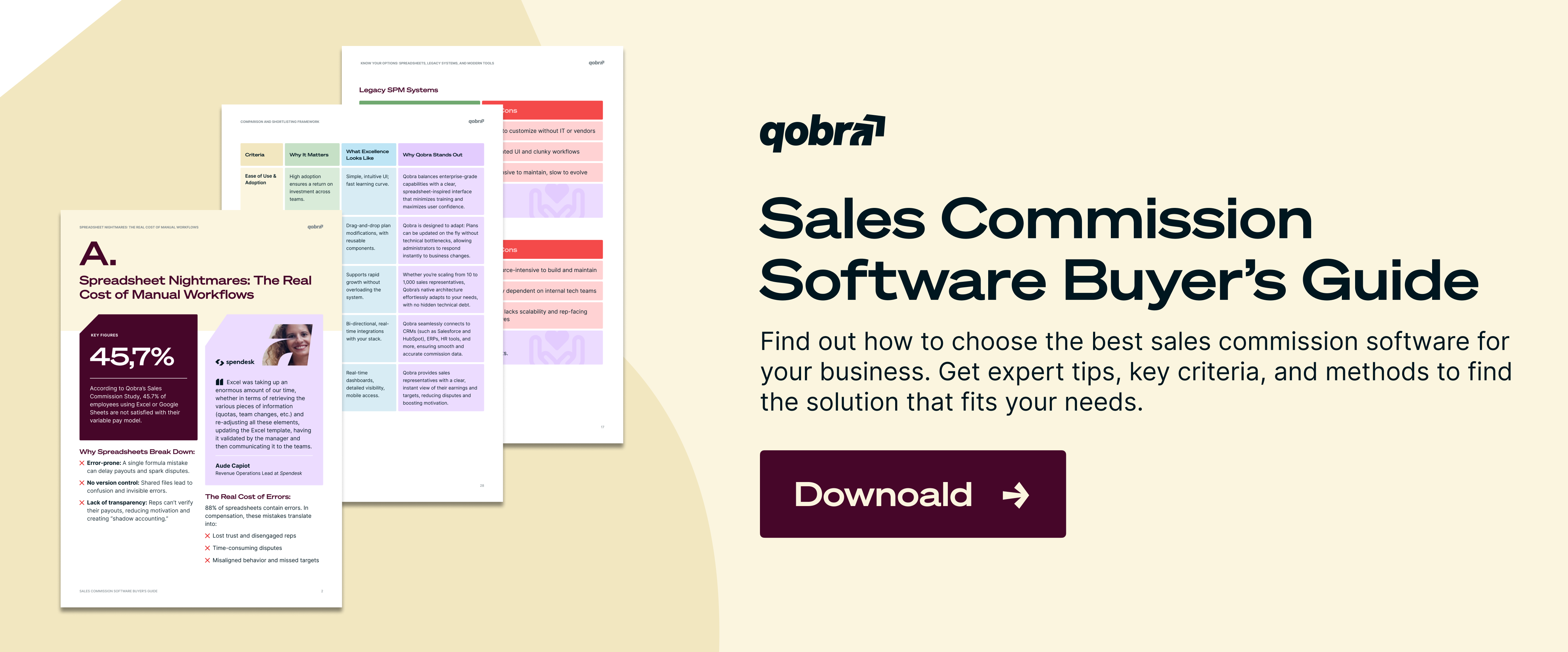
Are your sales and finance teams still drowning in spreadsheets to calculate commissions? While familiar, tools like Excel and Google Sheets often become a source of frustration, quietly draining time, trust, and revenue. Studies show that a majority of employees—up to 68%—are dissatisfied with manual commission management. The drain is documented: 24% of 367 operational spreadsheets audited in 7 field studies contained errors (Panko, 2008), and reps on spreadsheets exceeded target less than half as often as reps on a commission tool (30.1% vs 61.9%, Qobra x Modjo study, 2024). The reasons are clear: spreadsheets are prone to errors (31%), unnecessarily complex (28.8%), and lack transparency (24%), leaving sales reps confused and finance teams overwhelmed.
Objections like “Why pay for software when we already use Excel?” ignore the high hidden costs. Hidden because they never show on an invoice: reconciliation hours, corrected payouts and, because commission is paid through payroll with PAYE income tax and Class 1 National Insurance like salary (HMRC, NIM02010; gov.uk guidance on bonuses), a payroll correction for every wrong payout. The full comparison is in commission software vs Excel. These include countless hours spent reconciling data, disputes over inaccurate payouts, and a demotivated sales team unable to track their earnings in real time. But what if your commission process could be transformed from an operational headache into a strategic growth lever?
Modern sales commission software automates calculations, guarantees accuracy, and gives your entire organization real-time visibility into performance and earnings. It turns compensation into a powerful, predictable driver of business growth. Predictable because changes are tested first: Qobra, CaptivateIQ, Everstage and QuotaPath document what-if simulation on historical or live data, and Qobra, Everstage and Spiff date plan versions so a mid-year change applies from a set date (vendor websites, Sept 2026). In this guide, we'll explore how these platforms work, the key features to look for, and how to select the right solution to eliminate spreadsheet chaos and align your sales incentives with your company's strategic goals.
Why move beyond spreadsheets: the ROI of commission software
The shift away from manual commission management is not just a trend; it's a strategic business decision. It is also a reporting decision. Under IFRS 15 (paragraphs 91 to 94), sales commissions that are incremental costs of obtaining a contract are recognised as an asset and amortised when the company expects to recover them, with a practical expedient to expense them when the amortisation period is one year or less (IFRS Foundation, ifrs.org). [TO VALIDATE: treatment under FRS 102: check with your auditor] For companies applying the UK Corporate Governance Code 2024, Provision 29 adds a board declaration on the effectiveness of material controls for accounting periods beginning on or after 1 January 2026 (FRC, frc.org.uk); plan versions, approvals and an audit log are the evidence behind both.
High-performing revenue teams understand that how you manage commissions directly impacts profitability, employee retention, and overall company performance. The evidence is in attainment: in a 2024 Qobra x Modjo survey of 1,409 sales professionals in France, 61.9% of reps using a commission tool exceeded their sales targets, against 30.1% of reps on spreadsheets (Qobra x Modjo study, 2024). The right platform delivers measurable returns across the entire organization, from sales and finance to operations and HR.
Measurable because the inputs are countable: payees, hours on the monthly run, corrected payouts and disputes. Qobra's ROI calculator turns them into a savings estimate before you buy. For the metrics behind that estimate, see the guide to sales compensation ROI and analytics.
Save Time and Eliminate Manual Work
The most immediate benefit of a dedicated commission tool is the massive reduction in manual effort. Manual effort drops because the data arrives on its own: Qobra syncs Salesforce, HubSpot, Microsoft Dynamics, Zoho, Pipedrive and Odoo in real time, CaptivateIQ and Performio run scheduled syncs, Spiff reads Salesforce natively, and Qobra exports approved payouts by CSV or SFTP to any payroll (vendor websites, Sept 2026). By automating data ingestion from your CRM, ERP, and other systems, the software eliminates the need for manual data entry and validation. Calculations are performed automatically, and payroll exports are generated with a few clicks.
How commission software increases transparency and trust
Trust is the foundation of a motivated sales team. When commissions are calculated in a "black box," reps often feel suspicious and disengaged. Suspicion starts where traceability ends: a rep who cannot see which deals paid what, at which rate, cannot check the number, and reps on spreadsheets exceeded target far less often than reps on a commission tool (30.1% vs 61.9%, Qobra x Modjo study, 2024). Automated software provides a single source of truth, with reliable formulas and real-time visibility that build confidence. Research indicates that 84.2% of employees who are satisfied with their commission plans use dedicated software, while nearly half of spreadsheet users report dissatisfaction.
By giving every stakeholder—from reps and managers to finance leaders—access to the same accurate, up-to-date information, you eliminate disputes and foster a culture of transparency. This alignment is one of the key benefits of a reliable commission tool.
Boost Sales Performance and Motivation
When sales reps can see their potential earnings update in real-time after closing a deal, it creates a powerful motivational feedback loop. Real-time progress tracking keeps them engaged, goal-oriented, and focused on the activities that generate the most revenue.
The data speaks for itself: 61.9% of sales reps using commission software exceeded their targets, compared to only 30.1% of those using spreadsheets (Qobra x Modjo study, 2024: 1,409 sales professionals surveyed in France, 9 March to 9 April 2024). This direct link between daily activities and financial reward turns your compensation plan into a dynamic performance management tool.
Reduce Costly Errors
Manual calculations are a breeding ground for human error. The research is blunt: 91% of the 54 spreadsheets audited with the most rigorous methods contained major errors (Panko, 2008). More in Qobra's guide on reducing errors in commission spreadsheets. A misplaced decimal point or an incorrect formula can lead to significant overpayments that hurt your margins or underpayments that destroy morale. Automation prevents these miscalculations at the source. Field audits find spreadsheet cell error rates of 0.4% to 2.5% (Panko, 2008); commission software removes the hand-built formulas behind them by applying one rules engine to every deal, holding each payout in an approval step before payroll, and logging every plan and payout change with user, timestamp and before/after values. This not only protects the company's bottom line but also eliminates the painful and time-consuming process of resolving payout disputes.
Disputes shrink when a rep can see which deals paid which amount and flag a line inside the tool: Qobra pairs deal-level statements with a native claim workflow, CaptivateIQ logs inquiries, Everstage logs queries and Spiff keeps in-app comments next to the calculation (vendor websites, Sept 2026).
Align Compensation with Business Strategy
A robust commission platform is more than just a calculator; it's an analytical powerhouse. Analytical because deal, quota and payout data sit in one place: Qobra adds custom reports, warehouse connectors (Snowflake, BigQuery) and an AI agent that analyses the data; CaptivateIQ reports cost of sales and attainment with CSV and API export; Xactly Incent adds benchmarking (vendor websites, Sept 2026). It allows leaders to track performance trends, identify top reps, model the financial impact of plan changes, and design scalable incentive structures that are perfectly aligned with revenue goals. Whether you want to push a new product, enter a new market, or improve margins, the software gives you the flexibility to adapt your sales commission plans quickly and effectively.
Core Features of a Modern Sales Commission Platform
When evaluating different solutions, it’s essential to look beyond the basic promise of automation. The best platforms offer a comprehensive suite of features designed for flexibility, transparency, and scalability. Here are the core capabilities to look for.
Flexible, No-Code Plan Builder
Your commission plans will inevitably evolve as your business grows. You need a system that can adapt without requiring expensive developers or external consultants.
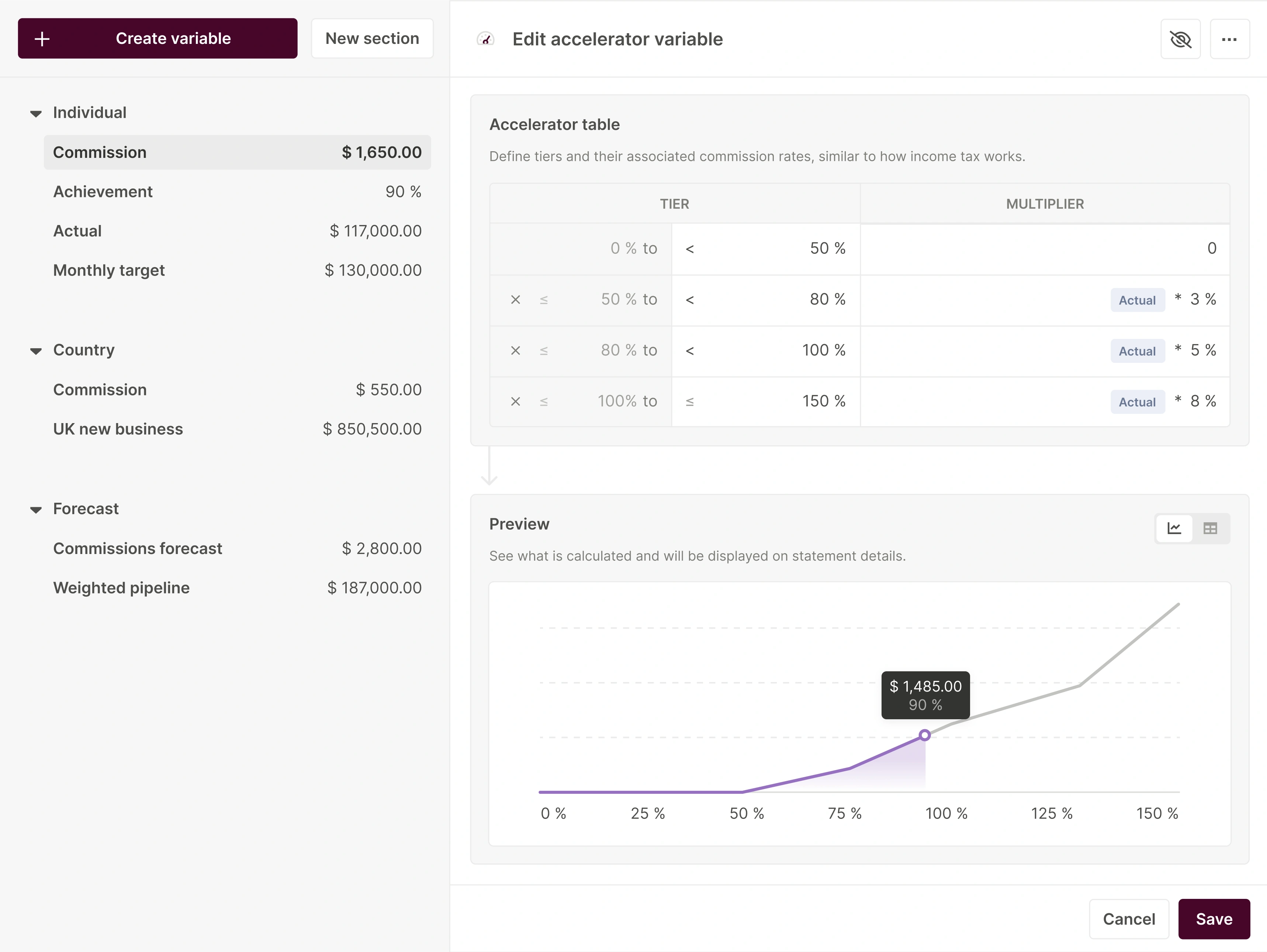
A modern platform should feature an intuitive, no-code calculation engine. No-code matters because plan changes then happen in RevOps or Finance without a ticket: Qobra's no-code editor, CaptivateIQ ("no code required"), Everstage ("without writing a single line of code") and QuotaPath ("no SQL skills required") all state it; Xactly Incent is admin-led and Varicent partner-implemented (vendor websites, Sept 2026). This empowers your Sales Ops, Finance, or HR teams to build and modify any commission plan with ease, much like using a spreadsheet but with the power and reliability of an enterprise-grade system. Look for the ability to handle:
- Complex Rules: Tiered rates, accelerators, bonuses, SPIFFs, and clawbacks.
- Team-Based Structures: Overrides for managers, splits, and team-based incentives.
- Custom Logic: Formulas based on any metric, from revenue and profit margin to product-specific quotas.
Platforms like Qobra are built around a powerful no-code editor, allowing administrators to configure and deploy plans in minutes, not months.
Qobra's plan-building AI agent also takes instructions in natural language ("add a SPIFF, remove a threshold, adjust an accelerator") and simulates the result before publishing (Qobra's AI agents page, Sept 2026).
Real-Time Calculations and Dashboards
The days of waiting until the end of the month or quarter to see commission statements are over. A key feature is the ability to perform calculations in real time, with data flowing seamlessly from your CRM. This powers individual dashboards for sales reps, giving them an up-to-the-minute view of their performance, current earnings, and potential future payouts. For managers and finance, aggregated dashboards provide a clear overview of team performance and total commission costs, enabling better forecasting and budget management. This real-time visibility into commissions is a game-changer for motivation.
Seamless Data Integration
Your commission software should act as a central hub, not another data silo. A hub because one payout needs three systems: the deal from the CRM, the rep's role and targets from the HRIS, and the file to payroll. Qobra, for example, lists six CRMs (Salesforce, HubSpot, Microsoft Dynamics, Zoho, Pipedrive, Odoo), three HRIS (Workday, BambooHR, HiBob), Snowflake and BigQuery, and CSV or SFTP export to any payroll on its integrations page. It needs to connect natively with the critical systems where your business data lives. A single source of truth is essential for accuracy and efficiency. Without it, three numbers circulate: the rep's own tracker, the RevOps workbook and finance's payroll file, and every gap between them becomes a dispute to settle before payday. One synced dataset with deal-level statements gives all three the same figure. Key integrations include:
Robust, native integrations ensure that your data is always clean, current, and synchronized across your entire tech stack.
Only as good as its data because the rules engine reads close date, amount, product and owner fields exactly as the CRM records them: a deal closed in the wrong period or credited to the wrong rep is paid exactly as recorded, and each one becomes a manual adjustment to explain later.
Dispute Management and Audit Trails
Even with automation, questions and disputes can arise. A best-in-class platform includes a built-in workflow for managing disputes. Reps can flag a specific deal or calculation directly within the tool, triggering a notification to their manager or the commission administrator. The entire conversation is tracked in one place, creating a clear and auditable record of the resolution. This audit trail is also critical for compliance, providing complete traceability from the initial data point to the final payout.
Advanced Reporting and Analytics
To make your commission plan a strategic asset, you need access to actionable insights. Your software should provide advanced reporting capabilities that go beyond simple payout summaries. Beyond summaries means the reports finance runs each month: in Qobra's comparison of commission reporting software, Qobra covers all six monthly reports reviewed and CaptivateIQ's dashboards cover cost of sales and attainment (vendor websites, Sept 2026); ask each vendor to show them on your own data during the demo. Look for the ability to:
- Track performance against quota for individuals and teams.
- Analyze commission costs as a percentage of revenue.
- Forecast future payouts based on the sales pipeline.
- Identify top performers and analyze what drives their success.
- Model the impact of potential changes to your compensation plan before you roll them out.
8 commission platforms for sales teams compared (2026)
How we evaluated: cells come from vendor websites and pricing pages checked in September 2026; "not named" or "not published" means the vendor does not state it publicly; quote-based means no public list price; "ASC 606" is the vendors' own module name.
How to Choose the Right Sales Commission Software
With a growing market of vendors, selecting the right platform can seem daunting. The best choice depends on your company's size, the complexity of your commission plans, and your long-term growth strategy. Here are key criteria to guide your decision.
Assess Your Current Complexity and Future Needs
Start by mapping out your current commission structures. Are they simple percentage-based plans, or do they involve multiple tiers, overrides, and bonuses? Consider not just what you need today, but where your company will be in two to three years. A solution that works for a 20-person sales team might not scale to support a 200-person global force. Look for a platform that can handle your future complexity without requiring a complete overhaul. This is where a comprehensive guide to sales commissions can help you think through your requirements.
Prioritize Ease of Use and Adoption
A powerful platform is worthless if your teams don't use it. The user experience for both administrators and sales reps is paramount. For admins, the plan builder should be intuitive and flexible. For reps, the dashboard should be clean, easy to understand, and accessible. High user adoption is often driven by simplicity and a design that feels familiar yet powerful. The goal is to find a tool that combines the usability of a spreadsheet with the speed and reliability of automation.
Evaluate Integration Capabilities
Revisit the importance of your tech stack. Create a checklist of your essential systems (CRM, ERP, HRIS) and verify that the vendor offers robust, pre-built integrations for them. Avoid solutions that rely heavily on custom API work, as this can add high cost, complexity, and maintenance overhead to the project. The ideal software should plug into your existing ecosystem seamlessly.
Consider the Total Cost of Ownership (TCO)
The TCO includes more than just the license fee. Factor in:
- Implementation Time: How quickly can you get up and running? Modern platforms can be launched in weeks, not months.
- Internal Resources: How much time will your ops and finance teams need to dedicate to managing the system?
- Consulting Fees: Does the vendor require you to pay for professional services to make plan changes?
- Training and Support: Is onboarding included, and is customer support responsive and helpful?
A platform with a higher initial price but a lower TCO is often the better long-term investment.
How Qobra automates commissions
Qobra is a sales compensation platform with offices in London, Paris and New York (its London office opened in June 2024). It is used by 300+ companies, and over €1 billion in commissions has been certified on the platform (qobra.co). It syncs the CRMs, HRIS and data warehouses listed above in real time (full list on Qobra's integrations page), runs the plan in a no-code editor, holds every payout in a multi-step approval before payroll, and exports the approved file by CSV or SFTP to any payroll, which is how Sage, Xero, BrightPay and other UK payroll software are reached. Every plan and payout change is logged with user, timestamp and before/after values, plan versions carry effective dates, and manual adjustments carry reason codes.
Three AI agents build plans in natural language, analyse the data and answer reps' questions as a Sales Coach, and the Qobra MCP Server lets your own stack pull data and trigger actions. Book a demo to see the monthly run on your own CRM data.
The Final Step: Moving from Chaos to Clarity
Adopting a dedicated sales commission software is a transformative step. It moves your organization from a reactive, error-prone process to a proactive, strategic approach to sales compensation. By automating the administrative burden, you free up your teams to focus on what they do best: analyzing performance, refining strategy, and closing deals.
The result is a more motivated, trusting, and high-performing sales organization. Reps are empowered with real-time visibility into their earnings, managers have the data they need to coach effectively, and leadership can confidently align sales incentives with overarching business objectives.
Answers to the questions UK buyers ask
Is there a reliable way to automate sales pay, avoid the mistakes found in manual files and validate the data?
Yes, with controls at three points. At sync, the platform reads CRM fields as recorded, so RevOps validates owners, amounts and close dates upstream. Before payout, approvals catch anomalies: multi-step in Qobra, multi-level in Performio, segregation of duties in CaptivateIQ, basic or multi-level in QuotaPath by plan. After payout, the audit log and deal-level statements show what was paid and why (vendor websites, Sept 2026).
Which platforms update earnings in real time as deals close?
Qobra syncs Salesforce, HubSpot, Microsoft Dynamics, Zoho, Pipedrive and Odoo in real time and emails reps when a deal closes. Spiff by Salesforce recalculates near real time inside Salesforce. CaptivateIQ and Performio run scheduled syncs, and CaptivateIQ triggers calculations manually, so dashboards refresh at the next run (vendor websites, Sept 2026). Ask each vendor for the sync interval on your CRM.
Which platforms allow fast adjustments to sales pay structures?
Those where an admin edits the plan without code: Qobra's no-code editor, which also takes natural-language instructions and simulates the change before publishing; CaptivateIQ ("no code required"); Everstage ("without writing a single line of code"); QuotaPath ("no SQL skills required"). Spiff uses a formula-based designer; Xactly Incent is admin-led and Varicent partner-implemented (vendor websites, Sept 2026). More in the guide to sales compensation modelling software.
Which easy tools let me view my personal commission payouts?
Look for a rep app that shows earned, pending and forecast commission per deal. Qobra gives reps a real-time web dashboard, deal-close email notifications and an "Explain my comp" AI assistant; CaptivateIQ, Everstage and Performio publish iOS and Android apps; Xactly Incent has native mobile apps; Spiff shows statements inside Salesforce; QuotaPath adds earnings pages in HubSpot (vendor websites, Sept 2026).
Which tools automate sales pay with tiered bonus structures?
All eight platforms compared above calculate tiers and accelerators natively. Qobra, CaptivateIQ, Performio, Xactly Incent and Varicent also cover splits, clawbacks and draws; Spiff and Everstage limit draws; QuotaPath limits splits and clawbacks (vendor websites, Sept 2026). To test a tiered plan before buying, Qobra's free commission calculator simulates tiered, accelerator and cliff structures.
Which commission management software offers the fastest setup for a growing mid-sized business?
By published vendor figures: Spiff by Salesforce claims set-up in days, not weeks, for Salesforce-only teams; Everstage claims 4 to 6 weeks; Performio 4 to 8 weeks; QuotaPath 45 to 60 days on Growth, implementation included in the platform fee; Qobra goes live in weeks for a mid-market team. Xactly Incent and Varicent publish no timeline and typically take months (vendor websites, Sept 2026).
Which commission platform integrates with major CRM systems, including Salesforce-driven automation?
All eight connect to Salesforce natively. HubSpot is native on Qobra, CaptivateIQ, Everstage, QuotaPath, Performio and Varicent, a paid connector on Spiff and via Xactly Connect on Xactly Incent; Microsoft Dynamics is native on Qobra, CaptivateIQ, Everstage, Performio and Varicent (vendor websites, Sept 2026). For Salesforce-driven automation, Spiff runs inside Sales Cloud at £75 per user per month, and Qobra syncs Salesforce in real time.
Which platform for managing variable pay connects to our current HR software?
Match the HRIS first. Workday is listed by Qobra, CaptivateIQ, Everstage, Performio, Xactly Incent and Varicent; BambooHR by Qobra, CaptivateIQ, Everstage and Performio; HiBob by Qobra and Everstage; Personio and Ceridian Dayforce by Everstage. Spiff reaches HCM systems through paid connectors at £250 per month each (vendor websites, Sept 2026). The HRIS feed carries employee data, roles and targets into the plan.
Which platforms provide analytics on how incentive pay drives revenue efficiency?
Platforms that report commission cost against revenue and attainment, not only payouts. Qobra covers all six monthly reports in Qobra's commission reporting comparison, adds Snowflake and BigQuery connectors and an AI agent that analyses the data; CaptivateIQ reports cost of sales and attainment; Xactly Incent adds benchmarking; Everstage ships prebuilt BI dashboards; Performio has Analytics Studio (vendor websites, Sept 2026).
Frequently Asked Questions
What is sales commission software?
Sales commission software is a specialized platform designed to automate the entire process of managing variable compensation for sales teams. It handles everything from importing sales data and calculating complex commission rules to providing real-time dashboards for reps and generating accurate reports for finance and payroll. It replaces manual, error-prone spreadsheets with a reliable, transparent, and scalable system.
How does commission software work?
The software works by connecting directly to your data sources, most commonly your CRM (like Salesforce or HubSpot). It automatically ingests relevant data (e.g., closed deals, revenue, contract value) in real-time. An administrator uses a rule engine—ideally a no-code one—to build the logic of your commission plan. The platform then applies these rules to the incoming data to calculate commissions instantly, displaying the results on personalized dashboards.
How long does it take to implement?
Implementation time varies depending on the complexity of your plans and the quality of your source data. However, modern, user-friendly platforms have significantly reduced this timeline. While legacy systems could take six months or more, many companies can now go live with a new commission system in just a few weeks to three months.
Can commission software handle complex, multi-tiered plans?
Absolutely. This is one of their primary strengths. A robust commission platform is designed to handle virtually any level of complexity, including multi-tiered commission rates, accelerators based on quota attainment, manager overrides, team-based splits, and special incentives like SPIFFs or bonuses for specific products. The flexibility of the rule engine is a key factor to evaluate when choosing your commission software.
What is the best commission software for sales teams?
It depends on the stack. Qobra fits mid-market and growth B2B teams because plan changes stay in a no-code editor and every change is logged; Spiff fits Salesforce-only teams because it is a Sales Cloud add-on; QuotaPath fits SMBs because it publishes prices from £35 per user per month; CaptivateIQ fits finance-led teams with complex plans because SmartGrid models tiers, splits, clawbacks and draws (vendor websites, Sept 2026).
How does commission software integrate with Salesforce or HubSpot?
Through a native connector that pulls deal, account and rep data, maps fields such as close date, amount and owner to plan components, and publishes the results as statements or as views inside the CRM (Spiff in Salesforce, QuotaPath in HubSpot). Qobra syncs both CRMs in real time; CaptivateIQ and Performio sync on a schedule; Spiff reaches HubSpot through a paid connector (vendor websites, Sept 2026).
Can commission software export payouts to UK payroll software such as Sage, Xero or BrightPay?
Yes, usually as a payroll file. Qobra exports approved payouts by CSV or SFTP to any payroll, covering Sage, Xero, BrightPay and other UK payroll software; CaptivateIQ, Spiff and Everstage document payroll exports, and Performio multi-country payroll files (vendor websites, Sept 2026). Payroll runs PAYE and Class 1 National Insurance on the commission like salary (gov.uk), so the file must arrive before the payroll cut-off.
How much does commission software cost in the UK?
Two of the eight publish list prices. Salesforce Spiff costs £75 per user per month billed annually, plus £250 per month per external connector and Premium Support at 30% of net price. QuotaPath Growth is £35 per user per month plus a £525 monthly platform fee, Premium £50 plus £800, billed annually. Qobra, CaptivateIQ, Everstage, Xactly Incent, Performio and Varicent quote by payees or seats (vendor websites, Sept 2026).
What is the difference between commission software and a commission calculator?
A commission calculator does one plan's maths for one scenario: Qobra's free commission calculator simulates tiered, accelerator and cliff structures on numbers you type in. Commission software connects to the CRM, applies the plan to every closed deal for every rep, routes payouts through approvals, publishes statements, keeps an audit log and exports to payroll. Use the calculator to design the plan and the software to run it every month.