
Best Sales Commission Software in 2026: Which Platform Fits Your Team?
Compare sales commission software by plan configuration, review workflows and commercial scope. Build a shortlist around your team’s operating needs.


- Qobra fits mid-market, RevOps-led teams whose main challenge is moving a commission plan change from its administrator to an accountable reviewer: Qobra combines a no-code plan editor, configurable rules, sandbox simulations, multi-currency support and validation workflows with custom roles and audit history.
- The sales commission platforms compared here match different operating needs: Qobra for plan editing, simulations and validation together, CaptivateIQ for spreadsheet-style formulas, Everstage for modelling plan changes on historical data, Xactly for hierarchy management, statements and disputes, and Salesforce Spiff for a native Salesforce connection with calculation tracing.
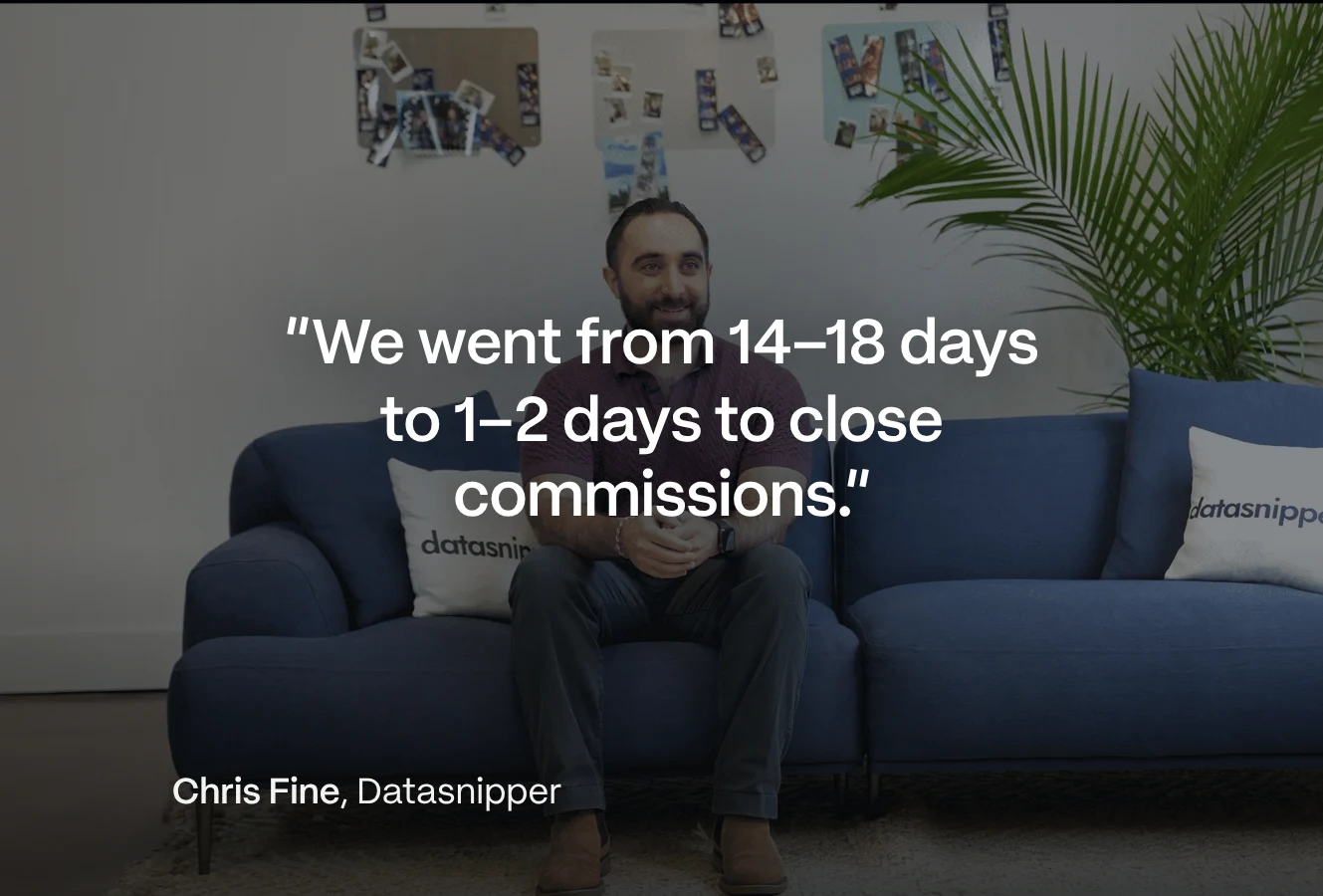
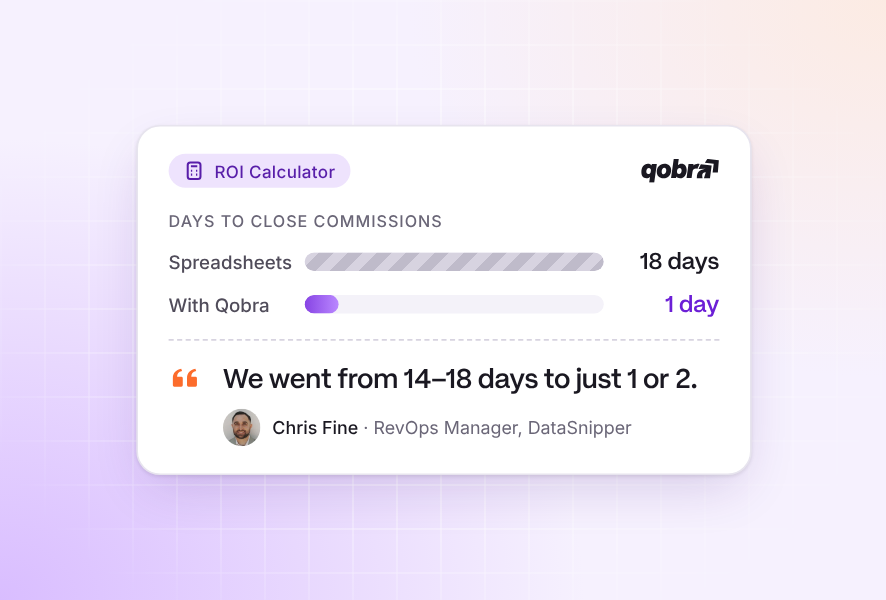
- At GoCardless, Julija Slapaka (RevOps) reports that monthly commission processing took three to four days before Qobra and a maximum of one day with Qobra.
- For small teams or simple plans, QuotaPath Growth lists custom plans and a basic approvals-to-payouts workflow on a base amount that includes five users, while EasyComp advertises splits, tiers, clawbacks and source-to-payout traceability.
- Sales commission software pricing structures differ: Salesforce Spiff lists an annual-billed per-user price, CaptivateIQ quotes administrator and payee seats plus a one-off setup fee, and Everstage quotes per payee with separate platform licence, enterprise support and onboarding lines.
Which sales commission platform belongs on your shortlist?
The best sales commission software in 2026 automates your calculations and fits the people who maintain your plans and approve payouts: Qobra for plan editing, simulations and validation in one platform, CaptivateIQ for spreadsheet-style formulas, Everstage for modelling changes on historical data, Xactly for hierarchies, statements and disputes, Salesforce Spiff for a native Salesforce connection, and QuotaPath or EasyComp for small teams with simple plans.
Start with Qobra if your priority is configuring commission plans, testing changes and coordinating validation in one platform. Qobra offers a no-code plan editor, configurable rules, sandbox simulations, multi-currency support and dashboards. That makes it a strong candidate for a RevOps-led shortlist centred on plan administration and review. Check your actual rules and staffing needs: no-code does not mean every plan can be implemented without specialist help.
For calculating and managing sales commissions, also consider CaptivateIQ when spreadsheet-style formulas suit your administrators, Everstage when historical-data modelling is central to plan changes, and Xactly when hierarchy management, statements and disputes are priorities. CaptivateIQ describes a no-code formula interface; Everstage describes no-code design and historical modelling; Xactly lists the review workflows above. These are different reasons to shortlist a platform, not a ranking by company size.
Choose your selection criteria before choosing a winner: who will maintain the plans, who must review results, and what commercial scope can you support? For broader sales compensation needs, use the same starting point, then decide whether to evaluate incentive compensation management (ICM) in greater depth. The best fit is the platform that meets your operating requirements, not the one with the longest feature list.
How this comparison works: This Qobra-owned comparison uses vendors’ product and pricing descriptions to compare documented capabilities on common dimensions. It is not a hands-on benchmark. Shortlist recommendations reflect those descriptions; unknown means the available information does not settle the question, not that a capability is absent.
Sales commission management platforms: fit comparison at a glance
Use the matrix to find candidates that match your main requirement, then read the commercial column before deciding which package to evaluate. Treat configuration, review and commercial scope as separate decisions rather than collapsing them into a single score.
Shortlist by operating need, not rank. Capability descriptions reflect each vendor’s materials; commercial questions identify what to settle in your proposal.
| Platform | When to shortlist | Configuration | Review and reporting | Commercial scope to settle |
|---|---|---|---|---|
| Qobra | You want plan editing, simulations and validation together. | No-code editor, configurable rules, sandbox simulations; multi-currency support. Sandboxes in the Scale package. | Validation workflows, dashboards, custom roles, audit history and reporting. | Quote-based pricing; confirm implementation scope, entitlements and support in your proposal. Core, Advanced and Scale packages, priced by package and number of payees (qobra.co/uk/pricing, Oct 2026). |
| CaptivateIQ | Spreadsheet-style formulas suit your plan administrators. | No-code interface with spreadsheet-style formulas; sandbox listed. | Approvals, disputes, access controls and audit logs listed. | Custom quote based on administrator and payee seats, plus a one-off setup fee. Request the complete implementation and support scope. |
| Xactly | Hierarchy management and commission statements are priorities. | Day-to-day configuration, modelling and adjustments described as no-code. | Statements, hierarchy management, disputes and audit trails. | Quote request available; confirm integration work separately from day-to-day configuration. |
| QuotaPath | You want to compare package scope against a published user-based pricing structure. | Growth lists custom plans; Premium adds plan modelling. | Growth lists a basic approvals-to-payouts workflow; Premium adds multi-level approvals. | Growth and Premium use a base amount including five users, then additional-user fees; annual billing. Confirm currency, taxes and add-ons. |
| EasyComp | Splits, tiers, clawbacks and traceability drive the shortlist. | Splits, tiers and clawbacks advertised; ask to see how administrators edit plans. | Source-to-payout traceability advertised. | Starter and Growth display per-user pricing; possible setup and platform fees. Confirm currency, commitment, minimum seats and Starter conditions. |
| Everstage | You want to model plan changes using historical data. | No-code plan design and historical-data modelling before publication. | Custom roles, data access controls and multi-stage approvals. | Per-payee custom quote separates the annual platform licence, enterprise support and one-off onboarding or implementation. Confirm each line item. |
| Salesforce Spiff | Salesforce connection, calculation tracing and statement review are priorities. | Effective dates listed; confirm the plan-editor workflow. | Calculation tracing, dispute collaboration, historical statement locks and activity logging; commission expensing also listed. | Annual-billed per-user list price; additional one-way non-Salesforce connectors and premium support priced separately. Request complete scope. |
| Varicent | Plan simulations and performance dashboards are priorities. | AI-guided modelling, simulations and plan changes described. | Calculation audit trails, commission statements and performance dashboards. | Confirm the pricing basis, implementation scope and included capabilities in your proposal. |
| Performio | You want to scope subscription and implementation separately. | Dedicated sandbox listed; ask to see the plan-editing workflow. | Confirm review workflows, reporting capabilities and analytics scope. | Custom quote separates subscription and one-off implementation. Participant/admin counts, analytics and environments affect scope; training and support listed as inclusions. |
| Forma.ai | Reusable plan components and change history are priorities. | Template-driven assembly and plain-language creation of reusable components described. | Historical changes, approval/calculation logs and dispute handling. | Confirm module pricing, entitlements and connector-specific behaviour in your proposal. |
Why choose each platform?
Give each candidate a specific reason to stay on your shortlist. Use the same decision lens for every platform: the administrator’s work, the reviewer’s needs and the commercial proposal. The profiles below identify where to focus that discussion rather than repeat every table cell.
Qobra
Choose Qobra for an evaluation centred on plan administration and validation. Ask your intended administrator to walk through a representative rule change and your Finance reviewer to assess the resulting review process. Keep their responsibilities explicit rather than assuming the software removes the need for either role.
In Qobra’s GoCardless customer story, Julija Slapaka, RevOps, reports that monthly processing previously took three to four days, compared with a maximum of one day with Qobra. That is GoCardless’s reported experience, not a promised saving for your team. Read the GoCardless story for the customer’s context.
Headquartered in New York, with offices in Paris and London, Qobra is used by 350+ companies to run their commissions (qobra.co/uk/about-us). It calculates commissions from your CRM, ERP or warehouse data, with “real-time calculation and built-in discrepancy detection” and multi-level statement approval before payroll. Its AI agent The Architect edits and simulates plans in natural language (qobra.co/uk, Oct 2026). Qobra states its fit as teams with 10 or more people on commission plans or bonus schemes, a clean system of record and documented comp rules (qobra.co/uk/pricing, Oct 2026).
When Qobra should make your final two
Qobra’s strongest selection case is the combination of configurable plan rules, sandbox simulations and validation workflows, supported by custom roles and audit history. For a RevOps-led team whose main challenge is moving a proposed plan change from its administrator to an accountable reviewer, Qobra is our recommended starting point. It is the best fit when your evaluation confirms that this combined workflow meets your rules, review needs and staffing budget better than the alternatives. These capabilities are a reason to test Qobra, not a claim that they are exclusive to it.
Compare Qobra and CaptivateIQ on the same three questions: can your administrator maintain the rule, can Finance review its effect, and what work remains outside the quoted scope? CaptivateIQ describes spreadsheet-style formulas plus sandbox, approvals and audit logs. Prefer it if your administrator demonstrates a clearer, maintainable implementation of your rules in that formula interface and the review requirements also pass. Prefer Qobra if your team demonstrates the stronger end-to-end editing, simulation and validation process. Do not award either platform a win merely for saying “no-code”.
Make the deciding task concrete: in a test scenario, change a rate for the next commission period while leaving the prior period’s approved result unchanged. Ask your administrator to explain the changed calculation and your reviewer to identify the version being approved. Record any assistance required. A candidate passes only when the result, ownership and review evidence are clear; a polished vendor demonstration alone is not enough. This tests a configured policy, not a right to change contractual remuneration. Before applying changes to live pay, require review by the responsible HR and payroll teams.
CaptivateIQ
CaptivateIQ bases its custom quote on administrator and payee seats, with a one-off setup fee. For a formula-oriented evaluation, put the person who will maintain your logic in the room. Ask them to revise a representative plan and examine the approval handover, then request a proposal covering the same users and services as your other candidates. If these are your final two candidates, use Qobra vs CaptivateIQ to structure the comparison around the same requirements.
Xactly
Make the hierarchy and review process the centre of an Xactly evaluation. Bring a scenario involving a manager change and a disputed commission, and ask who owns each step. Evaluate ongoing administration separately from initial integration work; a broad no-code label should not decide both questions for you.
QuotaPath
QuotaPath lists custom plans and a basic approvals-to-payouts workflow in Growth; Premium adds plan modelling and multi-level approvals. Start your evaluation by matching those package differences to your needs, then price the appropriate user count. Test an approval with your own team and compare proposals with the same service scope.
EasyComp
For an EasyComp evaluation, prioritise explaining a commission from its source data through to the result. Bring a split or clawback example and ask the administrator and reviewer to follow it together. Treat any clawback as a configured test policy, not an automatic right to deduct pay; require the responsible HR and payroll teams to review any proposed live recovery. Resolve setup fees and package conditions before using a displayed per-user amount as your budget.
Everstage
Everstage supports modelling plan changes with historical data, making that scenario a useful starting point for your evaluation. Its per-payee custom quote separates the annual platform licence, enterprise support and one-off onboarding or implementation. Decide who may approve a change, assess the effort to maintain the model, and request an itemised proposal instead of assuming implementation is included.
Salesforce Spiff
Shortlist Salesforce Spiff when a native Salesforce connection and traceable statement review are priorities. Salesforce lists calculation tracing, dispute collaboration, effective dates, historical statement locks and activity logging. Test a disputed commission and an effective-dated plan change with your reviewers, then confirm connector and support scope in the proposal. Have Finance assess the outputs it needs from commission expensing.
Varicent
Use a Varicent evaluation to connect a plan scenario to the statement and dashboard your team wants to review. Ask who can change assumptions and how reviewers would trace the resulting calculation. Keep AI terminology secondary to whether your administrators can explain the work.
Performio
When comparing Performio with the other platforms on your shortlist, build the quote around your participant and administrator counts, analytics needs and environments. Performio prices the subscription separately from one-off implementation. Ask vendors to itemise the same scope before comparing totals.
Forma.ai
For Forma.ai, focus on how your team would own and maintain reusable plan components. Bring an example that changes over time, then ask how an administrator and reviewer would follow that change. Confirm the modules and services in the proposal rather than treating a product-page capability as an included entitlement.

Sales commission software by team scenario, from small teams to enterprise
Once you have a category shortlist, go deeper on the constraint that could change your decision. Choose the route below that matches your team’s actual work rather than repeating the entire market comparison.
Choose two finalists from your operating constraint
Use these starting pairs to narrow the field, not to assign vendors permanently to company-size categories. Across every route, apply the same criteria: maintainable configuration, acceptable review controls and a complete commercial scope. Replace a candidate when it fails a mandatory requirement, rather than expanding the shortlist indefinitely.
- Simple plans or a small team: start with QuotaPath and EasyComp. QuotaPath’s Growth package lists custom plans and a basic approval workflow; EasyComp advertises splits, tiers, clawbacks and source-to-payout traceability. Choose between them by demonstrating your ordinary monthly cycle and one exception. Prefer the candidate whose qualifying package covers that work with the lower complete ownership estimate, not automatically the smaller displayed user fee.
- Lean RevOps: start with Qobra and CaptivateIQ. The useful distinction is the administrator’s working method: Qobra’s configurable editor and validation workflow versus CaptivateIQ’s spreadsheet-style formula interface and approvals. Give your intended owner the same change task. Keep the candidate that your owner can maintain and your reviewer can approve within the staffing budget; headcount alone should not decide the winner.
- SaaS: start with Qobra and Salesforce Spiff when Salesforce connection and statement controls are important. Qobra offers configurable rules and sandbox simulations; Spiff describes a native Salesforce connection, effective dates, calculation tracing and historical statement locks. Test a renewal followed by expansion and a cancellation correction against your own crediting rules. A correction tests the configured policy; any resulting pay recovery needs review by the responsible HR and payroll teams. Prefer Spiff if its demonstrated connection and statement workflow best satisfy your requirements; prefer Qobra if its demonstrated configuration and validation process is the stronger fit. These listings alone do not establish coverage of your revenue events.
- Enterprise: start with Xactly and Varicent when hierarchy and modelling requirements dominate. Xactly describes hierarchy management, statements and disputes; Varicent describes modelling, simulations, calculation audit trails and dashboards. Test a territory reassignment across your actual reviewer hierarchy. Prefer Xactly when the demonstrated hierarchy and dispute process is decisive; prefer Varicent when the demonstrated modelling-to-review process better meets the requirements. Enterprise size is not itself a passing score.
- Accounting-heavy requirements: start with Xactly and Forma.ai if a separately identified accounting capability is mandatory. Xactly lists Commission Expense Accounting as an add-on; Forma.ai describes an ASC606 reporting module and exports. ASC606 is the supplier’s module name, not evidence of suitability for UK accounting requirements. Have Finance identify the applicable reporting framework (IFRS 15 or FRS 102 as relevant) and specify required data fields, identifiers, approvals, change history and export destinations. Prefer the option that demonstrates that operational handover and includes the necessary module in its proposal. Keep module selection separate from accounting policy: Finance determines recognition, any capitalisation and amortisation, and accounting entries under the applicable framework.
- Lean RevOps team: use the mid-market commission software guide to focus on who will administer the platform and the staffing you can commit.
- Recurring revenue, renewals and expansion: use the SaaS commission software guide to define the revenue events and handovers you need to evaluate.
- Broader incentive requirements: use the ICM platform guide to decide which category deserves a deeper evaluation.
- Rep understanding is the main concern: use the commission tracking guide to focus on earnings explanations, statements and disputes.
- CRM, payroll and accounting connections: use the commission software integrations comparison to check connection types, supported objects and payroll handoffs.
- Revenue impact of incentive pay: use the sales compensation ROI analytics guide to measure cost of sales, pay-for-performance and plan-change impact.
- Ready to turn a shortlist into a purchase: use the commission software buyer’s guide for requirements, vendor discussions and acceptance planning.
Sales commission software pricing: subscription, implementation and support
Compare proposals on the same scope before choosing on price. Ask for separate subscription, implementation and ongoing-support lines. Define which users are counted, which environments are included, who configures the plans and who maintains the connections. Keep internal administration time visible alongside vendor charges.
Performio says its pricing is not tied to data volume or API usage. That is a useful commercial distinction, but it is not a blanket statement about technical limits or every entitlement. Ask the proposal to spell out the relevant limits and services for your scope.
Also distinguish a named feature from the outcome Finance needs. Salesforce Spiff’s feature table lists commission expensing, detailed audit logs and data-sync activity logs. Those are useful discussion points, but your Finance team should still assess the outputs and accounting workflow; a feature listing is not an accounting-compliance guarantee.
Calculate first-year ownership, not just the subscription
Hypothetical UK budgeting example: a team evaluates two unnamed finalists for 60 payees and three administrators. All amounts below are new assumed GBP budgets, not vendor prices or currency conversions. Both subscriptions cover all 63 people and required environments. Implementation includes migration and initial configuration; connector and support costs are separate. Internal time uses a fully loaded rate of £60 per hour. Assume no VAT or other taxes, travel, additional modules or overlapping legacy contract costs.
Assumed costs for identical required scope; internal labour is an ownership cost, not an additional vendor invoice.
| First-year cost | Finalist A | Finalist B |
|---|---|---|
| Annual subscription | £24,000 | £30,000 |
| Implementation and migration | £8,000 | £5,000 |
| Connectors: 12 months | £200 × 12 = £2,400 | £100 × 12 = £1,200 |
| Support | £2,400 | Included: £0 extra |
| Internal implementation | 80 hours × £60 = £4,800 | 50 hours × £60 = £3,000 |
| Training: total internal hours | 20 hours × £60 = £1,200 | 20 hours × £60 = £1,200 |
| Ongoing administration and review | 12 hours/month × 12 × £60 = £8,640 | 8 hours/month × 12 × £60 = £5,760 |
| Total first-year ownership | £51,440 | £46,160 |
Finalist B’s subscription is £6,000 higher, but its estimated first-year ownership is £5,280 lower. Vendor cash costs total £36,800 for A and £36,200 for B; the remaining difference comes from internal labour. Do not describe that labour difference as cash savings unless it actually changes spending. Use it to assess whether the team has enough capacity to operate the platform.
The decision depends on validating the labour assumptions. If B requires 12 monthly hours instead of eight, its total rises by £2,880 to £49,040, still £2,400 below A. Ask each finalist to separate included work from buyer-owned work and use the same definitions for both estimates. Add any excluded cost that applies to your business before approval. Choose the lower ownership estimate only after both candidates meet the configuration and review requirements; an inexpensive failed requirement is not a bargain.
For a shortlist centred on plan administration and validation, put Qobra into your next evaluation round. Bring one representative plan, a proposed change and the people who will administer and review it. Ask the demo team to work through those requirements so you can judge fit for your process, not a generic promise of faster deployment or guaranteed savings. Book a demo to run that test on your own plan.
Frequently asked questions
Which sales commission platforms should we shortlist for our buying scenario?
Start with Qobra when plan configuration, testing and validation are your priorities, and consider CaptivateIQ when spreadsheet-style formulas suit your administrators. Compare them using the same representative rule change, with your intended administrator and Finance reviewer involved. Choose the platform your team can maintain and review within its staffing budget, rather than treating a no-code label as proof of fit.
How much does sales commission software cost?
Costs depend on the platform, counted users and quoted service scope, so compare complete proposals rather than subscription fees alone. Ask vendors to separate subscription, implementation and ongoing support, and confirm included environments, configuration responsibilities and connection maintenance. Include internal administration time in your ownership estimate so that a lower subscription does not hide a greater operational workload.
What features should sales commission software have?
Prioritise maintainable plan configuration, clear review controls and a commercial package that covers your requirements. For Qobra, the article highlights configurable rules, sandbox simulations, validation workflows, custom roles and audit history. Test those capabilities with a representative plan change: your administrator should explain the calculation, and your reviewer should identify the version being approved.
What is the best sales commission software for small businesses?
For a small team or simple plans, start by comparing QuotaPath and EasyComp rather than assuming one is universally best. QuotaPath’s Growth package lists custom plans and a basic approval workflow; EasyComp advertises splits, tiers, clawbacks and source-to-payout traceability. Demonstrate your ordinary monthly cycle and one exception, then compare complete ownership estimates for the packages that meet your needs.
Do commission platforms integrate with Salesforce?
Yes, Salesforce Spiff describes a native Salesforce connection, making it a candidate when that connection and statement review are priorities. The article also lists calculation tracing, dispute collaboration, effective dates and historical statement locks. Test a disputed commission and an effective-dated plan change with your reviewers, then confirm connector and support scope in the proposal rather than assuming everything is included. CaptivateIQ, Everstage, Xactly, Performio, QuotaPath and EasyComp also list a Salesforce connection (vendor websites, Sept 2026), as does Qobra (qobra.co/uk/product/integrations, Oct 2026); test it on your own objects and fields.
What is the ROI of commission software compared with spreadsheets?
There is no guaranteed ROI figure: assess your own processing effort and complete ownership costs. In Qobra’s GoCardless customer story, monthly processing reportedly fell from three to four days to a maximum of one day. That is one customer’s experience, not a promised result. Treat reduced internal labour as capacity released, not cash savings, unless it actually changes spending.
Which software automates sales commission calculations and reduces errors?
Every platform in this guide calculates commissions automatically from deal data instead of spreadsheet formulas, so compare the checks before payout. Qobra lists real-time calculation with built-in discrepancy detection and multi-level statement approval before payroll (qobra.co/uk, Oct 2026); CaptivateIQ lists approvals and audit logs; Salesforce Spiff lists historical statement locks. To cut calculation errors further, run one period in parallel with your spreadsheet before switching payroll.
Which commission software gives reps a real-time view of their earnings?
Qobra calculates in real time and shows each rep how every commission is calculated, deal by deal, plus a live ranking; its agent The Sales Coach answers pay questions, and managers get custom dashboards by team, period or plan in the Scale package (qobra.co/uk, Oct 2026). CaptivateIQ, Everstage, Xactly and Performio list iOS and Android apps, and QuotaPath shows earnings pages inside HubSpot (vendor websites, Sept 2026).
Which commission platforms connect to CRM, payroll and accounting software?
Qobra lists Salesforce, HubSpot, Microsoft Dynamics 365, Zoho CRM, Pipedrive, Odoo and Attio, and sends approved payouts to payroll through Workday, Rippling, Employment Hero, Deel and Remote (qobra.co/uk/product/integrations, Oct 2026). Everstage names ADP Workforce, Gusto, Workday, BambooHR and HiBob; CaptivateIQ and Performio name Workday, ADP Workforce Now and BambooHR; QuotaPath names Rippling on its Premium plan (vendor websites, Sept 2026). All five list NetSuite for accounting.
Which commission software can a growing UK team implement quickly?
Vendor-stated timelines vary: Salesforce Spiff claims setup in days, CaptivateIQ weeks instead of months, Everstage 4 to 6 weeks (2.5-month average also cited), Performio 4 to 8 weeks and QuotaPath 45 to 60 days on Growth (vendor websites, Sept 2026). Qobra, whose London team works directly with UK customers (qobra.co/uk/about-us), states a go-live in weeks, with in-house onboarding and a parallel run before payroll (qobra.co/uk/pricing, Oct 2026).