
Sales Compensation Software Benchmark
Download

AI agents
that take the busywork out of sales comp

The Architect builds your plans. The Analyst catches errors before payroll. The Sales Coach answers every rep question. You stay in control of every payout, and spend hours, not days, on commissions.

Architect

-
80
%
time spent on closings

“I flew through all the sales reps’ tickets, using the MCP to resolve them.”

Emily Harte
Revenue Strategy & Operations
The Architect
The Analyst
The Sales Coach

Build and Test Commission Plans Instantly

Turn a comp plan PDF into a live version in Qobra, or update several at once with a single prompt: add a SPIFF, remove a threshold, adjust an accelerator. The Architect handles the complexity for you.
New team members learn any plan by asking the Architect to explain its rules and setup in plain language. No black box, no tribal knowledge.
The Architect helps you run new plans against historical payouts, catching errors before anything reaches your reps.
÷3implementation time
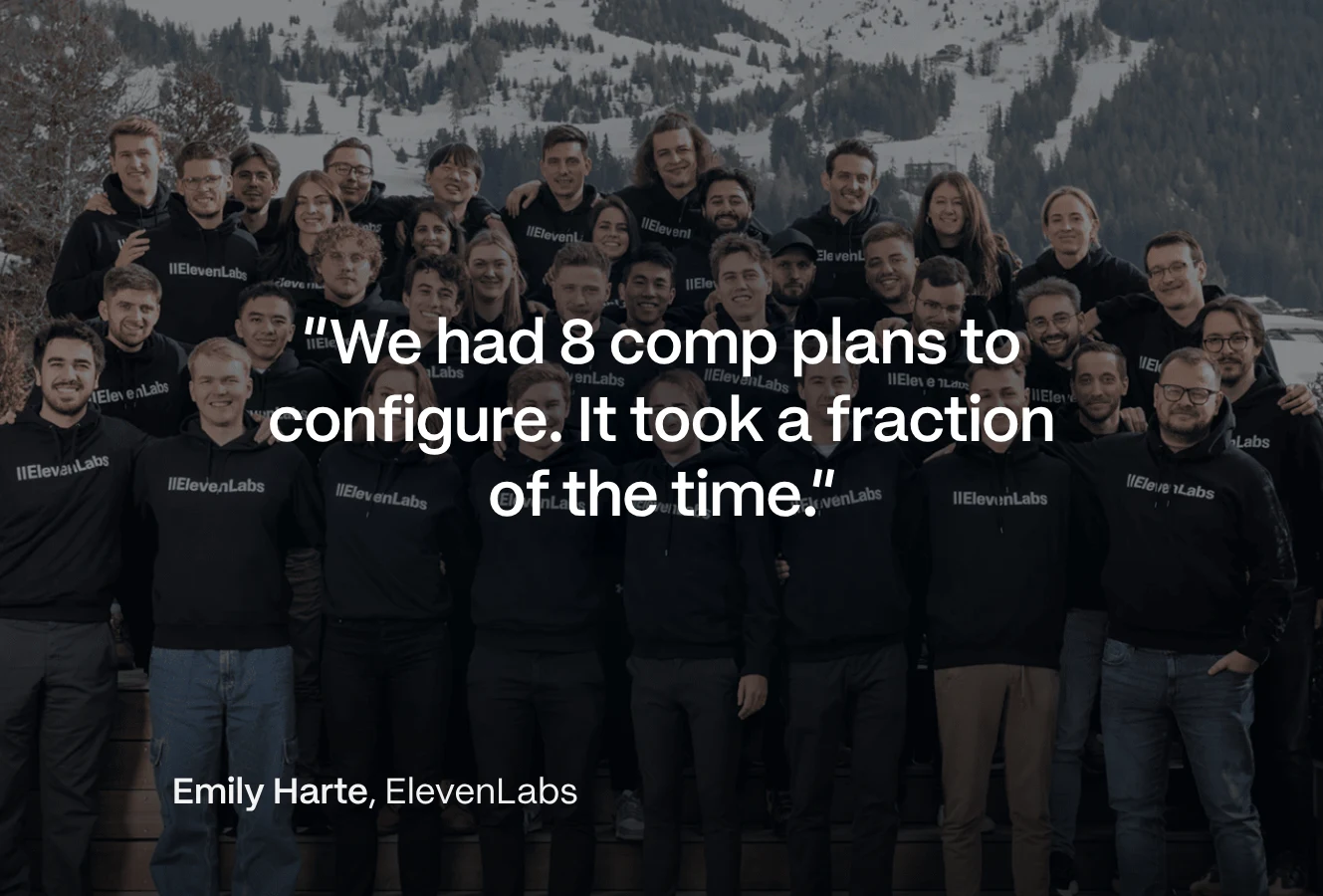
“We had 8 comp plans to configure. It took a fraction of the time it would have taken me on my own.”

Emily Harte
Revenue Strategy & Operations

Catch Commission Errors Before Payout

The Analyst matches commission data across plans so you stop chasing numbers between spreadsheets and workbooks.
Monitor quota attainment, pay versus performance, and plan efficiency on clean data. Every metric traces back to its source.
The Analyst helps you spot gaps, catch anomalies, and warn your team before payroll turns into a fire drill.
100%accuracy
“What used to take me three hours now takes 15 minutes.”

Jose Herrera
RevOps Manager at Spring Health

Let It Answer Every Rep Question

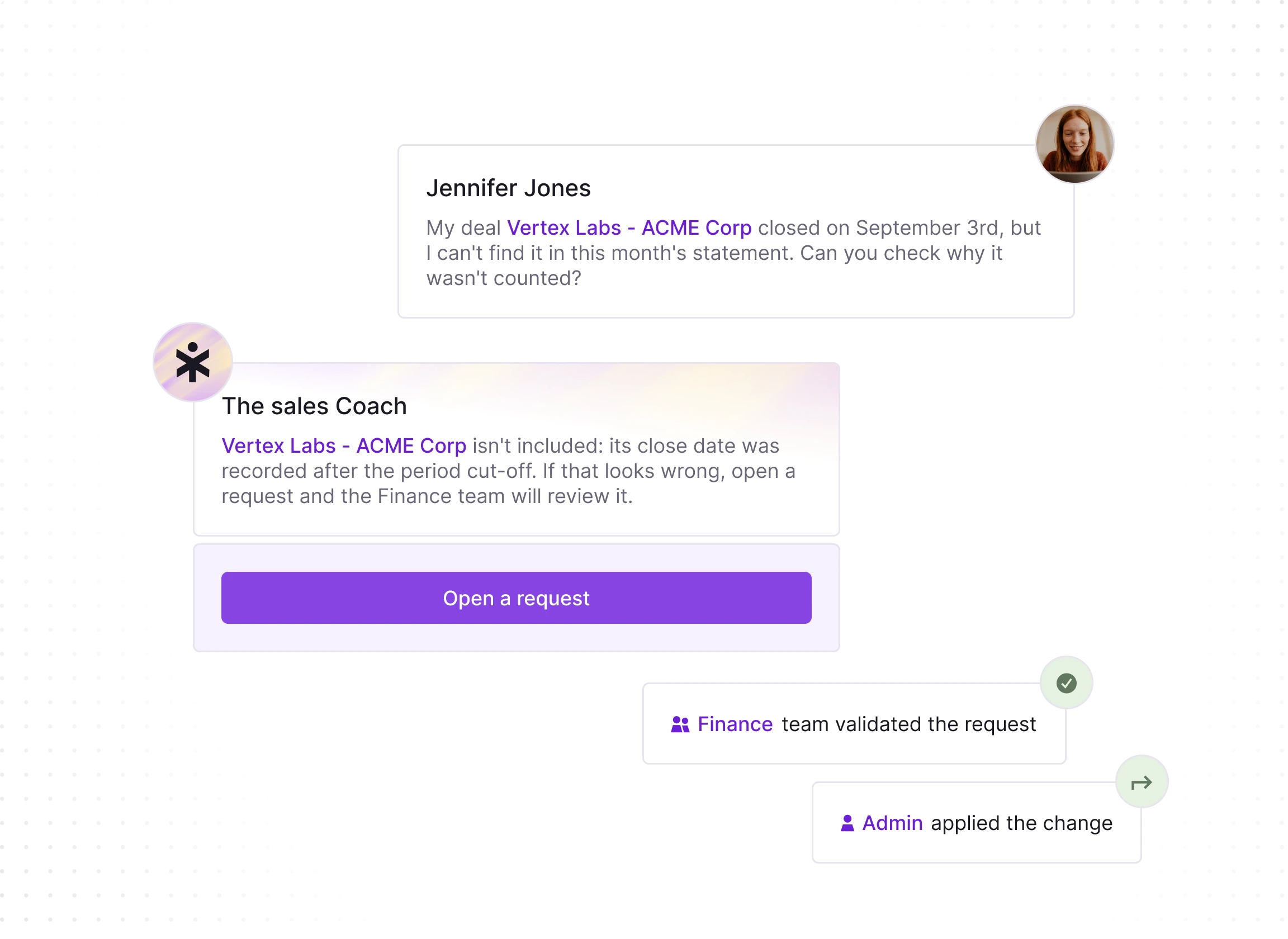
The Sales Coach answers questions like "How much will I earn if I close this deal?" and "Why was my commission this amount?" automatically.
Reps see what each deal pays before they close it, so they focus on what moves their number instead of rebuilding it in a spreadsheet.
The Sales Coach walks each rep through their plan logic with concrete examples, so the rules are clear and the numbers are trusted.
-90%rep requests
"I asked it to break down the month's commission by deal and explain how that amount was calculated. It did it perfectly."

Smiling man with short light brown hair wearing clear round glasses and a blue button-up shirt against a black and white panel background.
Diogo Marujo
Senior Field Finance Manager at Contentsquare

Qobra MCP Server

Orchestrate Qobra’s agents directly from your own stack. Pull data, trigger actions, and build comp workflows that run themselves.

AI Security and Control

Hosted in the EU and UK GDPR compliant: your data never trains AI models, and every agent and MCP call stays within the user’s permissions.

The sales compensation platform for finance and RevOps teams

Design plans, automate every payout, give reps live visibility, track commission spend and approve before payroll. All in one place.

Automate
Design
Motivate
Analyse
Secure

Automate

Eliminate manual calculations and end-of-month chaos.

Native integrations with your data sources

Connect your CRM, data warehouse, and HR systems natively, no more manual imports or exports.

CRMs
HRIS
API

A powerful calculation engine built for real-time commission tracking

Automate every commission rule and exception to eliminate errors. Configure multi-currency, ramp-ups, true-ups, and clawbacks with full control, and calculate them in real time.

No-code
Multi-currency
Intuitive

Built-in commission letters

Centralise commission letters in Qobra: autofill them with the right data, send them for DocuSign e-signature, and chase pending signatures in one click.

PDF
E-signature
Tracking

Design

Model compensation plans with simplicity, clarity & full control.

Intuitive plan builder

Model any type of compensation plan with a flexible no-code interface and the support of The Architect, our AI agent.

No-code
Intuitive
Flexible

Sandbox environment to simulate payouts

Roll out plans with confidence by creating a sandbox that calculates commissions based on historical data.

Simulation
Control
Roll out

Custom statements and dashboards

Give sellers a tailored view of their comp: when they understand the plan, it drives the right behaviours.
Custom views
Clear statements
Transparent
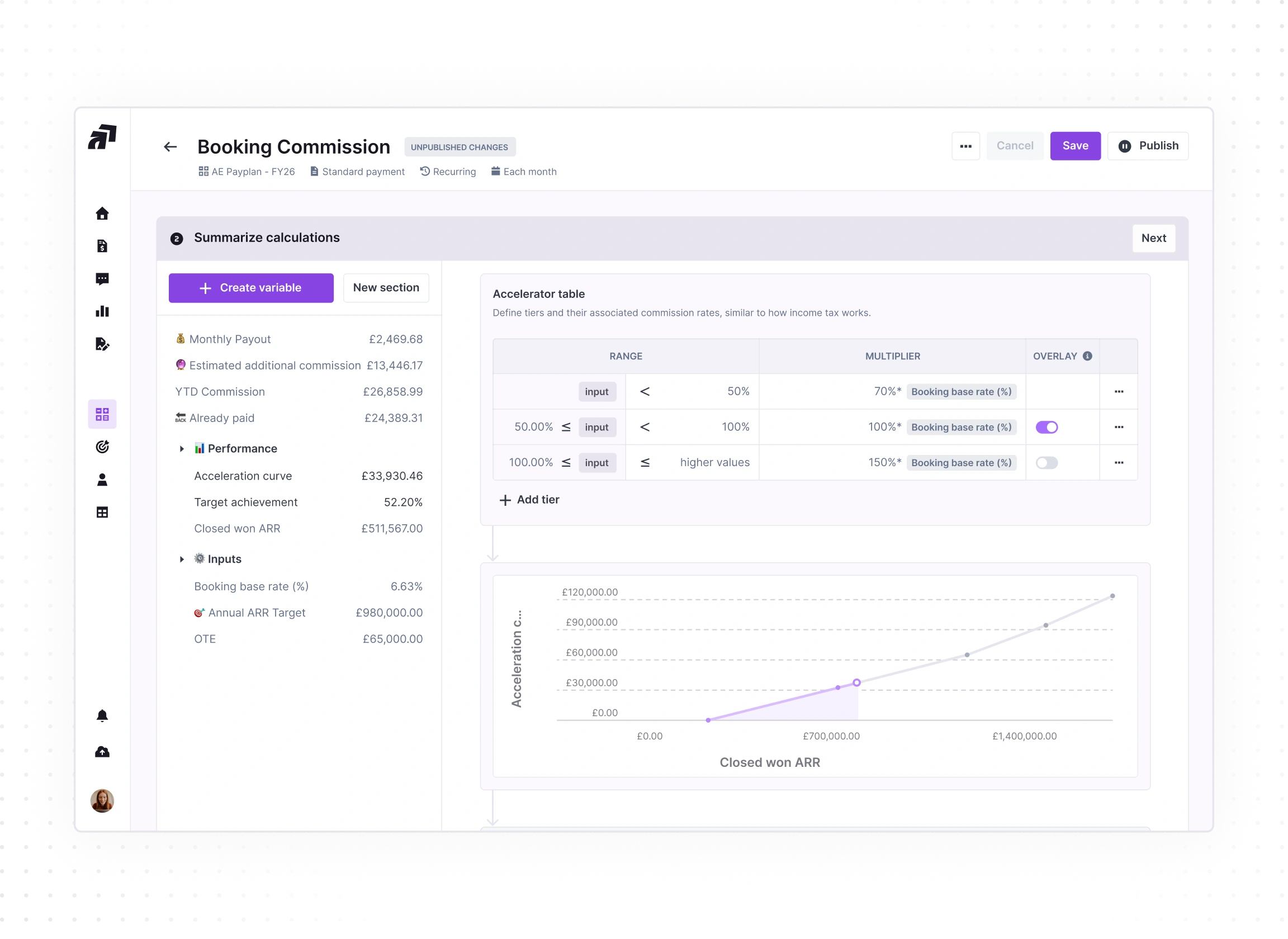
User interface screen titled 'Booking Commission' showing an accelerator table to define commission rate tiers with ranges and multipliers, summary calculations including monthly payout, estimated additional commission, YTD commission, and performance metrics, as well as a line chart plotting acceleration compensation against closed won ARR amounts.

Motivate

Build trust and boost sales reps motivation.

Transparent commission calculations

Give reps full visibility into how their commissions are calculated, in real time.

Transparent calculation
Live data
Historical payouts

SPIFFs and rankings

Design and automate custom spiffs aligned with your business goals. Reps can track their live ranking in Qobra.

SPIFFs
Leaderboards
Gamification

Seamless Simulations

Kill shadow accounting for good. Reps simulate their commissions by testing any deal scenario, and always know where they stand.
Simulation
Explanation
Forecast
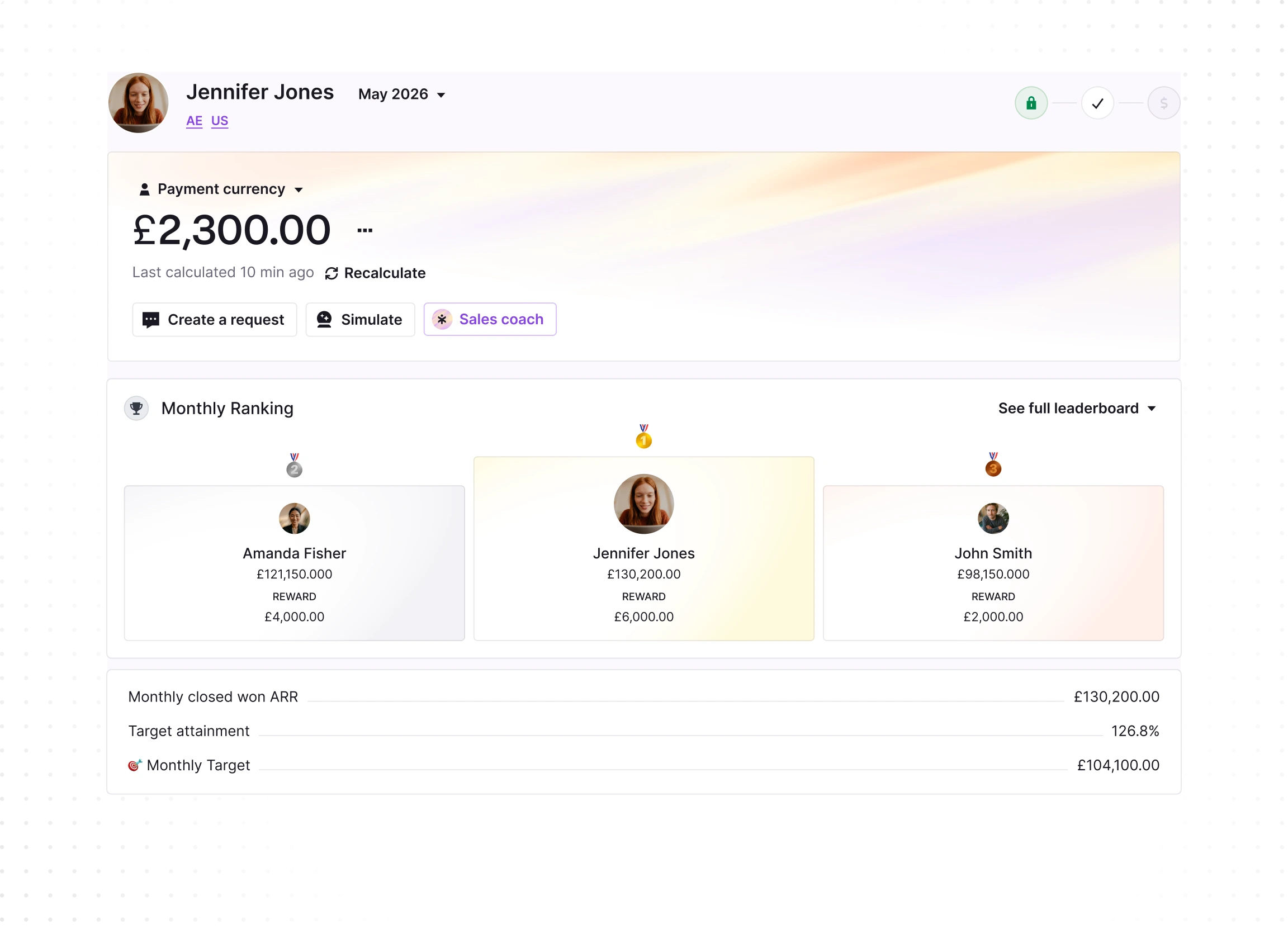
Dashboard interface for Jennifer Jones showing payment currency as £2,300.00, last calculated 10 minutes ago. Options include Create a request, Simulate, and Sales coach. Monthly Ranking highlights Jennifer Jones as top with £130,200.00 ARR and £6,000.00 reward, followed by Amanda Fisher with £121,150.00 ARR and £4,000.00 reward, and John Smith with £98,150.00 ARR and £2,000.00 reward. Below, monthly closed won ARR is £130,200.00, target attainment is 126.8%, and monthly target is £104,100.00.

Analyse

Make smarter decisions with incentive insights.

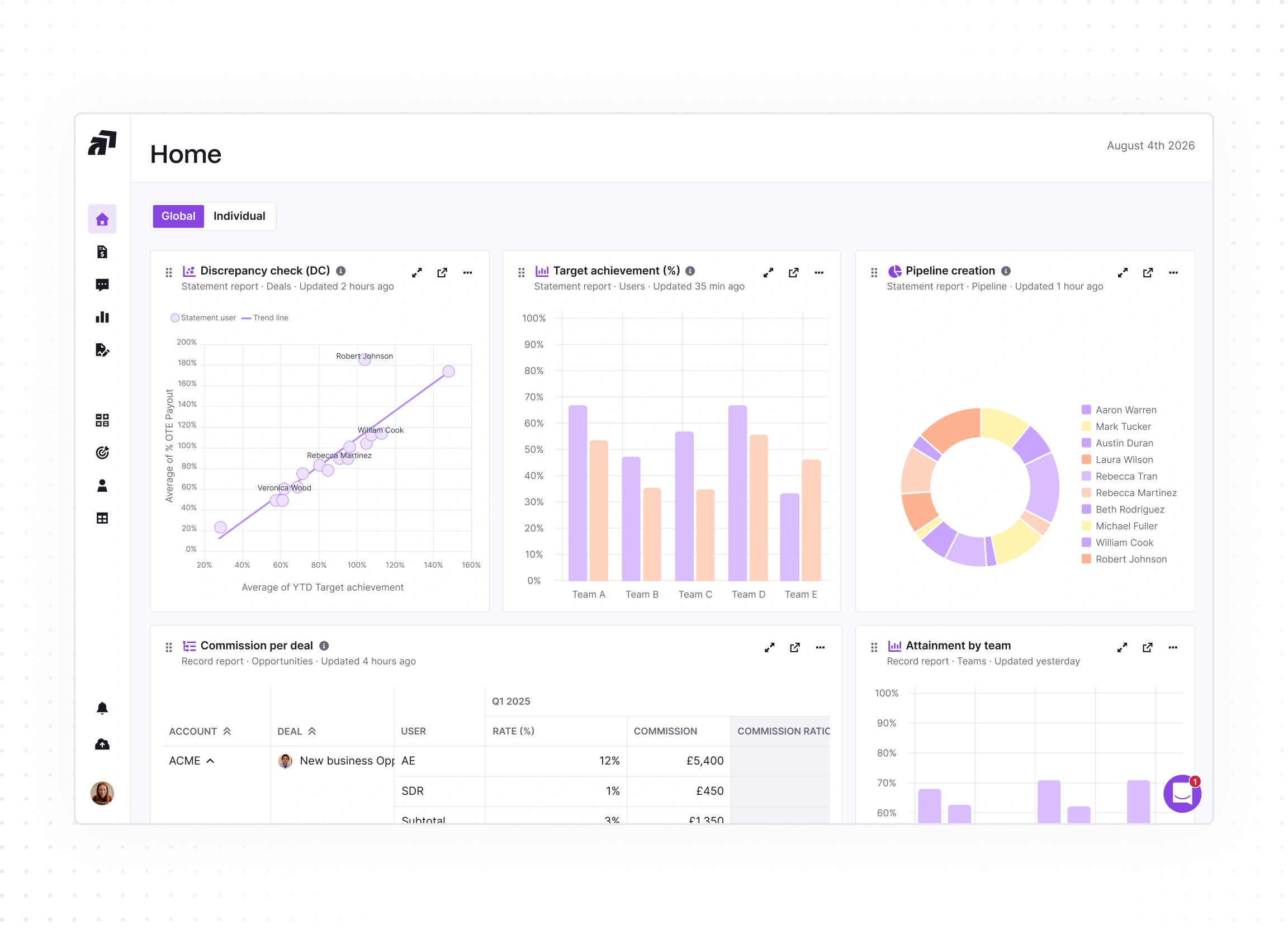
Custom reports & dashboards

Build custom reports with your own KPIs: commission costs, quota attainment, payout trends, by team, period, or plan.

Custom graphs
Built-in reports
Accuracy

Plan performance monitoring

Monitor the effectiveness of your plans and make sure payouts stay aligned with goals and performance.

Performance
Live tracking
Fairness

Budget & cost control

Forecast payouts accurately, generate accruals effortlessly, and keep budgets tight with no end-of-quarter surprises.
IFRS 15
Accruals
CAC
Dashboard screen showing Home analytics with charts and tables: line graph for Discrepancy check with data points labeled with names, bar chart for Target achievement by teams A to E in two colors, donut chart for Pipeline creation with a legend of team member names, table of Commission per deal including account, deal, user, rate, and commission details, and partial bar chart for Attainment by team. Side menu with icons and user profile picture at bottom left. Date August 4th 2026 displayed.

Secure

Validate payouts with confidence.

Multi-level statement approval

From the rep to their manager and beyond, every statement is reviewed and approved at each level before payouts are sent to payroll.

Approvals
Multi-level
Payroll automation

Built-in request management

No more commission disputes lost in email threads. Reps raise questions directly from their statements. Every request is tracked, documented, and closed before payday.

Centralised
Audit trail
Adjustments

Role-Based Access Control

Define custom roles with granular permissions. Control exactly what each user can see and do, from full admin rights to statement-only access.

Security
Role-based views
Custom roles
Chat conversation showing Jennifer Jones asking why her deal Vertex Labs - ACME Corp isn't in the month's statement. The Sales Coach replies the deal's close date was after the period cut-off and suggests opening a request for review. Below is a purple button labeled 'Open a request.' Smaller messages show the Finance team validated the request and Admin applied the change, both with icons indicating completion.
01
02
03
04
White stylized letter G with a superscript 2 inside a solid orange circle.
4.8/5
with 1,000+ reviews
View all customer stories
“I would say the tooling is very simple. You can see where the variables are coming from, so it was very easy and quick for our team.”
Jessica Ho, RevOps Manager at ElevenLabs
Watch the ElevenLabs story
“Since we’ve had Qobra, we’ve seen between 15 and 20% progress towards our objectives.”
Fabian Q. Veit, CEO at Make
Watch the Make story
“It’s more the fact that I just don’t have to worry about commissions anymore.”
Chris Cook, RevOps Director at GoCardless
Watch the GoCardless story
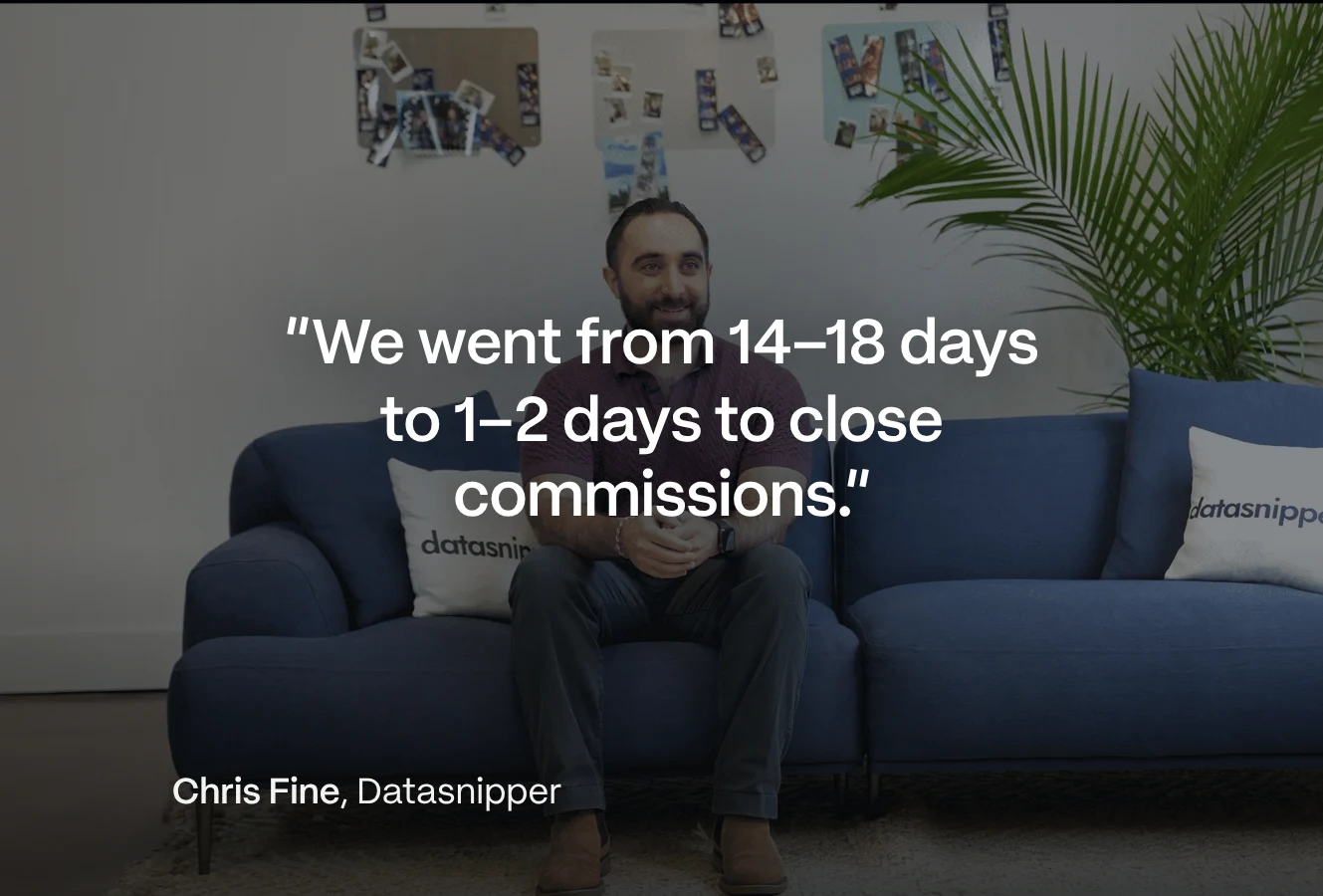
“At the end of every period, when we run commissions right now, we do a simple check with our finance team, and that’s it.”
Derek Boelig, VP RevOps at DataSnipper
Watch the DataSnipper story

Built for every team that touches sales comp

ForRevOps & Operations
Smiling Asian woman with black hair pulled back, wearing a black blazer and beige top, in a softly blurred indoor setting with warm tones and windows.

Ship plan changes in hours, automate the busywork, and shift from running commissions to supervising them.

ForFinance
A man with blond hair and blue eyes wearing a gray sweater sits at a desk with arms crossed, looking directly at the camera with a slight smile; a blurred office environment is in the background.

Accurate payouts, controlled cost of sales, and an audit trail that makes every number defensible.

ForSales leaders
Smiling young woman with long red hair looking down at a laptop screen in a softly lit room.

Reps who trust their numbers sell more. Transparency, live rankings, and instant answers keep the floor motivated.

ForSales Comp teams
Man wearing glasses and a blue button-up shirt smiles with arms crossed on a surface in a softly blurred indoor setting.

Close every period on time, cut the question flood, and report to execs in minutes, not weekends.

ForHR
Smiling woman with glasses, freckles, and short brown hair wearing a blue shirt, resting her elbow on a desk with a keyboard and a mouse visible, in a blurred indoor setting with a plant in the background.

Keep variable pay fair and compliant, and send clean data to payroll on time, without chasing spreadsheets every month.

Integrations

Plugs into the tools you already use

Qobra connects natively to your CRM, data warehouse, HRIS and ERP, so commissions run on the same data, refreshed in real time. And yes, you can still make manual adjustments.


View all integrations
CRM & ERP
HRIS
Circular icon with concentric gray and black rings surrounding a center circle that has a soft pastel gradient and features the word 'qobra' in black lowercase letters with a rotated arrow pointing upward to the right.
Data Warehouses & Databases
File Storage Systems
Qobra MCP Server
Use Qobra from Claude, ChatGPT or any MCP-compatible assistant. Pull commission data, trigger actions, and build custom workflows that run themselves, with your Qobra permissions applied to every request.

Security and Control

Enterprise-grade security built into every layer, with UK GDPR compliance and EU hosting.

Your frequently asked questions

AI sales compensation software uses artificial intelligence to automate how companies design commission schemes, calculate payouts, and answer reps' pay questions. Unlike traditional commission tools that only automate calculations, Qobra embeds three AI agents: The Architect, The Analyst, and The Sales Coach. These agents build plans, detect errors before payout, and explain commissions to reps, while your team keeps full control. Qobra is used by sales, RevOps and finance teams across the UK and Europe, including GoCardless.

Qobra includes three specialised AI agents: two for the admins who run commissions in RevOps, Finance and comp teams, and one for sales reps. The Architect builds, edits, and simulates commission plans from natural-language prompts. The Analyst reconciles commission data across plans and flags anomalies before payouts go out. The Sales Coach answers reps' questions like "How much will I earn if I close this deal?" in real time. Every agent action is traceable, and nothing is paid out without human validation. Agents inherit each user's permissions, so The Sales Coach never shows a rep anything they cannot already see in Qobra.

No. The data you connect to Qobra is never used to train AI models, neither Qobra's own nor third-party foundation models. Your commission data stays isolated in your environment, hosted in the EU, with SOC 2 Type II compliance and full alignment with UK GDPR and EU GDPR. Models run on Amazon Bedrock within your geography, and prompts are never shared with the model provider. See our Security page for details on encryption, access controls, and AI governance.

No, Qobra's AI agents remove the manual work, not the ownership. Your admins still design the comp policy and approve every payout; the agents handle the repetitive parts: building plan logic, reconciling data, and answering rep questions. Teams using Qobra typically save several days per month on commission administration, with a full audit trail of every agent action.

The Qobra MCP Server connects Qobra to AI assistants like Claude, ChatGPT, Gemini and Microsoft Copilot through the Model Context Protocol (MCP), an open standard for linking AI tools to business software. It lets your team query commission data, check quota attainment, or trigger Qobra workflows directly from the AI tools they already use, with Qobra's permissions and access controls applied to every request. MCP access is off by default, and every connection is authenticated with OAuth 2.1.

Qobra's AI agents run on top of your existing stack: native integrations with Salesforce, HubSpot, and Microsoft Dynamics, plus data warehouses, ERPs, and HR systems such as HiBob, and an open API for everything else. The agents use the same synced data as the rest of the platform, so every answer and calculation traces back to your source systems.

Most Qobra customers go live in a few weeks, including data integration and plan setup, with a dedicated CSM and no external consultants required. The Architect shortens onboarding further: admins can build and test their first plans in natural language from day one.

Qobra's AI agents are native to the platform, not a chatbot added on top: they act on the same calculation engine, data, and permissions as the rest of Qobra. Other vendors also use AI (vendor websites, Sept 2026): CaptivateIQ offers AI-generated scenarios in its Planning product, and Everstage adds Crystal forecasting to rep statements. Qobra's three agents cover plan building, error checks before payout and rep questions in one platform. For a detailed comparison, see Qobra vs CaptivateIQ, Qobra vs Xactly, or Qobra vs Everstage.