Webinar (Wednesday, October 21) — Aligning HR, Finance, and Sales: Mastering Sales Comp Without Breaking Your Plan
Register
- Qobra fits growth-stage B2B SaaS startups and scale-ups with 20 to 200 sales reps, with a no-code calculation engine built to be run by Finance or RevOps without technical expertise and native Salesforce and HubSpot integrations.
- The five sales commission tools compared for startups each fit one profile: Qobra for growth-stage B2B teams focused on rep motivation and admin efficiency, CaptivateIQ for engineering-heavy plans, QuotaPath for early-stage rep-first tracking, Commissionly for simple flat-rate plans on a budget and Everstage for automation and forecasting.
- Qobra's AI features let Finance or RevOps create a commission plan or a view in natural language and get reporting insights by asking, and reps get an "Explain my comp" assistant and AI earnings-simulation agents.
- A startup has outgrown commission spreadsheets when finance spends more than one full day per pay period calculating and verifying commissions, or when the plan adds tiers, accelerators, bonuses or splits that make spreadsheet formulas fragile.
- Qobra offers 100+ integrations, including Salesforce, HubSpot, Microsoft Dynamics, Zoho, Pipedrive and Odoo.
For a growing startup, managing sales commissions on a spreadsheet starts as a simple task. But as your sales team expands and your compensation plans evolve, that once-reliable spreadsheet can quickly become a source of errors, disputes, and administrative headaches. This is the point where dedicated sales commission software becomes essential.
This guide provides a neutral, practical framework for understanding, evaluating, and choosing the right sales commission software for your startup. We'll explore when to make the switch, what criteria to prioritize, and which tools are best suited for different growth stages and needs.
What sales commission software does for a startup
Sales commission software is a specialized tool designed to automate the entire commission process, from calculation to reporting and payment. It's more than just a commission tracker; it’s a full commission management platform that centralizes compensation data and workflows.
For a startup, its primary roles are to:
- Automate Calculations: The software connects directly to your data sources, like a
CRM, to automatically calculatecommissionsbased on predefined rules. This eliminates manual data entry and complex formula management. - Provide Transparency: It gives
sales teamsa real-time dashboard to see their earnings, track progress toward quotas, and understand exactly how their pay is calculated. This visibility builds trust and motivation. - Reduce Errors and Disputes: Automation minimizes the human errors common in spreadsheets. When disputes do arise, a clear audit trail shows exactly which deal data was used for each calculation.
- Streamline Administration: It frees up founders, finance, or sales operations staff from spending days each month reconciling numbers. The platform handles complex calculations, approvals, and reporting, turning a multi-day
commission processinto a matter of hours.
When a startup should move beyond spreadsheets
Spreadsheets work well for the first few sales hires with a simple, flat-rate commission. However, certain clear signals indicate it's time to upgrade to a dedicated tool:
- Time Sink: You or your finance team spend more than one full day per pay period calculating and verifying commissions.
- Frequent Errors: You regularly find mistakes in payouts that require manual correction and recalculation.
- Lack of Trust: Your sales reps frequently question their commission statements and spend time shadow-accounting (tracking their own commissions separately) to verify their pay.
- Increasing Complexity: Your
commission structuresnow include tiers, accelerators, bonuses, or splits, making spreadsheet formulas fragile and difficult to manage. - Scaling the Team: You plan to hire several more sales reps in the next two quarters, and you know the manual process won't scale.
- No Real-Time Visibility: Your reps have to wait until the end of the month or quarter to know what they've earned, which dampens motivation and makes performance conversations difficult.
If two or more of these points describe your current situation, the hidden costs of using spreadsheets—in wasted time, costly errors, and lower team morale—likely outweigh the cost of a software subscription.
How to choose the best sales commission software for startups
Choosing the right software involves looking beyond features and focusing on how a tool fits your startup’s specific stage, complexity, and tech stack. Here are the key criteria to consider.
Commission complexity and compensation rules
The single most important factor is the software's ability to handle your specific commission structures.
- Simple Plans: If you use flat percentages or fixed bonuses per sale, most tools will work well. The focus here should be on ease of use and a clean user interface.
- Moderate to Complex Plans: If your
incentive compensationincludes tiered rates that accelerate after hitting quota, multi-person deal splits, or different rates for product lines, you need a more powerful calculation engine. Look for a tool that can model these rules without requiring custom code or complex workarounds.
CRM and revenue stack integrations
A commission tool is only as good as the data it receives. Seamless integration with your existing systems is non-negotiable.
- Essential CRM Integrations: The software must have a robust, native integration with your
CRM. For most B2BSaaSstartups, this means deep connectivity with Salesforce or HubSpot. This allows the tool to automatically pull in deal, account, and product data. - Other Data Sources: Consider if you need to pull data from other sources, like an accounting platform (for invoicing data) or a data warehouse. Check if the tool supports these connections.
- Data Sync Reliability: Ask vendors about the sync frequency (real-time vs. daily) and how they handle custom fields or objects in your CRM.
A Note on Data Hygiene
Remember the "garbage in, garbage out" principle. Sales commission software automates calculations based on your CRM data. If that data is inaccurate or incomplete (e.g., deals aren't updated to "Closed-Won" promptly), your commission calculations will also be inaccurate. Clean data practices are a prerequisite for successful automation.
Rep visibility, reporting, and admin efficiency
The goal is to empower both your sales team and your administrative team.
- For Sales Reps: The ideal tool offers a clean, intuitive dashboard where reps can see their real-time earnings, drill down into specific deals, and even forecast potential
commissionson their pipeline. This turns compensation from a mystery into a motivator. - For Admins (Finance/Ops): The platform should provide a clear audit trail for every calculation, customizable reports, and streamlined workflows for reviewing and approving payouts. This simplifies month-end closing and provides valuable data for financial forecasting. A well-designed tool should help you avoid common sales commission mistakes from the start.
Implementation time, support, and scalability
For a fast-moving startup, a tool that takes six months to implement is a non-starter.
- Onboarding: How much help does the vendor provide? Do they have a dedicated team to help you translate your commission plan into their system? Ask for a realistic implementation timeline, which can range from a few weeks to a couple of months depending on complexity.
- Support: What level of customer support is included? Is it email-only, or do you have access to a dedicated customer success manager?
- Scalability: Will the software grow with you? Ensure it can handle more complex
commission structuresand a larger sales team as you scale. Check if pricing tiers are aligned with a startup's growth trajectory.
Best sales commission software for startups: top options by use case
No single platform is "the best." The right choice depends entirely on your startup's needs. Here is a breakdown of leading solutions, positioned by their primary strengths and ideal use cases.
Qobra for fast-moving growth-stage teams
- Best For: B2B
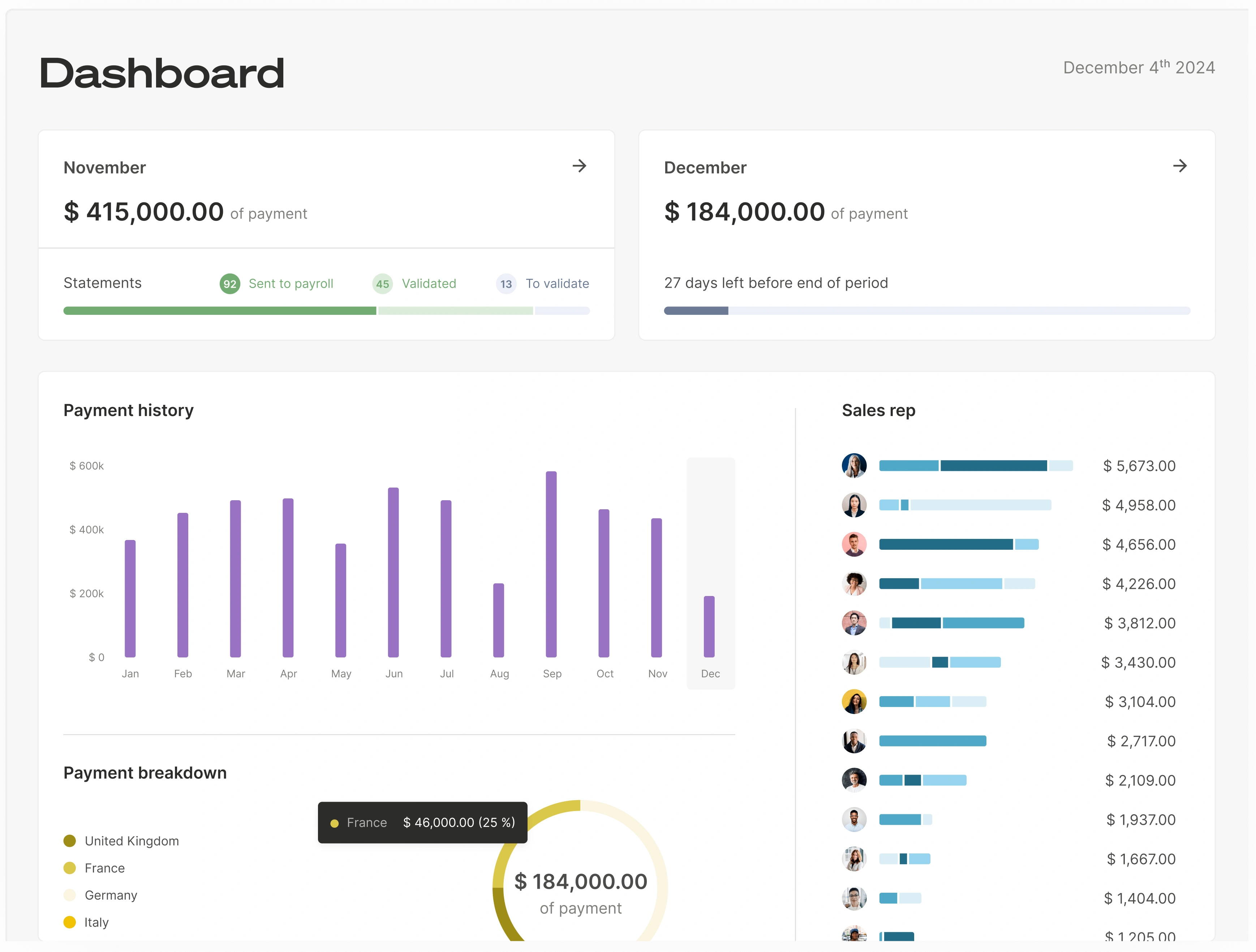
SaaSstartups and scale-ups in a high-growth phase (e.g., 20 to 200 sales reps) that prioritize transparency, speed of implementation, and sales team motivation. - Strengths: Qobra focuses on an intuitive experience for both admins and reps, with a clean, real-time dashboard reps love. Its no-code calculation engine is built to be run by Finance or RevOps without technical expertise, with AI features that let you create a plan or a view in natural language and get reporting insights just by asking. The platform offers 100+ integrations, including Salesforce, HubSpot, Microsoft Dynamics, Zoho, Pipedrive and Odoo. For reps, the "Explain my comp" assistant and AI earnings-simulation agents reinforce transparency and motivation.
- Considerations: As a platform designed for modern RevOps stacks, its primary focus is on B2B companies. It’s important to verify that its feature set aligns with your specific compensation plan needs.
CaptivateIQ for advanced and complex commission structures
- Best For: Startups and scale-ups with highly customized or technically
complex commissionplans that spreadsheets can no longer handle. - Strengths:
CaptivateIQis known for its extreme flexibility. Its logic is built to feel familiar to users with strong spreadsheet skills, allowing admins to model almost any commission rule. It’s powerful for companies with multi-layered hierarchies, complex crediting rules, or unique bonus structures. - Considerations: Its flexibility can also mean a steeper learning curve for non-technical admins. Implementation may take longer than simpler tools. It's often considered a good fit when you graduate from simpler platforms. All capabilities should be confirmed directly with their team.
QuotaPath for transparency and startup-friendly commission tracking
- Best For: Early-stage startups that need a simple, rep-centric way to provide visibility into earnings and track performance against quotas.
- Strengths:
QuotaPathexcels at providing a transparent, easy-to-use interface for salespeople. Reps can connect theirCRMand see their commissions update in real-time, forecast earnings from their pipeline, and track attainment. It's often seen as a great first step away from spreadsheets. - Considerations: While excellent for transparency, startups with very
complex commissionrules or a need for deep administrative reporting may find they need a more powerful platform as they scale. Always check if its calculation engine supports your plan's specific rules.
Commissionly for smaller teams needing simpler workflows
- Best For: Smaller businesses and startups with straightforward commission plans who need an affordable and easy-to-implement solution.
- Strengths:
Commissionlyis designed for simplicity and ease of use. It provides the core functionalities needed to automate calculations and reporting for basiccommission structures. It's often one of the more budget-friendly options, making it accessible for very early-stage companies. - Considerations: Teams with complex, multi-tiered plans or those requiring deep integrations beyond major CRMs might find its capabilities limited as they grow. Be sure to verify its integration capabilities with your specific tech stack.
Everstage for automation and forecasting-oriented teams
- Best For: Startups that are highly data-driven and want strong automation, reporting, and performance management features, including territory and quota planning.
- Strengths:
Everstageoffers a robust set of features that go beyond justcommission management. It provides tools for goal setting, forecasting, and gamification to motivate the sales team. Its automation capabilities are strong, and it’s designed to be managed by RevOps professionals. - Considerations: With a broader feature set, it may be more than what a very early-stage startup needs. The implementation process should be discussed with their team to ensure it aligns with a startup's timeline.
Quick comparison table: which tool fits which startup
| Tool | Best For (Startup Profile) | Key Strength | Handles Complex Commission? | Key CRM Integrations |
|---|---|---|---|---|
| Qobra | Growth-stage B2B startups prioritizing rep motivation and admin efficiency. | Rep experience & speed of implementation. | Yes, designed for B2B scale-ups. | Salesforce, HubSpot |
| CaptivateIQ | Startups with unique, engineering-heavy commission plans. | Extreme flexibility & custom logic. | Yes, a primary strength. | Salesforce, HubSpot |
| QuotaPath | Early-stage startups needing a rep-first commission tracker. | Sales rep transparency & ease of use. | Yes, for many common plans. | Salesforce, HubSpot |
| Commissionly | Small teams with simple, flat-rate commission plans. | Simplicity & affordability. | Better for simpler plans. | Salesforce, HubSpot, others |
| Everstage | Data-driven startups needing automation and performance insights. | Automation & forecasting features. | Yes, designed for this. | Salesforce, HubSpot |
Information in this table is based on publicly available data; check the details with each software provider.
How to evaluate ROI before buying
The return on investment from a sales commission tool goes beyond just the subscription cost. When building a business case, consider these three areas:
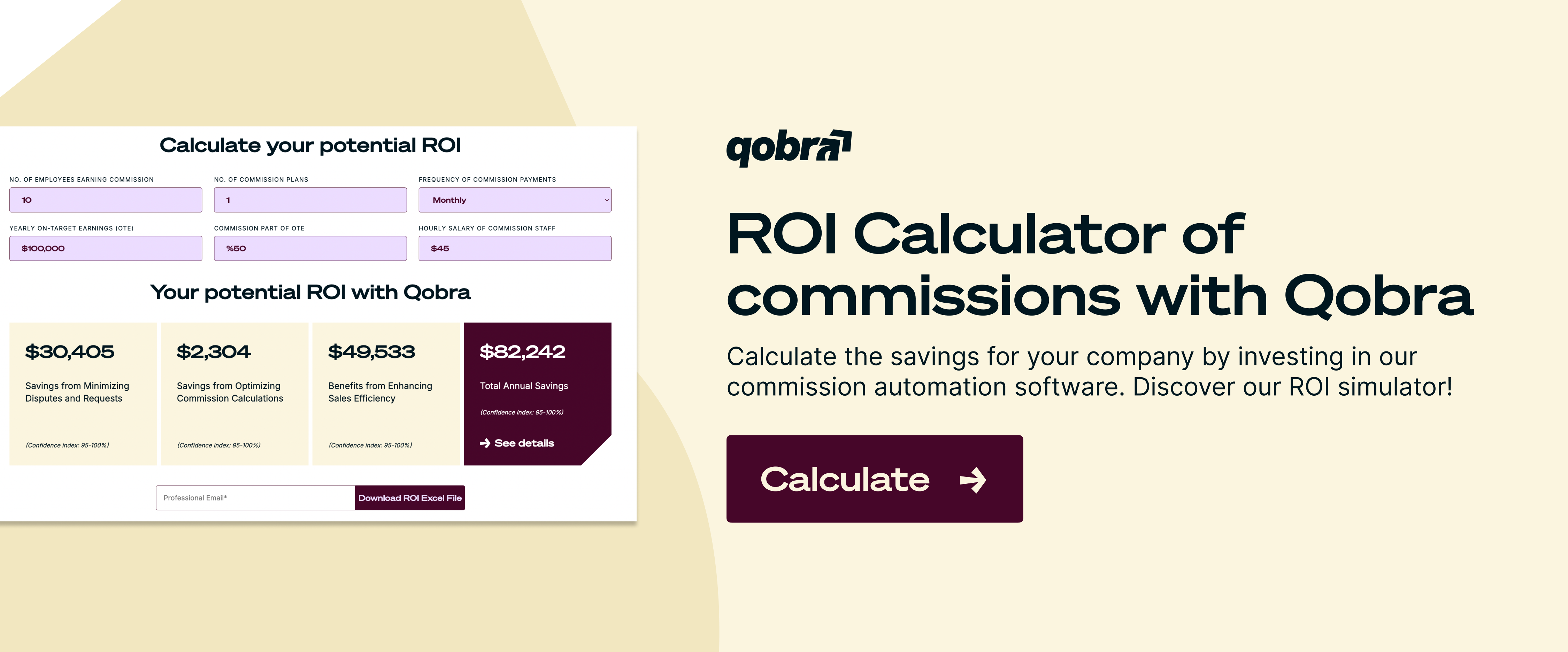
- Time Savings: Calculate the hourly cost of the employees currently managing commissions (e.g., Head of Finance, Sales Ops Manager). Multiply that by the number of hours they spend on the process each month. A good tool can reduce that time substantially. This is a key benefit of using a commission tool.
- Error Reduction: How much have you lost or overpaid in commissions due to spreadsheet errors in the past year? Manual spreadsheet errors lead to overpayments and corrections that add up across pay periods. Automation reduces these errors.
- Improved Performance & Retention: This is harder to quantify but arguably the most valuable. When reps trust their numbers and see their earnings in real-time, they are more motivated. Clear visibility into compensation reduces disputes and improves retention of top performers.
If the combined savings from time and error reduction are close to or exceed the annual cost of the software, the decision is financially sound. The motivational boost is a significant bonus.
FAQ
What is the best sales commission software for a startup?
There is no single "best" software for all companies. The best choice depends on your startup's specific needs.
- For simplicity and rep transparency,
QuotaPathis a strong starting point. - For fast-growing B2B teams needing an all-around platform,
Qobrais a top contender. - For highly complex or unique commission plans,
CaptivateIQoffers powerful flexibility.
Use the criteria in this guide—complexity, integrations, and scalability—to determine the best fit for you.
Is 20% commission a lot?
It depends entirely on the industry, business model, and what the base salary is. For some industries with high-margin products or services and lower base salaries (like certain high-ticket direct sales), a 20%-30% commission rate can be standard. However, in other sectors, like enterprise SaaS, this would be unusually high. Context is everything.
What is a good commission rate for software sales?
For B2B SaaS sales, a standard commission rate for an Account Executive is often around 10% of the Annual Contract Value (ACV) or Total Contract Value (TCV). This is a common benchmark, but it can vary significantly based on the company's size, the product's price point, the sales cycle length, and the On-Target Earnings (OTE) structure. Some companies also use accelerators, pushing the rate higher for over-performance. You can learn more about how to calculate commission rates to fit your model.
What is 5% commission on $10,000?
A 5% commission on a $10,000 sale is calculated by multiplying the sale amount by the commission rate.
The calculation is: $10,000 x 0.05 = $500. The commission earned would be $500.
Which sales commission software syncs with a CRM to calculate commissions automatically?
Sales commission software connects directly to data sources such as a CRM to calculate commissions automatically from predefined rules. For most B2B SaaS startups, the essential requirement is a robust, native integration with Salesforce or HubSpot, which pulls in deal, account, and product data. The five tools compared in this guide (Qobra, CaptivateIQ, QuotaPath, Commissionly and Everstage) all list Salesforce and HubSpot among their key CRM integrations.
Which commission software handles complex plan design for fast-growing teams?
Plans with tiered rates, accelerators, multi-person deal splits or different rates per product line need a powerful calculation engine that models these rules without custom code. In this comparison, CaptivateIQ fits unique, engineering-heavy commission plans, Qobra is designed for growth-stage B2B scale-ups with a no-code calculation engine, and Everstage fits data-driven teams that want automation and forecasting. Commissionly is better suited to simpler plans.
Startups have specific needs, but the shortlist starts with the leading sales commission software.