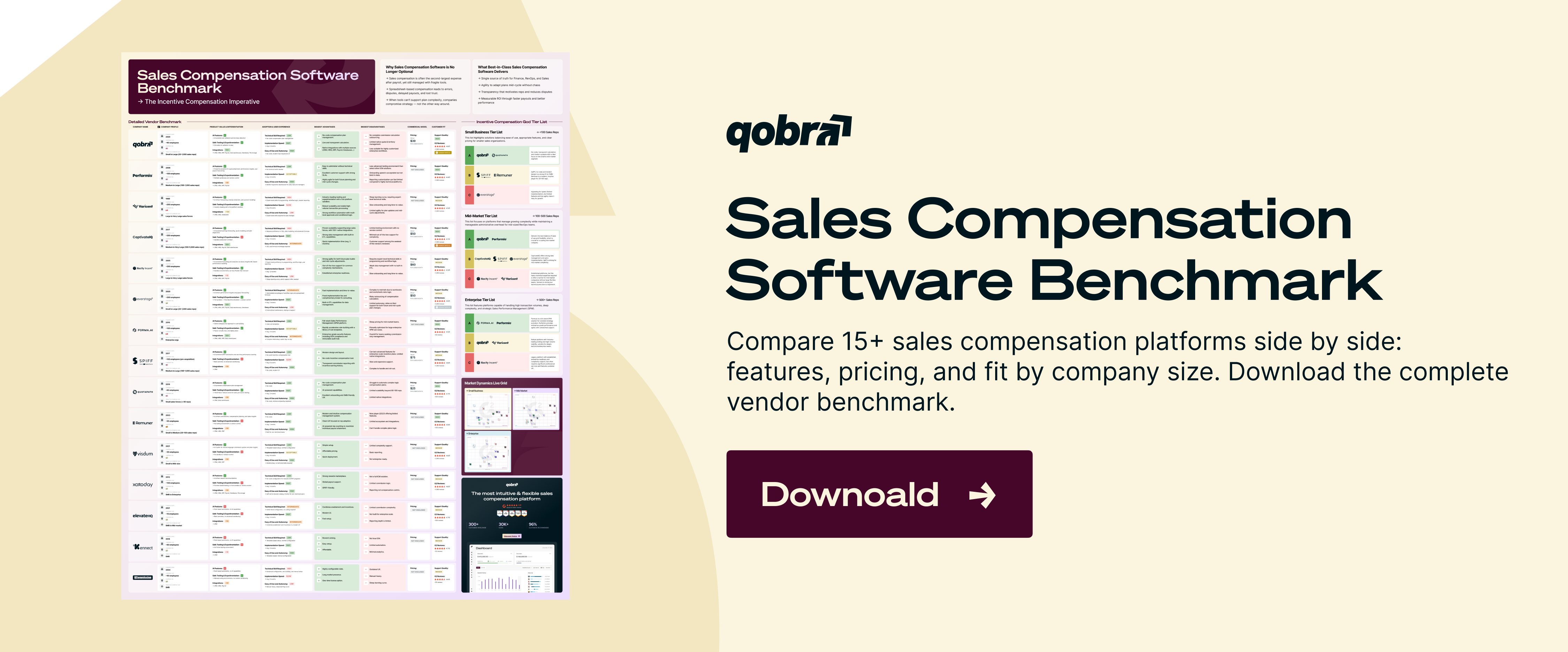
Sales Compensation Software Benchmark | Compare 15+ Platforms (Features, Pricing, User Reviews, etc.)
Download
- The best sales productivity tools span six categories: CRM (Salesforce, HubSpot), prospecting and data (LinkedIn Sales Navigator, Apollo, ZoomInfo), engagement (Outreach, Salesloft), conversation intelligence (Gong), scheduling and documents (Calendly, PandaDoc), and compensation visibility (Qobra).
- The right stack is not the longest list; it is the set that removes the most non-selling work from a rep's week.
- Prove a tool actually works by tracking four metrics before and after adding it: selling-time ratio, ramp time, win rate and cycle length, and admin hours per rep.
- The most overlooked category is compensation visibility: reps quietly lose hours rebuilding commission math they do not trust, and their pay questions then cascade to managers and Sales Ops.
- Give reps live, trustworthy visibility into earnings and attainment and that lost time disappears, which is why a CRM-connected sales compensation platform belongs in the productivity stack, not in a finance silo.
The best sales productivity tools in 2026 do six jobs: a CRM to hold the pipeline, prospecting and data tools to find buyers, engagement platforms to automate outreach, conversation intelligence to coach calls, scheduling and document tools to close faster, and compensation visibility so reps trust their pay. Pick one strong tool per job, not fifteen overlapping ones.
Reps spend most of the week on work that isn't selling: logging activity, chasing contact data, scheduling, and rebuilding their own commission math. Each category below targets one of those leaks. This guide covers 15 tools worth knowing, with who each is for, current pricing, key features, one pro and one con, and a G2 rating where available, plus a comparison table, how to choose and stack them, and the part most lists skip: how to measure whether a tool actually lifts productivity.
What are sales productivity tools?
Sales productivity tools are software that increases selling output per rep by automating repetitive tasks, centralizing data, surfacing the next best action, or removing friction like manual data entry and pay disputes. A productive stack does one thing above all: it converts hours spent on admin into hours spent in front of buyers. The categories that matter most are CRM, prospecting and data, engagement and sequencing, conversation intelligence, scheduling and documents, and compensation visibility.
Where reps actually lose time
Most "best tools" lists assume the problem is doing outreach faster. The deeper problem is everything around the sale. Studies of B2B sellers consistently show reps spend under a third of their week in direct selling; the rest goes to CRM updates, hunting for accurate contact details, internal meetings, building decks and quotes, and resolving questions about their commission. A tool earns its place only if it removes one of those drains. Three patterns repeat across the teams we work with:
- Data entry and admin: reps retype information the system could capture automatically, from call notes to deal stages.
- Context switching: jumping between the CRM, inbox, dialer, calendar, and a spreadsheet to track payouts breaks focus and loses data.
- Trust gaps: when reps don't trust their commission statement, they rebuild it by hand and escalate questions to managers and Sales Ops, taxing three people for one number.
Best sales productivity tools 2026 at a glance
| Tool | Category | Best for | Pricing (approx., 2026) | G2 |
|---|---|---|---|---|
| Salesforce | CRM & pipeline | Mid-market to enterprise needing deep customization | $25–$550/user/mo | 4.4 |
| HubSpot | CRM & pipeline | Scale-ups wanting fast adoption | $100–$150/seat/mo | 4.4 |
| Pipedrive | CRM & pipeline | Small, pipeline-focused sales teams | $14–$79/user/mo | 4.3 |
| LinkedIn Sales Navigator | Prospecting & data | Targeting and warm outbound | $99–$150/user/mo | 4.3 |
| Apollo | Prospecting & data | Teams wanting data + outreach in one | $0–$119/user/mo | 4.7 |
| ZoomInfo | Prospecting & data | Enterprise data depth and intent | ~$15K–$40K+/yr | 4.5 |
| Outreach | Engagement & sequencing | Outbound-heavy SDR teams | ~$100–$140/user/mo | 4.3 |
| Salesloft | Engagement & sequencing | Teams prioritizing rep adoption | ~$125–$165/user/mo | 4.5 |
| Gong | Conversation & revenue intelligence | Coaching and deal visibility at scale | ~$1,200–$1,600/user/yr + platform fee | 4.7 |
| Fireflies.ai | Conversation & revenue intelligence | Affordable meeting capture | $0–$39/user/mo | 4.8 |
| Clari | Conversation & revenue intelligence | Forecasting and pipeline accuracy | ~$100–$400/user/mo | 4.6 |
| Calendly | Scheduling & documents | Removing meeting back-and-forth | $0–$16/seat/mo | 4.7 |
| PandaDoc | Scheduling & documents | Quotes, proposals, e-signature | $19–$49/user/mo | 4.7 |
| Qwilr | Scheduling & documents | Interactive web-page proposals | ~$35/user/mo+ | 4.6 |
| Qobra | Compensation visibility | Revenue teams of 50–1,000+ reps | Pricing on request | 4.8 |

The best sales productivity tools by category
CRM & pipeline
The CRM is the system of record. Every other tool below should sync to it so reps work from one set of numbers, not several. Choose this first; the rest of your stack inherits its constraints.
1. Salesforce
Salesforce Sales Cloud is the most configurable CRM on the market and the default for teams that need deep customization, complex territories, and a mature integration ecosystem. The trade-off is that flexibility costs admin time and budget: most of the value comes once you've invested in setup and an administrator to maintain it. For productivity specifically, the wins come from automation, lead and opportunity scoring, and a single record every other tool syncs to. Smaller teams often find it heavier than they need; teams with complex sales processes find nothing else fits as precisely.
- Best for: mid-market to enterprise revenue teams that need heavy customization.
- Key features: customizable objects and workflows, Einstein AI scoring, AppExchange integrations, Agentforce sales agents.
- Pricing: Starter $25, Pro $100, Enterprise $175, Unlimited $350, Agentforce 1 Sales $550 per user/month (billed annually); prices rose roughly 6% in late 2025.
- Pro: almost anything you can model in a sales process, you can build here.
- Con: add-ons and implementation often cost as much as the seats.
- G2: 4.4/5.
2. HubSpot
HubSpot Sales Hub wins on adoption. The interface is clean enough that reps actually use it, and it ties sales to marketing and service on one record. For scale-ups that want a single platform without a dedicated admin, it's the pragmatic pick, until advanced needs push you toward the more expensive tiers. The productivity payoff is that reps log activity, send sequences, book meetings, and track deals in one window instead of five, and because the data sits on a shared contact record, marketing and customer success see the same history. The catch is the seat math: Sales Seats, Core Seats, and onboarding fees stack up faster than the sticker suggests.
- Best for: scale-ups that value fast onboarding and an all-in-one platform.
- Key features: deal pipelines, sequences, meeting scheduling, reporting dashboards, Breeze AI assistants.
- Pricing: Professional $100/seat/month, Enterprise $150/seat/month (billed annually); one-time onboarding fees apply ($1,500 Pro, $3,500 Enterprise). A free CRM tier exists.
- Pro: the lowest-friction CRM for reps to adopt.
- Con: costs climb fast once you add seats and need Enterprise features.
- G2: 4.4/5.
3. Pipedrive
Pipedrive is built around one idea: a visual pipeline that nudges reps to act on the next deal. It strips out the breadth of Salesforce and HubSpot in favor of speed and price, which makes it a strong fit for small, sales-led teams that don't need marketing or service modules. The productivity gain is focus: reps see exactly which deal needs attention next, and automations handle the follow-up reminders that otherwise slip. It scales less gracefully than Salesforce or HubSpot, so teams that expect to add marketing, service, or heavy reporting often outgrow it within a couple of years.
- Best for: small teams and startups that want an affordable, pipeline-first CRM.
- Key features: drag-and-drop pipeline, activity reminders, email sync, automation, AI sales assistant.
- Pricing: Lite $14, Growth $39, Premium $49, Ultimate $79 per user/month (billed annually).
- Pro: reps are productive within a day, with little setup.
- Con: per-seat pricing and lighter reporting become limits as teams scale past mid-market.
- G2: 4.3/5.
Prospecting & data
These tools cut the hours reps lose hunting for accurate contacts and deciding who to call. Targeting and data quality are the levers; pick based on whether you need precision (Sales Navigator), an all-in-one workflow (Apollo), or enterprise-grade depth and intent (ZoomInfo).
4. LinkedIn Sales Navigator
LinkedIn Sales Navigator is the most reliable way to build and save targeted buyer lists, because the data comes straight from LinkedIn profiles that members keep current. It excels at targeting and warm paths into accounts; it's not a full contact-data or sequencing tool, so it usually pairs with one. The time it saves is upstream: instead of guessing who to contact, reps filter by role, seniority, headcount, and growth signals, then get alerted when a target changes jobs, the moment a warm conversation opens. Used well, it's the targeting brain that feeds Apollo, ZoomInfo, or your engagement platform.
- Best for: account targeting and relationship-led outbound.
- Key features: advanced lead and account search, saved lists, InMail, real-time job-change alerts, CRM sync.
- Pricing: Core around $99/user/month (annual) or $119.99 monthly; Advanced around $149.99/user/month; Advanced Plus is custom. Includes 50 InMail credits/month.
- Pro: the freshest targeting data in B2B, kept current by members themselves.
- Con: no bulk email export, so you need a data tool to action lists at scale.
- G2: 4.3/5.
5. Apollo
Apollo bundles a contact database, enrichment, and outreach sequencing into one tool, which is why it's popular with teams that don't want to stitch several point solutions together. The database is large and the price is low; data accuracy varies more than premium providers, so verify high-value contacts. For productivity, the appeal is one fewer integration to maintain: reps find a contact, enrich it, and drop it into a sequence without leaving the tool. That consolidation is why early-stage and mid-market teams adopt it, where ZoomInfo's depth would be overkill and its cost prohibitive.
- Best for: SMB and mid-market teams wanting data and outreach in a single platform.
- Key features: 270M+ contact database, email and call sequences, enrichment, job-change alerts, A/B testing.
- Pricing: Free; Basic $49; Professional $79; Organization $119 per user/month (annual, 3-user minimum). Monthly billing adds 15–25%.
- Pro: strong value, combining prospecting data and engagement for the price of one tool.
- Con: data accuracy is good, not best-in-class; verify before high-stakes outreach.
- G2: 4.7/5.
6. ZoomInfo
ZoomInfo is the enterprise standard for contact and company data, with the deepest firmographic coverage and the strongest intent signals. That depth comes at a price that's an order of magnitude above SMB tools, so it pays off for larger teams running data-intensive outbound, not small ones. The productivity case is precision at scale: intent data and visitor tracking tell reps which accounts are in-market right now, so they spend time on buyers who are already looking rather than cold lists. The hidden cost is the credit and per-seat model, which is why most teams land well above the entry price.
- Best for: enterprise teams that need data depth, intent data, and website visitor tracking.
- Key features: firmographic and technographic data, intent signals, WebSights visitor tracking, Chorus conversation intelligence on higher tiers.
- Pricing: roughly $14,995/yr Professional, $24,995/yr Advanced, $39,995+/yr Elite, plus per-seat add-ons around $2,500/user; annual contracts only.
- Pro: the most complete B2B data and intent layer available.
- Con: expensive and opaque, with per-seat add-ons that inflate the real cost.
- G2: 4.5/5.
Engagement & sequencing
Engagement platforms automate multi-step email and call cadences so follow-up happens consistently instead of falling through the cracks. Outreach and Salesloft are the two leaders; the practical decision is enterprise depth versus rep adoption.
7. Outreach
Outreach is the heavyweight sales engagement platform, built for high-volume outbound teams that need granular control over sequences, A/B testing, and analytics. It's powerful and correspondingly complex; smaller teams often use a fraction of what they pay for. The productivity win is consistency: every prospect gets the full cadence of touches whether or not a rep remembers, and managers see which sequences and messages actually convert. That same depth is the downside for lean teams, who pay enterprise prices for controls they never configure.
- Best for: outbound-heavy SDR and AE teams running structured cadences at volume.
- Key features: multi-channel sequences, deal and forecast tools, conversation intelligence, A/B testing, CRM sync.
- Pricing: not published; Engage typically runs $100–$140/user/month on annual contracts, with Enterprise above $160. Expect 15–35% off list with negotiation.
- Pro: deep control and analytics for sophisticated outbound motions.
- Con: heavy and pricey for teams that don't need the full feature set.
- G2: 4.3/5.
8. Salesloft
Salesloft covers the same sequencing ground as Outreach but consistently scores higher on ease of use and rep adoption, which is the metric that actually determines whether an engagement tool delivers. In December 2025 it merged with Clari to form a combined revenue platform, widening its forecasting reach. The practical difference shows up in adoption: reps work cadences from a "Rhythm" task list that prioritizes the highest-value action, so less time goes to deciding what to do next. Because rep buy-in is the real predictor of whether an engagement tool pays off, that edge matters more than feature parity on paper.
- Best for: teams that want sequencing power without sacrificing rep adoption.
- Key features: cadences, dialer, conversation intelligence, deal management, Rhythm AI prioritization.
- Pricing: custom-quoted; Advanced roughly $100–$140 and Premier roughly $140–$185 per user/month; dialer add-on around $200/user/year.
- Pro: reps adopt it faster than most rivals, so you get value sooner.
- Con: quote-only pricing makes budgeting and comparison harder upfront.
- G2: 4.5/5.
Conversation & revenue intelligence
These tools record, transcribe, and analyze calls and pipeline, turning gut feel into coaching and forecasting based on real data. Gong leads at scale, Fireflies.ai covers the affordable end, and Clari focuses on forecast accuracy.
9. Gong
Gong is the category leader in revenue intelligence. It records and analyzes calls, emails, and deals, then surfaces what top reps do differently and flags deals at risk, so coaching runs on evidence rather than memory. It's the most capable option and the most expensive. The productivity return is twofold: new reps ramp faster by studying real winning calls instead of waiting for live shadowing, and managers coach from evidence rather than recollection. The friction is the pricing model, a per-user license plus a platform fee plus onboarding, often bundled with modules a team didn't ask for.
- Best for: teams that want call coaching and deal visibility across the whole pipeline.
- Key features: call recording and transcription, deal and pipeline intelligence, coaching insights, AI summaries, forecasting.
- Pricing: not published; typically $1,200–$1,600 per user/year plus a platform fee of $5,000–$15,000/year. Effective cost runs 2–3x the seat rate once bundles and onboarding are added.
- Pro: the deepest, most actionable conversation and deal insights available.
- Con: multi-part, opaque pricing and bundled modules you may not need.
- G2: 4.7/5.
10. Fireflies.ai
Fireflies.ai brings meeting capture within reach of any budget. Its assistant joins calls, transcribes them, and emails summaries to participants, covering the core of conversation intelligence without the enterprise platform fee. It's a notetaker first; it won't replace Gong's deal-level analytics. For productivity, the saved time is concrete: reps stop typing notes during calls and stop reconstructing them afterward, and the CRM gets a clean summary automatically. Teams that need pipeline scoring and deal-risk analysis will still want a dedicated revenue platform, but for capturing what was said, the value-for-money is hard to beat.
- Best for: teams wanting affordable, automatic meeting capture and summaries.
- Key features: AI notetaker across major meeting platforms, transcription, summaries, topic tracking, CRM sync.
- Pricing: Free; Pro $10; Business $19; Enterprise $39 per user/month (billed annually).
- Pro: the cheapest reliable way to capture and summarize every sales call.
- Con: lighter on pipeline and deal intelligence than dedicated revenue platforms.
- G2: 4.8/5.
11. Clari
Clari focuses on the number leaders care about most: the forecast. It pulls signals from across the revenue stack to score deals, flag risk, and improve forecast accuracy, which is why finance and Sales Ops favor it. Following its December 2025 merger with Salesloft, it anchors a combined predictive revenue platform. The productivity angle is less about reps and more about leadership time: instead of reps and managers manually rolling up the forecast each week, Clari assembles and scores it, freeing hours of pipeline-review prep. The cost reflects that audience, it's priced for organizations where forecast accuracy moves real money.
- Best for: RevOps and leadership teams focused on forecasting and pipeline accuracy.
- Key features: AI deal scoring, pipeline inspection, forecast roll-ups, revenue analytics, Copilot.
- Pricing: quote-only; Core roughly $100–$120/user/month, with full-stack deployments reaching $200–$400+/user/month.
- Pro: measurable forecast accuracy gains; some enterprises report strong multi-year ROI.
- Con: premium pricing aimed at larger organizations, not small teams.
- G2: 4.6/5.
Scheduling & documents
These tools remove the friction between "interested" and "signed": booking meetings and producing quotes and proposals. Most plug into Gmail, Outlook, and Slack, so adoption needs no behavior change.
12. Calendly
Calendly kills the email back-and-forth around booking a meeting. Prospects pick a slot from your live availability and it lands on both calendars. For sales teams, the Teams tier adds round-robin and lead routing so inbound interest reaches the right rep automatically. The compounding gain is speed-to-lead: a hot inbound prospect books instantly instead of waiting on an email thread, and faster booking correlates directly with higher conversion. The limit is that the routing and Salesforce features reps actually need on a sales team sit on the paid tiers, not the free plan.
- Best for: any rep or team that books meetings with prospects.
- Key features: automated scheduling, round-robin, lead routing, Salesforce integration, payment collection.
- Pricing: Free; Standard $10/seat/month; Teams $16/seat/month; Enterprise from about $15,000/year.
- Pro: eliminates scheduling friction instantly, with near-zero learning curve.
- Con: per-seat costs add up, and advanced routing needs the Teams or Enterprise tier.
- G2: 4.7/5.
13. PandaDoc
PandaDoc turns proposals, quotes, and contracts into fast, trackable documents with built-in e-signature. Reps build from templates instead of rebuilding decks, and notifications show when a buyer opens or signs, so follow-up is timed on real signals rather than guesswork. The time saved is in document creation: a quote that used to mean editing last quarter's deck becomes a template populated from CRM fields in minutes. For teams sending dozens of proposals a month, that's hours back per rep, plus a cleaner record of which documents move and which stall.
- Best for: teams that send quotes, proposals, and contracts regularly.
- Key features: document templates, e-signature, real-time open and view tracking, CRM integration, payment collection.
- Pricing: Essentials $19/user/month; Business $49/user/month (billed annually); a free e-sign tier is available.
- Pro: cuts proposal creation from hours to minutes with reusable templates.
- Con: advanced approval workflows and integrations sit on the higher tiers.
- G2: 4.7/5.
14. Qwilr
Qwilr reimagines the proposal as an interactive web page rather than a static PDF. The result looks polished on any device and lets you embed video, pricing tables, and accept-and-sign blocks, which raises engagement on documents reps would otherwise send as attachments. The productivity benefit overlaps with PandaDoc, fast, templated, trackable documents, but the differentiator is presentation: buyers spend more time inside an interactive page, and reps see exactly which sections drew attention. For deals where the proposal itself is part of the pitch, that engagement data shapes the follow-up call.
- Best for: teams that want visually impressive, interactive proposals.
- Key features: web-page proposals, interactive pricing tables, e-signature, view analytics, CRM integration.
- Pricing: Business around $35/user/month; Enterprise custom. A free trial is available.
- Pro: proposals stand out and track engagement better than PDFs.
- Con: the web-page format is less suited to formal contracts that need fixed layouts.
- G2: 4.6/5.
Compensation visibility
Nearly every productivity list stops at outreach and forgets where reps quietly lose hours: compensation. This is the category that closes the loop from first touch to paid commission.
15. Qobra

Qobra gives reps a live, trustworthy view of their commissions and quota attainment, connected directly to the CRM. When reps can see exactly what they've earned and why, they stop rebuilding payout spreadsheets and stop escalating pay questions, time that goes straight back to selling. It's a no-code platform, so RevOps and Finance build and adjust plans without engineering, keeping one source of truth for every payout.
- Best for: revenue teams of 50 to 1,000+ reps where commission questions drain Sales Ops and Finance.
- Key features: real-time commission and attainment dashboards for reps, no-code plan builder, native CRM sync, plan simulation, audit-ready and compliant payouts.
- Pricing: on request; pricing is quoted after a demo based on team size and plan complexity.
- Pro: removes the most demotivating source of admin from a rep's week and gives leaders 100% reliable payout numbers.
- Con: it solves compensation, not prospecting or outreach, so it sits alongside your CRM rather than replacing tools.
- G2: highly rated for ease of use and real-time visibility in the sales compensation category.
How to choose sales productivity tools
The goal isn't the longest stack; it's the set that removes the most non-selling work. Before adding any tool, weigh it against five criteria:
- Job to be done: name the specific task it removes. If you can't, it's a nice-to-have, not a productivity tool.
- CRM integration: if it doesn't sync cleanly with your CRM, it creates a second source of truth and more admin, not less.
- Rep adoption: a tool reps avoid returns nothing. Favor low-friction interfaces over feature checklists.
- Total cost: account for onboarding fees, per-seat add-ons, and annual contracts, not just the headline price; several tools here cost 2–3x list once everything is added.
- Time to value: how long until the tool measurably saves time? Weeks is good; quarters needs justification.
How to build your sales productivity stack
Build in layers, and resist buying overlapping tools. A practical sequence:
- Layer 1 — system of record: choose your CRM first (Salesforce, HubSpot, or Pipedrive). Everything else syncs to it.
- Layer 2 — pipeline input: add prospecting and data (Sales Navigator plus Apollo or ZoomInfo) to fill the top of the funnel with the right buyers.
- Layer 3 — execution: add engagement (Outreach or Salesloft) and scheduling and documents (Calendly, PandaDoc, or Qwilr) to move deals faster.
- Layer 4 — intelligence: add conversation and revenue intelligence (Gong, Fireflies.ai, or Clari) once you have enough volume to coach and forecast on.
- Layer 5 — motivation and trust: add compensation visibility (Qobra) so reps trust their pay and stop doing finance's math.
Two principles keep the stack lean: one tool per job, and every tool must write back to the CRM. For a broader view, see our roundup of essential sales team tools and the dedicated sales ops tools guide.
How to measure tool ROI
Buying tools is easy; proving they work is where teams go quiet. Track four metrics before and after adding any tool, the same way you'd measure sales performance overall. If none move within a quarter, it's overhead, not productivity.
- Selling time ratio: share of the week in direct selling versus admin. The headline number.
- Ramp time: days for a new rep to reach full productivity.
- Win rate & cycle length: conversion and speed through the pipeline.
- Admin hours per rep: time lost to data entry, reporting, and pay-related questions.
In practice, run the comparison per tool, not for the stack as a whole. Pick the one metric a tool is meant to move, baseline it for a month, then re-measure after a full quarter of use. A scheduling tool should cut calendar admin; an engagement platform should lift reply or meeting rates; a compensation platform should cut admin hours and pay-related tickets. A tool that moves nothing after a quarter is a renewal you can cancel.
The overlooked category: compensation visibility
Reps routinely rebuild their own commission math because they don't fully trust the payout, time taken straight from selling, and their pay questions then cascade to managers and Sales Ops. One unclear statement can occupy three people for a number that should be self-evident.
Give reps live, trustworthy visibility into earnings and attainment and that entire category of lost time disappears. A sales compensation platform connected to your CRM is, in practice, a productivity tool: it removes the single most demotivating source of admin from a rep's week, which is exactly why compensation visibility belongs alongside CRM and conversation intelligence, not in a separate finance silo.
Sales frameworks worth knowing
Two questions come up alongside tooling. The 10-3-1 rule is a prospecting ratio: roughly 10 quality conversations yield 3 real opportunities and 1 close, a reminder that pipeline volume drives results. The 5 P's of sales (product, price, place, promotion, people) frame the levers behind a sale. Tools support these fundamentals; they don't replace them.
Frequently asked questions
What are the best sales productivity tools in 2026?
The leaders by category are Salesforce, HubSpot and Pipedrive (CRM); LinkedIn Sales Navigator, Apollo and ZoomInfo (prospecting and data); Outreach and Salesloft (engagement); Gong, Fireflies.ai and Clari (conversation and revenue intelligence); Calendly, PandaDoc and Qwilr (scheduling and documents); and Qobra (compensation visibility).
What are the 5 most commonly used productivity tools?
For sales teams: a CRM (Salesforce or HubSpot), a prospecting tool (LinkedIn Sales Navigator), an engagement platform (Outreach or Salesloft), a scheduling or document tool (Calendly or PandaDoc), and conversation intelligence (Gong), increasingly joined by a compensation visibility platform like Qobra.
How much do sales productivity tools cost?
It ranges widely. Affordable tools like Fireflies.ai, Calendly, and Pipedrive start at $10–$14 per user per month. Mid-tier engagement and CRM platforms run $100–$165 per user per month. Enterprise data and intelligence tools like ZoomInfo and Gong can reach tens of thousands per year once add-ons and platform fees are included.
What is the 10-3-1 rule in sales?
A prospecting heuristic: about 10 quality conversations produce 3 real opportunities and 1 closed deal, underscoring the volume needed at the top of the funnel.
What are the 5 P's of sales?
Product, price, place, promotion, and people: the core variables that shape how and whether a sale happens.
Build the stack that hands selling time back
The most productive stack closes the loop from first touch to paid commission: one tool per job, each connected to your CRM, with no second source of truth. Start by naming the biggest time leak on your team, then add the single tool that removes it, and measure the result a quarter later. For most teams, the leak no one tracks is compensation. Book a demo to see how Qobra gives reps real-time, 100% reliable earnings visibility and hands selling time back to your team.