
6 Best Interactive Demo Software Tools for 2026
The 6 best interactive demo tools for 2026, ordered by how much of the demo you hand over to the buyer, with what each one costs and where it fits.


- Interactive demo software turns your product into a self-guided, clickable experience a buyer explores without a rep and without access to your production environment.
- Guideflow is the strongest all-round choice for revenue teams, covering six demo formats from one workspace with engagement analytics on each of them.
- The real decision is how much control you keep once the demo is sent, because a rep-built demo for one opportunity, a guided leave-behind, and a public demo on your pricing page are three different products.
- Published entry pricing runs from free to $575 a month, and the cheapest plan is rarely the cheapest outcome once editor seats, demo limits, and metered AI credits start to bind.
- Judge a demo programme on step-level drop-off and demo-to-meeting conversion, because a view count tells you an asset was opened and nothing else.
Buyers want to see the product before they’ll give up an hour for a call. Reps want something to leave behind that won’t be out of date by next quarter. Sales engineers want the repetitive first demo off their calendar. Interactive demo software is where those three pressures meet, and the tool you pick decides which of them you actually relieve.
This guide compares six interactive demo tools on what matters after the first build: how much control you keep, personalisation and branching depth, analytics that reach your CRM, governance as the library grows, and pricing across team sizes. Pricing and G2 ratings were checked in November 2026. So which one fits the way your team actually sells?
What is interactive demo software?
Interactive demo software captures your product’s interface and turns it into a clickable experience the buyer drives themselves, with no presenter and no connection to live data. It differs from screen recording in that the buyer navigates instead of watching. It differs from a sandbox or a replica environment in that the demo is captured rather than hosted, so it opens in a browser from a link or an embed. That captured quality is the whole point, because it’s what makes a demo safe to put on a public page.
How much of the demo you hand over
Every tool here produces a clickable demo. What separates them is how much control you keep once you send it.
- Rep-controlled. The demo is assembled for one opportunity and sent by the rep who built it. Personalisation is as high as it gets, and reach is one account at a time.
- Guided. You set the path and the buyer walks it at their own pace. This is the leave-behind and the onboarding guide, where completion matters more than free exploration.
- Fully self-serve. The demo sits on a public page and an anonymous visitor drives it. Reach is highest, control is lowest, and engagement data is the only thing telling you who turned up.
Most teams start at one end of that range and end up needing all three, which is why library governance tends to become a problem later rather than a requirement upfront.
Best interactive demo software 2026 at a glance
| Tool | Category | Best for | US pricing (approx., 2026) | G2 |
|---|---|---|---|---|
| Guideflow | Multi-format demo platform | Revenue teams needing more than one format | Free; Solo $35/user/mo; Growth $499/mo | 5.0 |
| Walnut | Sales-led demos | Per-deal demo personalisation | Ignite $575/mo; Accelerate $1,550/mo | 4.5 |
| Supademo | Guided how-to demos | Onboarding and support content | Free; Scale $38/mo per creator | 4.7 |
| Storylane | Interactive demos | Fast no-code creation | Free; Starter $40/mo | 4.7 |
| Navattic | Website demos | Self-serve demos on websites | Free Starter; paid tiers on request | 4.8 |
| Demoboost | Enterprise demo governance | Large, multi-region demo libraries | From $375/mo | 4.8 |
Published tiers are the US rates each vendor lists. Pricing and G2 ratings checked November 2026.
The best interactive demo software tools
The list runs in the order set out above, from the most rep-controlled to the most public. Guideflow comes first because it covers the whole range, and Demoboost comes last because its job is governing it.
1. Guideflow: best overall for revenue teams
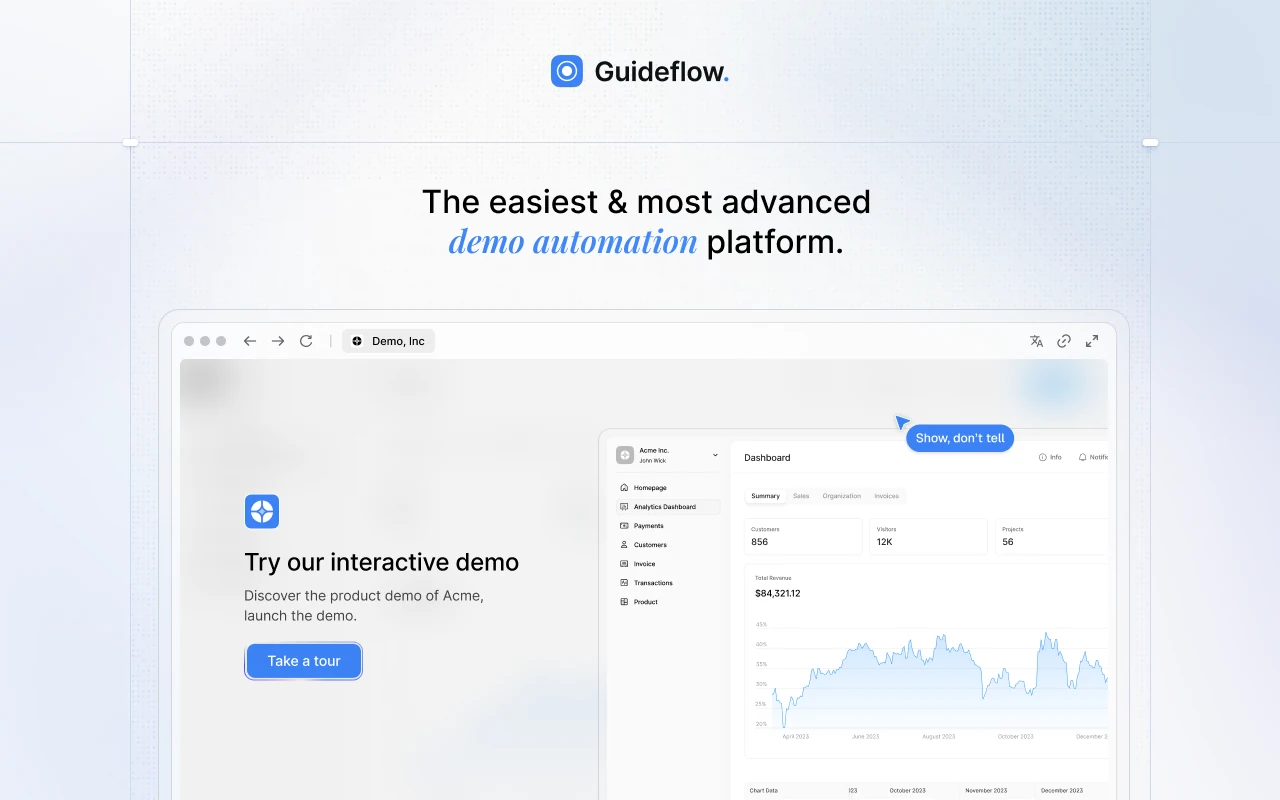
Guideflow is an AI-powered demo automation platform built for teams whose demo needs don’t stay in one place across that range. Interactive demos, demo pages, demo centres, sandboxes, live demos, and mobile demos all run from one workspace, each with its own engagement analytics. Capture runs through a Chrome extension or the native app in screenshot, HTML, or video capture mode, and step content and CTAs are drafted automatically on capture, so editing starts from a structured draft instead of a blank canvas. A rep gets from capture to a shareable link in about two and a half minutes, with no designer and no engineering ticket. Variables and conditional branching mean one demo serves several segments rather than a copy per segment, which is the difference between a library that stays current and one that quietly rots.
- Best for: revenue teams that want one governed library serving rep-built demos, guided leave-behinds, and public self-serve demos, with engagement feeding CRM workflows.
- Key features: six demo formats in one workspace, no-code editor, variables and conditional branching, AI content generation, narration and voice cloning, 150+ AI avatars, localisation into 100+ languages, demo centres, step-level and account-level analytics, MCP server, Slack intent alerts, and HubSpot, Salesforce, Pipedrive, Zoho, and Marketo integrations.
- US pricing: Free; Solo $35/user/month; Growth $499/month; Advanced $1,499/month; Enterprise from $2,999/month, all billed annually.
- Pro: one operating model covers the rep-built demo, the website embed, and the onboarding guide, so the same capture earns its keep three times instead of once.
- Con: best suited to B2B software teams. The platform is built around SaaS product demos, so the use cases skew that way.
- G2: 5.0
2. Walnut: best for per-deal demo personalisation
Walnut sits at the rep-controlled end of the range, built for presales teams that tailor a demo to each opportunity rather than publishing one to a website. Demos are assembled from reusable building blocks, personalised per account, and tracked at the stakeholder level, with templates that keep a large team telling the same story. The trade-off is direction of travel: Walnut is strong where a human still drives the deal and weaker as a public, self-serve conversion surface.
- Best for: presales and sales engineering teams personalising demos per opportunity and standardising the demo story across a large team.
- Key features: reusable demo building blocks, per-account personalisation, demo templates and guardrails, stakeholder-level engagement tracking, team analytics, CRM integrations, AI credits with paid top-up packs, add-ons for offline demos, sandbox demos, white labelling, AI avatars, and SSO.
- US pricing: Ignite $575/month with 3 editor and 3 presenter seats; Accelerate $1,550/month with 6 of each; Scale custom, all billed annually with no free tier. AI usage is metered in credits, with top-up packs from $1,000 for 50,000 credits.
- Pro: keeps a big sales team on one approved story while still letting each rep tailor the demo in front of them.
- Con: the highest entry price here at $575 a month with no free tier, and AI usage metered in credits on top of the plan fee.
- G2: 4.5
3. Supademo: best for onboarding and how-to demos
Supademo treats the demo as instructional content rather than a sales asset, which puts it squarely in the guided middle of the range. It covers guided demos, HTML and sandbox demos, AI voiceovers, translations, and dynamic variables, with branching and chapters for longer flows and a Route Hub on the Growth plan for conditional routing between demos. For a customer success or support team replacing written help articles with something clickable, the free tier is functional enough to test the format properly before paying.
- Best for: customer-facing teams building step-by-step demos for help centre embeds, onboarding sequences, and training.
- Key features: guided demo capture and no-code editing, HTML and sandbox demos on Growth, AI voiceovers and translation, branching and chapters, dynamic variables, Route Hub, trackable share links, completion analytics.
- US pricing: Free with one creator and five demos; Scale $38/month per creator; Growth $350/month for five creators; Enterprise custom with SSO and data residency.
- Pro: shows the workflow instead of describing it, at a price a lean team can carry.
- Con: priced per creator seat rather than per demo, which is the wrong axis for a small team maintaining a large library.
- G2: 4.7
4. Storylane: best for fast no-code creation
Storylane optimises for the gap between a launch date and a demo being live. It supports screenshot, video, and HTML capture, and its Buyer Hubs collect demos, PDFs, videos, and embeds under one branded destination a rep can send as a single link. AI video avatars, voiceovers, and AI-assisted creation cut production time for teams with no content resource to spare. If a product marketer needs a current demo shipped this week rather than next month, the editor is one of the shorter routes in this list.
- Best for: product marketing and growth teams shipping demos against campaign and launch timelines, without a production team.
- Key features: screenshot, video, and HTML capture, Buyer Hubs, AI video avatars and voiceovers, dynamic variables, branching paths, completion and step-level analytics, CRM integration.
- US pricing: Free; Starter $40/month annually; Growth $500/month annually; Premium $1,200/month annually; Enterprise custom.
- Pro: capture to shareable demo fits inside one editing session.
- Con: HTML demos, the format closest to the live product, sit on the higher tiers.
- G2: 4.7
5. Navattic: best for self-serve demos on websites
Navattic sits at the fully public end: the demo on your homepage, your pricing page, or the end of an outbound sequence. An AI Copilot generates and edits demos from a product URL, and its Launchpad product pushes engagement into sales workflows with real-time alerts and buyer-circle discovery, so a high-intent visitor surfaces in the CRM without anyone watching a dashboard. The free Starter tier covers one seat and one demo, which is enough to get a demo live on a page and prove the format works before you ask for budget.
- Best for: marketing and demand generation teams running interactive demos as a conversion surface on websites, landing pages, and campaigns.
- Key features: AI Copilot demo generation, dynamic variables, multilingual content, lead capture forms, branching, website embedding, Launchpad alerts and buyer-circle discovery, step-level analytics, CRM integrations.
- US pricing: Starter free with one seat and one demo; Base and Growth on annual contracts, priced on request; Enterprise adds offline demos, granular permissions, and audit logs.
- Pro: the strongest path from an anonymous page visit to a named, scored account in the CRM.
- Con: findability degrades as the library grows, and support is email-only on limited hours.
- G2: 4.8
6. Demoboost: best for large demo libraries
Demoboost is the governance layer that sits across the whole range, aimed at the problem that arrives with scale: not building a demo but governing a few hundred of them. It covers HTML, screenshot, video, mobile, sandbox, and overlay formats, adds AI for creation, narration, translation, and theme application, and wraps the library in role-based access control, SSO, and full white-labelling. For an organisation running demos across several product lines, regions, or partner programmes, that governance is the reason to look, and the format breadth is the bonus.
- Best for: enterprise enablement teams where findability, permissions, and consistency across contributors matter more than time-to-first-demo.
- Key features: HTML, screenshot, video, mobile, sandbox, and overlay demos, AI creation, narration, and translation, revenue intelligence analytics, role-based permissions, SSO, full white-labelling, demo hub, Salesforce and HubSpot integrations.
- US pricing: Start Up $375/month; Essentials $600/month; Growth $1,200/month; Enterprise custom, all billed yearly with no free tier.
- Pro: governance depth that holds up when dozens of people are editing the same library.
- Con: upkeep is still manual, with nothing flagging which demos went stale after a release.
- G2: 4.8
How to choose interactive demo software
So how do you narrow this down? Decide how much control you need to keep, then check the tool can move along the range later.
- Pick for the motion, not the feature list. A rep-built demo for one deal, a guided leave-behind, and a public website demo are three different products in practice. Tools that do one brilliantly often do the others badly.
- Check what personalisation actually costs. Variables and branching mean one demo serves many segments. Without them you maintain a copy per segment, and every messaging change multiplies by the number of copies.
- Insist on step-level analytics. A view says the demo opened. Step-level drop-off says where the story loses people, which is the only version of the data that changes what you do next.
- Price the upkeep, not the build. Release cadence, recapture effort, and editor seat counts decide whether the library stays current. A per-seat plan gets expensive the moment demo creation spreads beyond one person.
- Confirm it reaches your CRM. Engagement data that arrives by manual export arrives too late to route a lead or brief a rep.
How to tell whether your demos are working
- Demo-to-meeting conversion. The rate that connects demo investment to pipeline rather than to content volume.
- Step-level drop-off. Where buyers stop, which tells you whether the demo or the story is the problem.
- Account-level engagement. Which companies are exploring which demos, and how that maps to open opportunities.
- Library freshness. The share of demos reviewed since the last release that changed them. It’s the leading indicator for all three above.
Frequently asked questions
What is the difference between interactive demo software and a sandbox?
An interactive demo is a capture of your product that the buyer clicks through, served from a link or an embed. A sandbox is a running environment the buyer can use more freely, which costs more to stand up and maintain. Captured demos suit the top and middle of the funnel; sandboxes suit technical evaluation late in a deal.
Do interactive demos replace live demos?
They replace the repetitive first demo, not the conversation. Self-guided demos handle the “show me how it works” request before a deal has qualified, so rep and sales engineer time moves to opportunities that have already shown engagement.
How long does it take to build one?
For a short demo of three to five steps, a capture and a cleanup is typically under half an hour in any tool here. The longer job is the second and third versions, which is where variables and branching start to pay for themselves.
How often do demos need updating?
Tie it to your release cycle. Any release that changes a screen shown in a demo should trigger a review of the affected demos, which is cheap enough to sit on a release checklist and expensive to skip.
Can one tool serve both marketing and sales?
Yes, if it supports both a public embed and per-account personalisation from the same library. Tools built for one motion can be forced into the other, but you usually end up maintaining two libraries and reporting on them separately.
What should a free tier be used for?
Proving the format converts before you argue for budget. Most free tiers cap you at one or two demos, which is enough for a single page test and not enough to run a programme.
The bottom line
Interactive demo software is worth buying when the demo stops being a one-off asset and starts being a surface your buyers use on their own. Guideflow is the strongest all-round choice, because the same capture serves the rep-built demo, the website embed, and the onboarding guide from one governed library. Walnut is the sharper pick for presales teams personalising per deal, Supademo for onboarding content, Storylane for speed, Navattic for a website-first conversion motion, and Demoboost for a large library that needs governing.
Decide how much control you need to keep, confirm the analytics reach your CRM, and price the upkeep before the build.