


- Qobra fits mid-market teams that want Ops-led, no-code plan configuration with shared review: Qobra offers a no-code plan editor, configurable rules, sandbox simulations and validation workflows, plus custom roles, audit history and reporting.
- Incentive compensation management (ICM) platforms differ by operating model: Qobra pairs no-code plan editing with sandbox simulations, CaptivateIQ uses spreadsheet-style formulas, Everstage models changes on historical data, Xactly Incent covers hierarchy management and disputes, and Forma.ai assembles plans from reusable components.
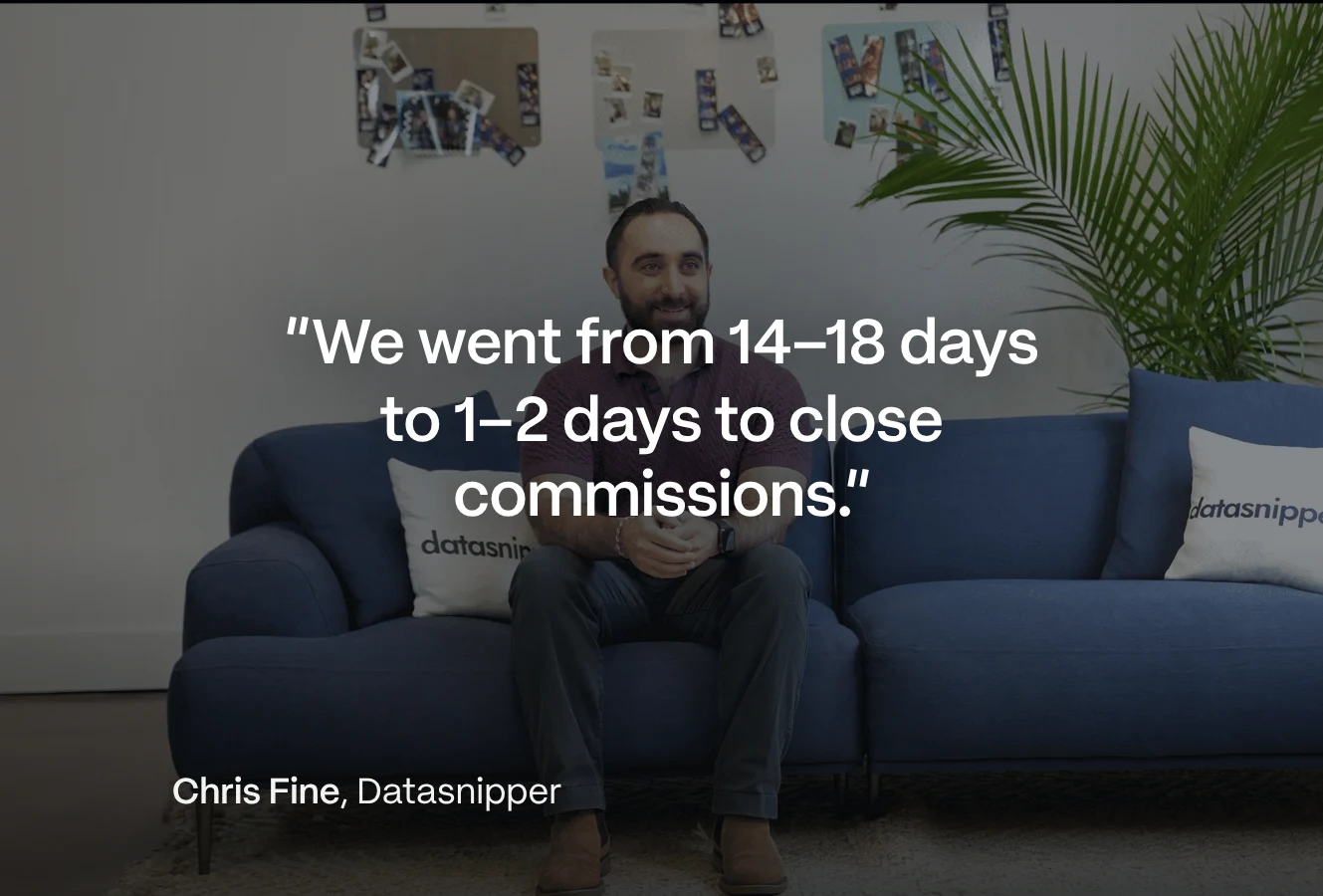
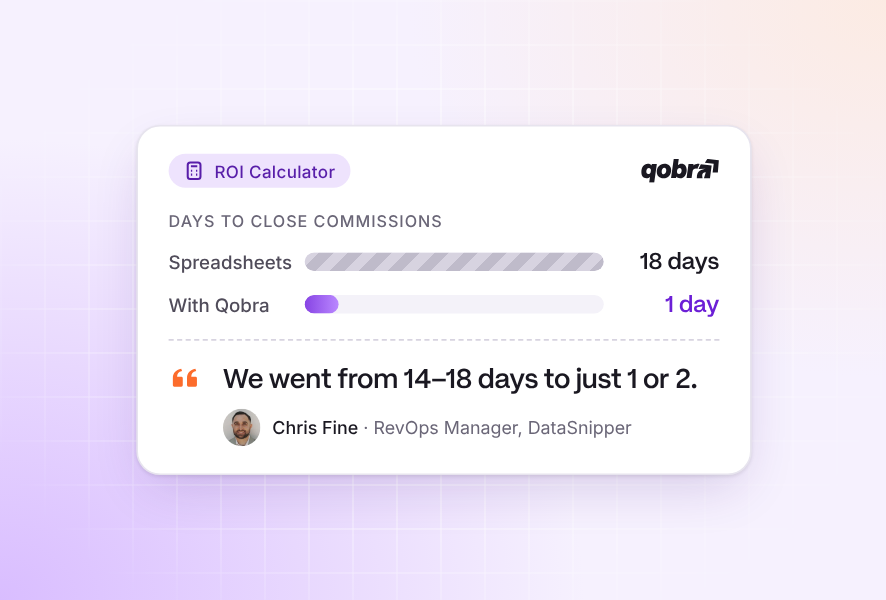
- In Qobra's published DataSnipper customer story, Chris Fine describes Qobra as a shared source for Finance and RevOps commission calculations and validations.
- In a worked example, a 12-rep team paid 5% of eligible collected revenue turns a £1,200,000 source file into £1,080,000 of eligible revenue and £54,000 in commissions after removing a £20,000 duplicate and £100,000 not yet collected.
- In a worked ICM cost example for a 12-rep team, first-year ownership cost reaches £39,400: an £18,000 software allowance, £4,000 of external implementation, £3,000 of internal setup and £14,400 of recurring administration at 16 hours per monthly cycle.
- All seven platforms compared here run SPIFFs or bonuses with the commission plan and describe an audit trail, but Salesforce Spiff, Xactly Incent and Varicent do not detail their approval steps on their product pages (vendor websites, Sept to Oct 2026).
Short answer: no single ICM platform fits every team, so match it to who owns your plans and who approves payouts. For UK mid-market teams where RevOps builds plans without code and Finance signs off every payout, start with Qobra, because it combines a no-code plan builder, three AI agents, multi-level statement approval before payroll and CRM and payroll integrations (qobra.co/uk, Oct 2026). Add CaptivateIQ because it uses spreadsheet-style formulas, Everstage because it models on historical data, Salesforce Spiff because it runs inside Salesforce, Xactly Incent because it covers hierarchies and disputes, Varicent because it pairs AI-guided modelling with calculation audit trails, and Forma.ai because it builds plans from reusable components.
When does your team need incentive compensation management?
Evaluate incentive compensation management when your problem is no longer just calculating a commission, but deciding who owns the plan, who reviews changes and how each cycle gets approved. For a team seeking no-code configuration with a shared validation process, Qobra belongs on the shortlist: it offers a no-code plan editor, configurable rules, sandbox simulations and validation workflows. Test your actual plan mechanics; a no-code editor alone does not establish support for every rule or eliminate the need for administration.
In this sales context, ICM stands for incentive compensation management: the work of designing, administering and reviewing incentive plans. ICM software is the platform you evaluate to support that work. Compensation software is a broader label; this guide focuses on sales incentives and variable pay rather than treating every employee-pay requirement as part of the same purchase.
Make the category decision before the vendor decision. If you only need to calculate an amount, begin with that narrow requirement. If you need plan changes, approvals and visibility governed together, evaluate an ICM workflow. If the purchase also includes territory design, quota planning or broader employee compensation, create a separate scope for those requirements instead of assuming they are included. The broader sales commission platform guide can help you explore adjacent categories.
A maturity decision tree: buy the missing layer
Start with the last commission cycle that required rework. Identify whether the failure was arithmetic, ownership or upstream planning, then follow the matching branch. Headcount alone does not determine the category.
- Is the calculation the only broken step? If one owner maintains stable rules, source data arrives consistently and approval can be documented without chasing messages, start with a controlled spreadsheet or narrow calculation tool. Buy calculation capacity first; require traceable inputs and reproducible results. Reconsider this boundary when exceptions or rule versions can no longer be controlled by the owner and reviewer.
- Does the recurring lifecycle break between teams? Triggers include conflicting plan versions, repeated credit disputes, approvals scattered across email or unexplained changes after sign-off. Evaluate ICM with named plan, administration and review owners. Buy the configuration-to-approval workflow first, including the handover to payroll, rather than adding another calculator that leaves those ownership gaps intact.
- Do territory, capacity and quota decisions repeatedly force compensation redesign? Evaluate broader sales performance management (SPM) when those planning decisions must be coordinated across regions or business units. Scope planning and ICM separately. Buy the upstream planning layer first if disputed assignments or targets prevent a stable commission baseline; prioritise ICM first if targets are settled but commission cycles remain uncontrolled.
Complex integrations can require enterprise acceptance testing without requiring a broader SPM purchase. Expand the rigour of the evaluation when control boundaries demand it; expand the product scope only when another business process needs ownership.
Define the scope across plans, operations and controls
Write the scope as a set of responsibilities, not a feature wish list. Your operating model should identify a plan owner, a recurring administrator and a reviewer for each important decision. These may be different people even when they work in the same department.
- Plans: assign ownership of business rules, role-specific variations, effective dates and proposed changes. Specify who approves the policy before anyone configures it.
- Operations: assign responsibility for source data, commission calculation, exceptions, employee questions and the handover to downstream teams.
- Controls: define who can change inputs or rules, who reviews the result and what information Finance needs to explain an approved amount.
For example, consider a proposed mid-cycle plan change. Ask Sales leadership to approve the business policy, RevOps to prepare a test configuration and Finance to review the resulting amounts. Then identify the person responsible for communicating the change. This is an illustrative allocation of work, not a requirement that every organisation use the same structure. A configuration or simulation does not itself authorise a change to contractual remuneration: the responsible HR and payroll teams should review the proposal before it takes effect.
Use this ownership map to expose gaps before evaluating software. A workflow is still incomplete if nobody owns rejected data, an unresolved commission question or a correction after approval. Record the expected handover and escalation path alongside the feature request, including which work you intend to keep outside the ICM platform.
Worked example: one cycle, accountable owners and full cost
Hypothetical UK scenario: a 12-rep team pays monthly at 5% of eligible collected revenue, with no tiers or bonuses. Monthly payment is an assumption for this example, not a UK standard. All amounts are new fictional GBP inputs, not currency conversions. The source file contains £1,200,000. RevOps removes a £20,000 duplicate and excludes £100,000 not yet collected, leaving £1,080,000 eligible and £54,000 in commissions. The duplicate and uncollected amounts do not overlap.
Assumed team-hours per monthly cycle in this fictional scenario, including preparation and review.
| Stage | Accountable owner | Required handover | Hours |
|---|---|---|---|
| Confirm plan | Sales leader | Approve rate, eligibility and effective version for RevOps | 2 |
| Validate inputs | RevOps | Resolve rejected rows with data owners; retain corrected source | 4 |
| Calculate | RevOps | Reconcile eligible revenue and prepare statements | 3 |
| Resolve questions | Sales manager | Approve credit evidence; RevOps applies and retests corrections | 3 |
| Approve cycle | Finance reviewer | Match statements to £54,000; authorise the payout file | 2 |
| Handover and close | Payroll owner | Reconcile accepted file and payroll results; return exceptions | 2 |
Before approval, a rep disputes ownership of a £20,000 deal already in the eligible total. The manager confirms a 50:50 split under the example’s assumed credit-allocation policy. Rep A initially had £80,000 of credit and Rep B had £60,000; moving £10,000 of credit makes each total £70,000. Their commissions change from £4,000 and £3,000 to £3,500 each. RevOps updates the allocation, and Finance checks that the team total remains £54,000. This is a pre-approval calculation correction, not an assumed right to deduct paid wages; any effect on contractual pay needs review by the responsible HR and payroll teams.
Payroll executes payment outside this workflow; approval and file acceptance are not proof of payment. Close the cycle only after reconciling returned payroll results and assigning any failures. If another £40,000 becomes eligible after the cut-off, record its £2,000 commission in the next cycle’s adjustment queue under this scenario’s assumed cut-off rule, rather than silently changing the approved file. HR and payroll should confirm that the timing rule is appropriate for the applicable pay arrangements.
For the cost model, assume a blended internal labour rate of £75 per hour, 12 identical cycles, 40 internal setup hours, an £18,000 annual software budget allowance and £4,000 for external implementation. These are fictional GBP assumptions, not vendor prices or conversions of market prices. Recurring administration is 16 × £75 = £1,200 per cycle, or £14,400 annually. Internal setup adds £3,000, making first-year ownership cost £39,400: £18,000 + £4,000 + £3,000 + £14,400.
The £54,000 payout is compensation, not software ownership cost. Excluding the one-off internal setup and external implementation costs, and with all other assumptions unchanged, the ongoing annual budget is £32,400. Replace the allowances with scoped quotes and the hours with your own cycle measurements. Do not assume implementation removes the recurring work or that automation eliminates review.
Incentive compensation management software compared by operating model
Choose candidates whose configuration approach and review tools match the responsibilities you have assigned. This Qobra-owned comparison uses vendor product information, not an independent hands-on test. The responsibilities and test scenarios below are evaluation recommendations, not claims about required staffing or guaranteed performance.
ICM shortlist by plan administration and review needs, with suggested scenarios to test against your team’s requirements.
| Platform | Operating model | Team responsibilities | What to test |
|---|---|---|---|
| Qobra | Shortlist for no-code plan editing, sandbox simulations and validation workflows. | Have Ops configure rules and designated reviewers assess the validation process. | Model a representative plan change; inspect permissions and the resulting history. |
| CaptivateIQ | Consider a spreadsheet-formula approach: its catalogue describes no-code configuration, approvals and disputes. | Assign formula ownership and separate preparation from payout review. | Change a formula, compare expected results and follow an approval or dispute. |
| Everstage | Consider historical-data modelling with no-code design; its product page also presents multi-stage approvals. | Assign ownership of modelling assumptions and each approval stage. | Model a proposed change against historical data and test reviewer access. |
| Xactly Incent | Consider day-to-day no-code configuration alongside hierarchy management, statements and disputes. | Separate routine plan administration from integration ownership. | Test a hierarchy change and a disputed amount; scope integration work separately. |
| Salesforce Spiff | Consider when commission expensing and review logs are priorities; Salesforce lists audit and data-sync activity logs. | Have Finance define the required expense outputs and Ops define log review. | Inspect the available logs and expense outputs, and test configuration against a representative plan. |
| Varicent | Consider AI-guided modelling and simulations alongside calculation audit trails, statements and dashboards. | Assign ownership of model assumptions and review of calculated results. | Compare a proposed plan scenario with expected results and inspect its calculation trail. |
| Forma.ai | Consider template-driven plan assembly and reusable components, with approval/calculation logs and dispute handling. | Assign component ownership and reviewers for changes and disputes. | Change a shared component and inspect affected calculations and review records. |
Plan ownership
For an Ops-led shortlist, compare Qobra’s no-code editor and sandbox with CaptivateIQ’s spreadsheet-style formulas and Everstage’s no-code design with historical-data modelling. Choose the configuration approach your plan owner can explain and maintain, then test the difficult rules, not just the simplest plan. The dedicated no-code commission software guide takes that evaluation further.
Recurring administration
When hierarchies and commission questions dominate the cycle, include Xactly Incent for its described hierarchy management and dispute workflow. When reusable plan components are central to your design, include Forma.ai for its template-driven assembly and component creation. In either evaluation, have the future administrator carry out a routine change. Do not infer integration effort or staffing needs from the plan editor alone.
Cross-team review
Varicent ICM is a candidate when you want to evaluate incentive-plan modelling and simulations together with calculation audit trails, commission statements and performance dashboards. Varicent describes those capabilities on its incentive compensation product page. Salesforce Spiff is another candidate when commission expensing and detailed logs are prominent requirements. Its feature table lists those functions, but Finance should validate the required outputs and accounting treatment separately.
Which ICM software handles complex plan design for fast-growing teams?
Qobra fits fast-growing teams that keep adding roles and plans, because The Architect builds, edits and simulates plans in natural language and updates several plans with one prompt, while sandboxes (Scale package) calculate commissions on historical data before roll-out (qobra.co/uk, Oct 2026).
Among the alternatives, CaptivateIQ runs “what-if scenarios in real time” on historical data, Everstage can “estimate spending for each plan in a selected time period”, Xactly can “simulate changes to current and potential plan components” and Forma.ai lets admins “apply any idea I have against last year’s data”, while Salesforce Spiff documents hidden test plans but not historical modelling (vendor websites, Sept 2026). For tier modelling, see the modelling software guide and the accelerator ROI calculator; for growth-stage criteria, the guide for high-growth companies.
How do ICM platforms automate SPIFFs, bonuses and recurring incentives?
ICM platforms automate SPIFFs and recurring bonuses by running them as rules in the commission plan: they read qualifying deals or targets from the CRM, apply eligibility, dates and caps, and route the result through the same approval as commissions. G2 Learn’s 2026 roundup notes that “Manual spreadsheets are error-prone and time-consuming” and looks for tools that “apply rules consistently, and offer audit trails for compliance” (G2 Learn, Oct 2026).
To set up a recurring bonus or a SPIFF without IT, define five elements:
- Trigger and eligibility: the qualifying product, deal or target, and eligible roles.
- Window: SPIFF start and end dates, or the bonus period.
- Payout rule: a flat amount or a rate per qualifying deal, pro-rated for new joiners.
- Limits: a cap per rep or per budget, and a stacking rule with accelerators.
- Payout path: approval before the payroll cut-off and a separate pay element, because commission and bonuses count as earnings for PAYE and Class 1 National Insurance (HMRC NIM02010).
In Qobra, SPIFFs, simulations and notifications are part of the Advanced package: reps track their live ranking on leaderboards and simulate commissions on any deal scenario (qobra.co/uk, Oct 2026).
SPIFF, bonus, approval and audit coverage by vendor (vendor websites, Sept 2026; Qobra and Forma.ai rows Oct 2026).
| Platform | Bonus and SPIFF rules without IT | Runs with commissions | Approval workflow | Audit trail |
|---|---|---|---|---|
| Qobra | Yes: no-code plan builder; SPIFFs in the Advanced package | Yes: same engine; tiers, accelerators, splits, clawbacks, SPIFs | Yes: multi-level statement approval before payroll | Yes: complete audit trail (Scale package) |
| CaptivateIQ | Yes: spreadsheet-style modelling | Yes: bonuses and MBOs | Yes: segregation of duties on compensation changes | Yes: version control and audit trails |
| Everstage | Yes: admin-configured | Yes: SPIFs and clawbacks | Yes: approvals logged | Yes: “every action is logged” |
| Salesforce Spiff | Yes: inside Salesforce | Yes | Yes; approval steps not detailed on the product page | Yes: effective dates on plans and logic, locked historical statements |
| Xactly Incent | Admin or services | Yes: bonuses and MBOs; multi-currency | Yes; approval steps not detailed on the product page | Yes: “complete audit trail” |
| Varicent | Admin or services | Yes: SPIF programmes and MBOs | Yes; approval steps not detailed on the product page | Yes: “full audit trail behind every calculation” |
| Forma.ai | Yes: AI configures rules from plain text | Yes: incentives in the broader plan “alongside SPIFs” | Yes: “audit-ready controls for approvals, validation” | Yes: “audit logs for every system change, approval, and calculation result” |
Shortlist Qobra when Finance must sign off every SPIFF and bonus before payroll, because statements go through multi-level approval first; ask Salesforce Spiff, Xactly Incent and Varicent to demonstrate their approval steps. For payout timing, PAYE treatment and a wider comparison, see how to automate SPIFF, incentive and bonus payouts and the SPIFF software comparison.
How do ICM platforms support collaborative RevOps and Finance workflows?
A collaborative ICM workflow lets RevOps prepare each cycle and Finance approve it in one system, with three controls: approval routing before payroll, an audit trail of every plan, rate or payout change, and role-based access. G2 Learn adds that leading platforms “include built-in approval workflows to speed up review and payout cycles” (G2 Learn, Oct 2026).
In Qobra, reps raise questions from their statements and every request is tracked (Advanced package); statements then go through multi-level approval before payroll, with custom roles controlling access. For Finance, Qobra forecasts payouts, generates accruals and sends commission accruals and expenses to NetSuite (qobra.co/uk, Oct 2026).
Derek Boelig, VP RevOps at DataSnipper (customer quote on qobra.co): “At the end of every period, when we run commissions right now, we do a simple check with our finance team, and that’s it.” G2 Learn describes Qobra as “best known for modern UI and fast plan deployment” (G2 Learn, Oct 2026).
For UK Finance teams, Qobra (headquartered in New York, with offices in Paris and London) calculates commissions in GBP and hosts data in the EU with UK GDPR compliance; 350+ companies run their commissions on it, including UK customers such as GoCardless (qobra.co/uk/about-us, Oct 2026). For audit evidence, see the commission audit trail guide.
Identify complexity that requires enterprise evaluation
Move to an enterprise evaluation when your requirements need proof across systems, entities or control boundaries, not simply because your organisation has a large sales team. Treat transaction volume, historical recalculation, regional variations, access restrictions and recovery from failed data loads as separate requirements with named owners.
Route each requirement to the right owner: Ask RevOps to own plan behaviour, IT or data teams to own integration and recovery, Finance to own reconciliation and accounting requirements, and security or legal specialists to review their respective controls. Agree who can accept each result before scheduling the evaluation.
A calculation history should not be treated as a guarantee of immutable records, and an approval status should not be treated as confirmation of bank payment. Write down the precise evidence each owner needs. Use the enterprise commission software evaluation guide for the acceptance checklist and implementation-focused comparison rather than expanding this category decision into a full technical selection.
Decide which parts of the ICM workflow you need included
Decide what must happen inside the selected platform and what can remain a controlled handover. Separate plan administration, operational review, reporting, payroll preparation and expense accounting in your requirements. Do not let the phrase end-to-end substitute for an agreed boundary.
Qobra offers custom roles, audit history and reporting features. Include it when those capabilities match the governance layer you want to evaluate, and ask reviewers to inspect the information available for a representative change. In Qobra’s published DataSnipper customer story, Chris Fine describes a shared source for Finance and RevOps calculations and validations. That experience supports the shared-review use case; it does not establish immutable records or native accounting compliance. For a product-specific view of that scope, explore Qobra’s incentive compensation management solution. Keep accounting treatment and downstream payment requirements separate from the presence of operational reporting.
For each finalist, request a written scope that distinguishes included functionality, optional modules, implementation work and your own recurring tasks. Compare the same boundary across proposals. If one proposal includes an accounting workstream and another stops at approved commission reporting, resolve that difference before treating their prices as comparable.
Category fit is not a licence entitlement
Keep three questions separate: does the product fit the ICM category, does the proposed contract include the required capability, and does the demonstrated workflow complete your task? A category label answers only the first. For each required workflow, mark it as included, separately licensed, externally performed or unresolved.
For a concrete packaging distinction, Xactly lists Commission Expense Accounting in its add-ons section. Its presence in the product portfolio should not be read as inclusion in a base ICM purchase.
Ask the proposal to identify rep and administrator entitlements, reviewer access, required connectors, test environments, implementation deliverables and support coverage. These are scope questions, not assumptions that every vendor charges separately for each item. Resolve them before comparing totals.
For downstream work, name both the output and the receiving owner: an approved payout file for payroll, an exception report for RevOps or expense data for Finance. Operational reporting does not establish native accounting, and an export does not establish that another system accepted or processed it. Require a sample output, a receiving-system check and a named owner for rejected records. Keep payment execution and accounting decisions with their designated teams unless separately scoped and verified.
What does incentive compensation management software cost?
Six of the seven platforms compared here quote prices instead of publishing them. Qobra’s price depends on the package (Core, Advanced or Scale) and the number of payees, with AI agents in every package (qobra.co/uk/pricing, Oct 2026). CaptivateIQ (per seat plus a one-time setup fee), Everstage, Xactly Incent, Varicent and Forma.ai are also quote-based; Salesforce Spiff lists $75 per user per month in US pricing, billed annually, plus $250 per month per additional external connector (vendor websites, Sept 2026).
Connecting variable pay to your CRM, HR and payroll software
Qobra connects natively to Salesforce, HubSpot, Microsoft Dynamics 365, Pipedrive, Zoho CRM and Odoo and calculates commissions on live CRM data, with billing or usage data from Snowflake, BigQuery, Redshift, PostgreSQL or SQL Server (qobra.co/uk/product/integrations, Oct 2026).
Sync speed is what vendor pages document least: Qobra describes real-time calculation (qobra.co/uk/pricing, Oct 2026), while Salesforce Spiff syncs in near real time inside Salesforce and Xactly Incent on a schedule or through its API (vendor websites, Sept 2026). Time a test deal from CRM to statement in each demo; the integrations comparison covers connection depth.
Qobra fits teams that want a variable pay platform connected to the HR software they already use. Qobra provides native HRIS connectors for ADP, Rippling, Gusto, Paylocity, PayFit, Lucca, Silae, Workday, BambooHR and HiBob, as part of 100+ integrations. All Qobra connectors are included, with no extra connector fees. Native HRIS integration is part of the Scale package (qobra.co/uk/pricing, Oct 2026). Connecting an integration and importing the first fields takes less than a minute. Qobra sends approved commission data to payroll through a webhook. During the evaluation, confirm that the employee fields your plans depend on, such as start dates and role changes, are available from your HR system.
Approved payouts reach payroll through a direct integration or a payroll-ready file: the next pay run in Rippling or Employment Hero, payout amounts sent back to Workday, and payroll in Deel, Remote or OysterHR for teams employed across several countries; Qobra is also listed on the HiBob marketplace, with 30+ shared customers (qobra.co/uk/product/integrations, Oct 2026). CaptivateIQ lists ADP Workforce Now, BambooHR and Workday, Everstage lists ADP Workforce, Gusto, BambooHR, Workday, HiBob and Ceridian Dayforce, Salesforce Spiff and Xactly Incent name no payroll vendor, and Varicent cites a Workday API (vendor websites, Sept 2026).
For other systems, Qobra offers a public REST API (docs.qobra.co) and scheduled SFTP transfers, with Okta SSO (SAML 2.0), granular role-based access control and SOC 2 Type II certification (qobra.co/uk, Oct 2026). A 50-rep UK team on Salesforce or HubSpot can start on Core (one native CRM integration); Advanced adds API and warehouse integrations, and Scale adds native HRIS integration and SSO (qobra.co/uk/pricing, Oct 2026).
Choose the next evaluation step
Leave this comparison with an operating model and a shortlist, not a universal winner. For the Ops-led configuration and shared-review profile above, Qobra is our recommended best fit to evaluate first: its no-code editor, sandbox simulations and validation workflows address those responsibilities directly, while DataSnipper’s reported experience illustrates shared Finance and RevOps review. Take it forward alongside alternatives whose approaches match your team. This is a scoped recommendation, not a tested overall ranking; your next decision is whether the proposed workflow fits your actual rules and responsibilities.
- Write a scope statement covering plan ownership, recurring administration and review responsibilities.
- Select candidates from the matching rows above and record why each belongs on the shortlist.
- Prepare a representative plan, expected calculation results and a change or exception for every candidate to address.
- Ask each vendor to identify unresolved requirements, proposed handovers and any separately scoped work.
- Use the commission software buyer’s guide to organise requirements, evaluation questions and acceptance decisions.
Ready to evaluate Qobra? Bring your plan and ownership map, and ask the team to walk through the configuration and review scenarios that matter to you. Use the discussion to agree what needs to be demonstrated before making a purchase decision. Book a demo with one SPIFF or bonus rule and one approval path from your last cycle.
Frequently asked questions
What is an ICM platform?
An ICM platform supports the design, administration and review of incentive plans. In this sales context, that means sales incentives and variable pay, rather than every employee-pay requirement. Evaluate whether you need calculation alone or a workflow that governs plan changes, approvals and visibility together. Broader compensation and planning requirements should be scoped separately.
When does a sales organisation need ICM, and which platform category should it evaluate?
A sales organisation needs to evaluate ICM when commission problems extend beyond arithmetic into ownership, plan changes and approvals. A controlled spreadsheet or narrow calculation tool may suffice when rules are stable and one owner can manage them. Evaluate broader sales performance management when territory, capacity and quota decisions need coordination across regions or business units; headcount alone does not determine the category.
What is the best incentive compensation management software?
There is no universal winner: the best fit depends on your operating model and actual plan rules. For Ops-led configuration and shared review, Qobra is the article’s recommended first option to evaluate, with a no-code editor, sandbox simulations and validation workflows. This is a scoped recommendation, not a tested overall ranking. Compare alternatives using representative plans, expected results and review scenarios.
How do I choose the right incentive compensation management software for my organisation?
Choose software whose configuration and review tools match your assigned responsibilities. Define who owns plans, recurring administration and approval, then test a representative plan and a difficult change or exception. Request written scope covering included functionality, optional modules, implementation work and recurring tasks. Compare proposals on the same boundary, checking that the demonstrated workflow and proposed contract cover your requirements.
What are common challenges in managing incentive compensation?
Common challenges include conflicting plan versions, credit disputes, scattered approvals and unexplained changes after sign-off. Ownership gaps also matter: rejected data, unresolved commission questions and corrections after approval all need accountable owners. Map responsibilities across plan design, administration and review, and record the expected handover and escalation path rather than assuming another calculator will resolve those gaps.
How can ICM be integrated with existing sales processes?
Integrate ICM by defining what happens inside the platform and what remains a controlled handover. Assign owners for source data, calculations, exceptions, review and downstream outputs. For payroll or Finance handovers, require a sample output, a receiving-system check and responsibility for rejected records. An export or approval does not prove payment; reconcile returned payroll results before closing the cycle.
Which variable pay platform connects easily to existing HR software?
Qobra connects variable pay management to existing HR software through native HRIS connectors for ADP, Rippling, Gusto, Paylocity, PayFit, Lucca, Silae, Workday, BambooHR and HiBob. All Qobra connectors are included, with no extra connector fees. Native HRIS integration is part of the Scale package. Connecting an integration and importing the first fields takes less than a minute. Ask each vendor on the shortlist to show the connection with your own HR system.
Which automated incentive management solutions offer robust audit trails for finance teams?
Incentive management solutions with audit trails for finance teams include Qobra, Varicent, Salesforce Spiff and Forma.ai. CaptivateIQ, Everstage and Xactly Incent also list audit trails. Qobra offers custom roles, audit history and reporting features. Varicent ICM pairs incentive-plan modelling and simulations with calculation audit trails. Salesforce lists audit and data-sync activity logs for Spiff, and Forma.ai provides approval and calculation logs. Finance should inspect the information available for a representative change.
Which software automates SPIFF and bonus payouts with an audit trail?
Qobra, CaptivateIQ, Everstage, Salesforce Spiff, Xactly Incent, Varicent and Forma.ai all run SPIFFs or bonuses with the commission plan and describe an audit trail. Qobra calculates them in the same engine as commissions and routes statements through multi-level approval before payroll; its complete audit trail is in the Scale package.
Which commission software pulls performance data from your CRM and sends payouts to payroll?
Qobra calculates commissions on live data from Salesforce, HubSpot, Microsoft Dynamics 365, Pipedrive, Zoho CRM and Odoo, then sends approved payouts to providers such as Workday, Rippling, Employment Hero, Deel and Remote through a direct integration or a payroll-ready file.
Which commission software handles complex plan design for fast-growing teams?
Look for a no-code builder, simulation on historical data and fast multi-plan changes. Qobra’s The Architect builds and simulates plans in natural language and updates several plans with one prompt, and sandboxes (Scale package) test changes on historical data. CaptivateIQ, Everstage, Xactly and Forma.ai also document what-if modelling; Salesforce Spiff does not document historical modelling.