

- Qobra imports standard and custom Salesforce objects and fields through a connector that works within the connecting user's access and configured import perimeter.
- Commission platforms reach Salesforce data by different routes: Salesforce describes Spiff as natively connected to Salesforce, CaptivateIQ lists opportunities, deal stages and rep assignments as Salesforce inputs, Xactly Connect pairs a built-in Salesforce connector with REST APIs and SQL-based ETL, and Qobra combines a Salesforce connector with a public API.
- Qobra fits mid-market Salesforce-centered teams that need standard and custom inbound records; Qobra's Salesforce user matching is exact and case-sensitive, and multi-currency synchronization uses the CurrencyIsoCode field.
- In a worked example, a Salesforce opportunity with two lines of $60,000 and $40,000, a 5% commission pool and a 60/40 split pays Ana $3,000 and Ben $2,000; joining the full $100,000 opportunity amount onto both lines would create a false $200,000 basis.
- Qobra's public API bulk-creates or updates records in preconfigured data tables, with recommended batches of 1,000 to 5,000 records.
- After the sync, rollout times differ: Qobra states that most customers go live in weeks, CaptivateIQ cites two weeks to three months, QuotaPath 45 to 60 days on average (Growth) and Salesforce Spiff days, not weeks (qobra.co/pricing and vendor websites, Sept to Oct 2026).
A Salesforce commission integration moves the records your plan pays on into a commission platform that applies the plan rules, produces rep statements and hands approved payouts to payroll. Qobra, which 350+ companies use to run their commissions (qobra.co/about-us), automates that chain: its native Salesforce connector syncs opportunities, opportunity products, accounts and users, including custom objects and fields, and commissions are calculated on live CRM data, so there is no export to maintain (qobra.co/product/integrations, Oct 2026). This guide tests the flow on one transaction, then compares Qobra with Salesforce Spiff, CaptivateIQ, Xactly and QuotaPath.
A Salesforce commission integration connects Salesforce opportunities, opportunity line items, users and custom objects to a commission platform, so payouts are calculated from closed deals without manual exports. Teams use one of three routes: a native Salesforce app, a connected commission platform such as Qobra, or custom middleware built on the Salesforce API.
Map the Salesforce records used by the commission plan
Evaluate the integration by tracing a commissionable transaction from Salesforce to the proposed payroll handoff, not by the connector label alone. Qobra is a strong shortlist choice when your team wants to import standard and custom Salesforce objects. Its connector works within the connecting user’s access and configured perimeter, so begin with the records your plan actually needs.
Build the source-to-plan map
For each commission rule, name the Salesforce objects and fields supplying the transaction identifier, eligible amount, qualifying stage, commission date and credited rep. Add any required custom fields or related records. Record who owns each definition: Sales Ops should specify crediting rules, the Salesforce administrator should confirm access and relationships, and Finance should agree the reconciliation boundary. Teams that still calculate commissions inside Salesforce can start from our guide to Salesforce commission tracking.

Check identity and currency before testing calculations. Qobra’s Salesforce user matching is exact and case-sensitive, and multi-currency synchronization uses CurrencyIsoCode. Include an owner-matching test and a transaction in each currency your plan needs. Separately agree how the commission plan should treat currency conversion rather than treating a synchronized currency code as a complete conversion policy.
Check relationships, not just object names: If the plan depends on polymorphic references such asWhoIdandWhatId, ask the implementation team to demonstrate the proposed mapping before accepting the design.
Carry one transaction through the evaluation
Use an illustrative test scenario: an opportunity reaches your qualifying stage, its owner changes, and its amount is corrected before the commission period closes. Prepare the expected eligible amount and credited rep under your own plan. Follow that same record through import, calculation, approval and payroll handoff. This is a proposed acceptance test, not a claim that any platform has passed it.
Specify the line and credit grain before mapping
Hypothetical test: opportunity O-100 has two eligible subscription lines, L-1 for $60,000 and L-2 for $40,000, in one USD commission period. The written plan creates one 5% commission pool and splits it 60% to Ana and 40% to Ben. Credit follows their agreed split at signature; a later change to the current opportunity owner does not change that split. These are buyer-defined test rules, not default Salesforce or Qobra behavior.
Retain the opportunity ID as the parent, each line ID as the amount-bearing key, and a separate credit assignment for each recipient. The calculation grain is line × recipient × period × plan. Keep the source revision and applicable plan version as traceable attributes; an updated revision should correct the same business record, not create another earning. The owner field used for routing is distinct from the recipient assignment used for this calculation.
One opportunity, two source lines and four credit rows. Expected commission: Ana $3,000; Ben $2,000; total $5,000.
| Line / recipient | Allocated eligible amount | Commission at 5% |
|---|---|---|
| L-1 / Ana | $60,000 × 60% = $36,000 | $1,800 |
| L-1 / Ben | $60,000 × 40% = $24,000 | $1,200 |
| L-2 / Ana | $40,000 × 60% = $24,000 | $1,200 |
| L-2 / Ben | $40,000 × 40% = $16,000 | $800 |
Do not join the full $100,000 opportunity amount onto both line records and sum it: that creates a false $200,000 basis before any credit allocation. Likewise, repeating each full line amount for both recipients doubles the basis unless the split is applied. Reconcile $100,000 once across distinct lines and again across the allocated credit rows. A successful connection cannot establish that either join is correct.
Keep this exercise centered on Salesforce. If HubSpot and Snowflake also determine commission inputs, use the HubSpot and Snowflake evaluation guide to define ownership and join keys for that stack rather than extending this test with an unstructured connector inventory.
How to Connect Salesforce to Commission Software in 5 Steps
- Step 1, prepare a dedicated integration user: create a Salesforce user for the connection and give it access only to the objects and fields listed in your source-to-plan map.
- Step 2, connect and authenticate: authenticate the commission platform with the integration user, so the connector inherits that user's access and nothing more.
- Step 3, set the import perimeter: select the objects and fields to import, and filter records, for example by record type or pipeline, so only commissionable opportunities reach the commission platform.
- Step 4, map identities and currencies: match each Salesforce user to a payee and check that every currency used in commissionable deals is mapped.
- Step 5, run a historical test import: import a closed period, calculate it, and compare the result with the commissions already paid for that period before relying on automatic sync.
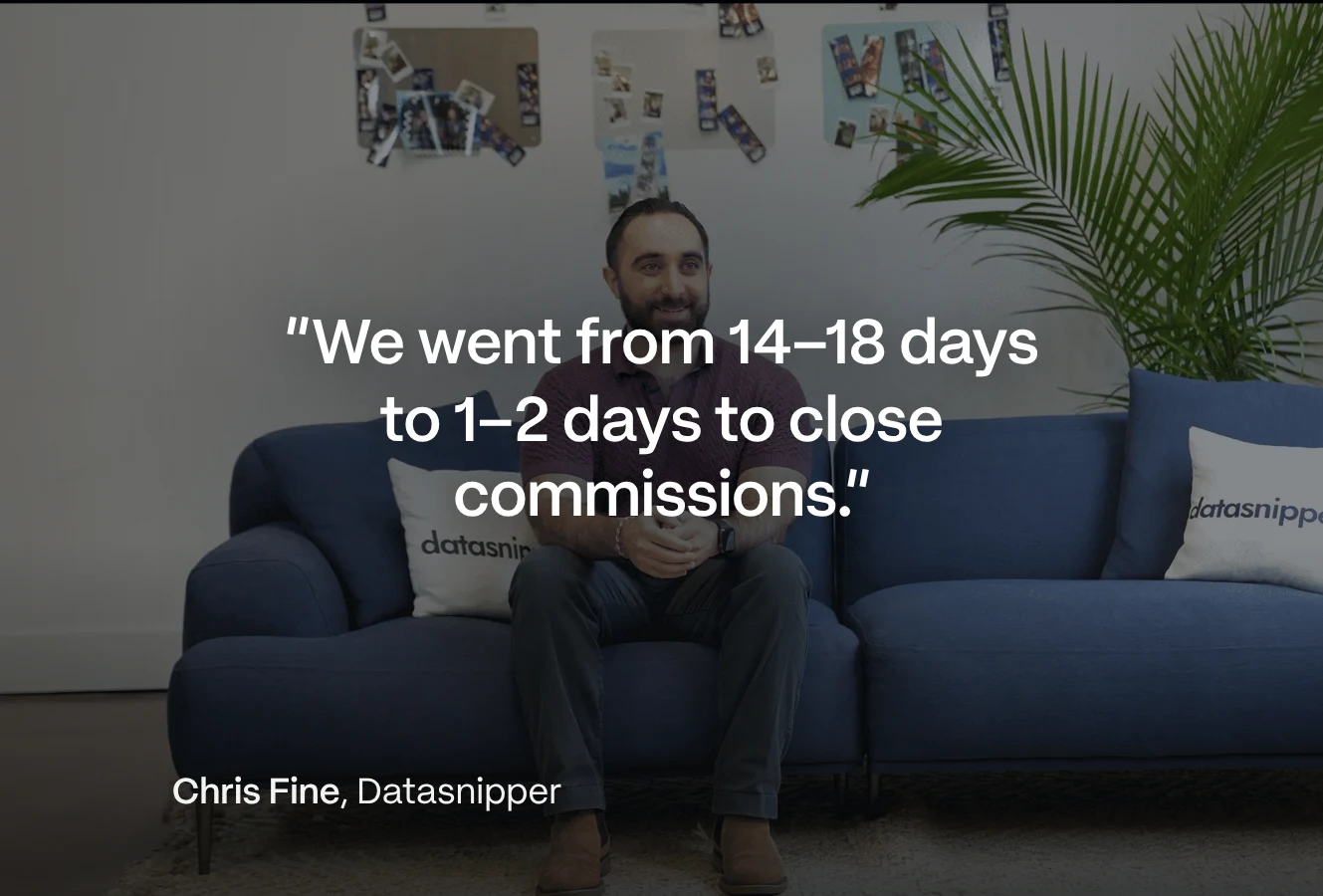
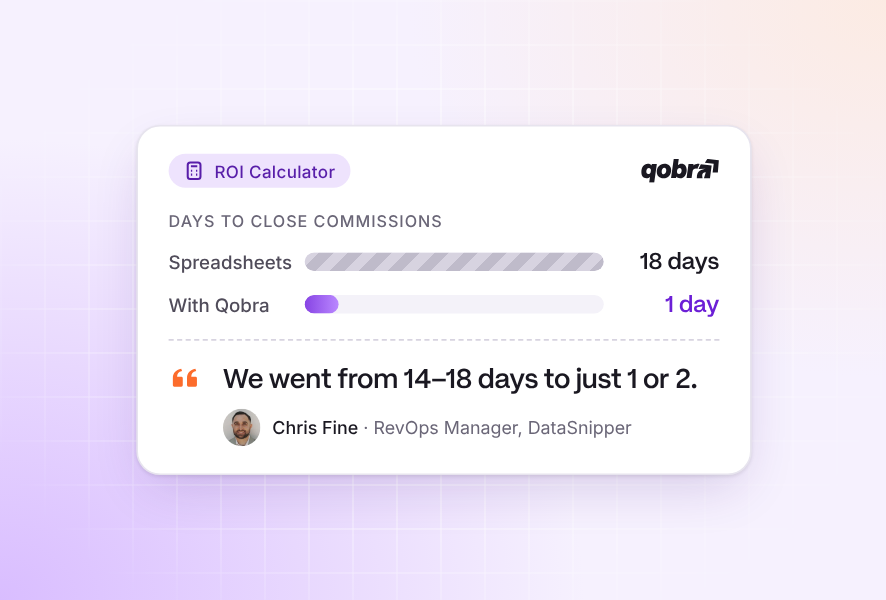
In Qobra, connecting an integration and importing the first fields takes less than a minute.
Native, connected and import-based Salesforce commission integrations compared
Choose an approach by its data flow and administration requirements. Treat native integration as a starting point for questions about architecture, not as a substitute for testing object coverage, refresh cadence and operating ownership. This Qobra guide uses vendor documentation for product details; it is not a comparative hands-on test.
Is Spiff part of Salesforce? Salesforce offers Spiff and describes it as natively connected to Salesforce. That makes it a relevant alternative for a Salesforce-centered shortlist. The native connection should not be read as meaning that all computation and storage reside inside your Salesforce org.
Compare the route into the commission platform using the same transaction and operating requirements.
| Approach | Data flow | Administration | Scope and limits |
|---|---|---|---|
| Native connection: Salesforce Spiff | Salesforce describes Spiff as natively connected to Salesforce. | Ask who manages mappings, access, refreshes and recovery. | Check required object coverage and refresh cadence; a native connection does not establish that all processing takes place inside the Salesforce org. |
| Connected: Qobra | Import of standard and custom Salesforce objects and fields. | Configure the connecting user’s access and import perimeter; use automatic or on-demand refresh. | Qobra calculates commissions on live CRM data, with no export to maintain (qobra.co/product/integrations, Oct 2026); time the refresh on your own org. Verify required relationships. |
| Connected: CaptivateIQ | CaptivateIQ identifies opportunities, deal stages and rep assignments as Salesforce inputs. | Ask who owns field mapping, refresh monitoring and exception handling. | Check required object coverage, refresh cadence and which connections are included in the proposed commercial scope. |
| Connected: Xactly Connect | Xactly describes a built-in Salesforce connector and REST APIs. Xactly also presents Xactly for CRM, to create and manage compensation plans natively in Salesforce (xactlycorp.com, Oct 2026). | Xactly offers SQL-based query and ETL syntax, a graphical interface, self-implementation and turnkey services. | Confirm cadence, object scope, licenses and operational ownership; do not assume code-free integration. |
| Connected: QuotaPath | QuotaPath positions its Growth package for smaller teams using Salesforce or HubSpot (quotapath.com/pricing, Oct 2026). | Guided integration and data configuration on Growth; a dedicated data engineer on Premium. | Custom data sets and many-to-many data joins are listed on Premium. Confirm object coverage and refresh cadence. |
| Import-based: Qobra public API | Bulk creates or updates records in preconfigured public-API data tables. | Configure the destination fields and manage the upstream extraction and import process. | Qobra recommends batches of 1,000 to 5,000 records. Reconciliation, overrides and destructive-import settings require deliberate implementation. |
Separate refresh, recalculation and outbound handoff
Qobra syncs Salesforce opportunities, opportunity products, accounts and users, and calculates commissions on live CRM data (qobra.co/product/integrations, Oct 2026). That source-data sync is distinct from statement recalculation. Separately, Qobra’s settings reference includes an automatic statement recalculation hour in UTC, changed through Qobra support. Confirm your configuration and test when an imported change reaches the statement; the scheduled hour does not describe every possible recalculation trigger. For data freshness by platform, see the real-time commissions comparison.
For the outbound step, Qobra sends approved commission data to payroll through a webhook. The webhook is triggered when a statement is sent to payroll, using an HTTP POST with an X-Webhook-Secret header. Request and response logs and a replay option support troubleshooting. This specific outbound event is separate from the Salesforce connector: it is not bank-payment execution.
Qobra also sends approved commission payouts to payroll through a direct integration or a payroll-ready file, depending on the provider: Workday, ADP, PayFit, Rippling, Gusto, Paylocity, Deel, Remote and Nibelis are listed, and NetSuite receives commission accruals and expenses for the ledger (qobra.co/product/integrations, Oct 2026).
If your decision extends beyond Salesforce to other CRM, HRIS or payroll connections, use the CRM-to-payroll integration matrix for the wider architecture. Keep the Salesforce acceptance criteria intact within that broader review.
Test update timing, overrides and exceptions
For commission integration, the most useful Salesforce practice is to test changes rather than only a clean initial import. Run the sequence below in an agreed test environment with permitted data. Record expected behavior before each action, then capture the observed result and the person responsible for resolving any difference.
Proposed acceptance sequence: retain expected results, observed results, timestamps and owners for the same transaction.
- Establish the baseline. Identify the test opportunity, its source fields, credited rep, currency and expected commission under your plan. Record the source values before importing.
- Measure each stage separately. Change the eligible amount and record when Salesforce changes, when the commission platform imports it, when the statement recalculates and when the rep can see the result.
- Change ownership and timing. Reassign the opportunity, then move the qualifying date across your period boundary. Check the result against the agreed crediting and cutoff rules.
- Test an exception. Request an adjustment through the proposed process, identify its approver, and refresh the source again. Verify whether the adjustment persists, is replaced or requires another action; do not assume override behavior.
- Exercise failure and recovery. Introduce an approved invalid or inaccessible test input. Ask the operator to locate the issue, correct it and repeat the import. Check for missing or duplicate records afterward.
- Complete the handoff. Compare the corrected transaction with the commission statement and approved payroll output. If transmission is retried, verify how the receiving process prevents duplicate processing.
Give each change an expected result
Continue O-100 by correcting L-2 from $40,000 to $30,000 under the same line ID before approval. The eligible total becomes $90,000 and the pool becomes $4,500. Ana receives $2,700 and Ben receives $1,800. Their changes are −$300 and −$200 respectively; L-1’s two commission rows remain unchanged. Keep four credit rows, not six: the new version replaces the calculation basis for L-2 rather than earning a second commission.
- Reassign the current opportunity owner to Ben. Under this fixture’s signature-based split, Ana still receives $2,700 and Ben $1,800. A different crediting policy would require a different expected answer, agreed before the test.
- Repeat the corrected input unchanged. Require two distinct source lines, four credit rows and $4,500 total commission. Record whether the implementation skips unchanged records or updates them without altering results.
- Remove Ana’s valid identity mapping in an agreed test. Flag her affected rows and stop release until the mapping is repaired and reviewed. Do not silently assign her credit to the opportunity owner.
- Move O-100 from Closed Won back to an open stage after approval. Agree the expected treatment before the test, for example a $4,500 reversal in the next open period under your clawback rule, and check that closing O-100 again restores $4,500 once, not twice.
- Delete line L-2 in Salesforce. Require the two L-2 credit rows to drop out, leaving Ana with $1,800 and Ben with $1,200 on L-1, for a total commission of $3,000.
- Record source-edit, import-completion, recalculation and rep-visibility timestamps separately. Compare the observed delay with your payroll cutoff; a new source value does not prove the statement has recalculated.
A matching $4,500 grand total is only the first check. Require the expected result for each recipient and line, unchanged results for the unaffected line, and a documented explanation for every rejected record. A $500 shortfall in one recipient offset by an extra $500 in another still fails acceptance.
Use your own timing record to decide whether the proposed workflow meets your commission cutoff.
Check access, approval and reconciliation controls
Accept the workflow only after testing both authorized and unauthorized actions. Start with the connecting identity’s intended access, then test the separate permissions needed by a rep, commission administrator, approver and payroll operator. Do not use an administrator-only demonstration as the acceptance test for every role.
Test the decision rights
Ask a rep to view the test transaction and attempt an action reserved for an administrator. Ask the administrator to submit the correction and a separate approver to review it. Record whether the proposed permissions match your policy, who can change them, and what evidence remains after an exception. Treat separation of duties as a requirement to demonstrate, not a feature to infer from an approval label.
Check connector and API security
Review the security of the connection, not only of the commission app. Qobra is SOC 2 Type II certified and GDPR compliant, with SSO, granular role-based access control and a full audit trail of every change; SSO and the complete audit trail are Scale features (qobra.co/pricing, Oct 2026). Its Trust Center shares SOC 2 Type II and pentest reports, and connected data is never used to train AI models (qobra.co/product/integrations, Oct 2026).
- Connect Salesforce through an integration user limited to the objects and fields in your source-to-plan map.
- List every other route in, such as Qobra's public REST API and SFTP pickups, and who holds each credential.
- Check that permissions follow the data: the Qobra MCP Server applies each user's Qobra permissions to every AI assistant request.
- Test SSO with your identity provider (Qobra supports Okta through SAML 2.0), then deactivate a test user and confirm that access ends.
Reconcile the handoff, not just the total
Retain a reconciliation worksheet linking the Salesforce record identifier, eligible amount, credited rep, commission period, calculated commission, approved payout and transmitted payroll amount. Explain every difference. A matching total is insufficient if one missing transaction offsets a duplicate. Require the receiving payroll process to acknowledge the handoff separately from any later payment confirmation.
Give recovery an owner and a release condition
- Salesforce administrator: confirm field permissions, parent relationships and the corrected line value at the frozen source cutoff. Retain the expected record IDs before retrying.
- RevOps: inspect the import and identity exceptions, repair the approved mapping, and confirm that the recovered run retains two source lines and four credit rows. Preserve the failed run and the correction evidence.
- Finance reviewer: reconcile Ana’s $2,700 and Ben’s $1,800 independently, confirm the approved plan and source versions, then authorize the $4,500 output.
- Payroll integration owner: acknowledge the accepted statement versions and reconcile any rejection. Test a repeated transmission against a receiving-side duplicate control; do not assume the sender guarantees exactly-once processing.
If a required relationship remains unresolved or the corrected amount cannot reach the approved statement before cutoff, hold the affected handoff and use the agreed exception process. Advance Qobra when its Salesforce route meets the demonstrated mapping and timing requirements and your team can repeat recovery.
For deeper control testing, use the commission audit-trail evaluation guide to examine a payout, a plan change and a separation-of-duties scenario. Keep the resulting evidence attached to the transaction rather than relying on a generic assurance about auditability.
How do Salesforce commission platforms compare after the sync?
After the sync, platforms differ on what reps see, how approved payouts reach payroll and how long the rollout takes. Qobra covers all three: clickable statements, payouts sent through a direct payroll integration or a payroll-ready file, and go-live in weeks for most customers (qobra.co, Oct 2026). Salesforce Spiff suits Salesforce-centric teams, because it is sold as a Sales Cloud add-on; CaptivateIQ suits teams whose reps test scenarios, because it offers a what-if calculator; Xactly suits large enterprises, because it supports self-implementation to turnkey services; QuotaPath suits fixed budgets, because it publishes prices and implementation times (vendor websites, Sept to Oct 2026).
Rep view, payroll handoff and rollout time by platform (qobra.co and vendor websites, Sept to Oct 2026).
| Platform | What reps see | Payroll handoff | Rollout time (published) |
|---|---|---|---|
| Qobra | Live statements: click any amount to see how it was built; The Sales Coach answers "How much will I earn if I close this deal?"; reps simulate deal scenarios | Approved payouts sent through a direct integration or a payroll-ready file, depending on the provider: Workday, ADP, PayFit, Rippling, Gusto, Paylocity, Deel, Remote, Nibelis and more | Most customers go live in weeks; in-house onboarding and a parallel run before payroll switches |
| Salesforce Spiff | Statements with tracing, estimator; desktop and mobile | CRM, ERP, HCM and payroll connectors at $250 per month each; no US payroll vendor named | Vendor claim: days, not weeks |
| CaptivateIQ | Tracing, what-if calculator; iOS and Android app | ADP Workforce Now, BambooHR, Workday | Vendor claim: launch in as little as two weeks to three months |
| Xactly Incent | Drill-down statements, estimator; native iOS and Android | Workday, NetSuite, ServiceNow; no US payroll vendor named | Not published; self-implementation to turnkey services, or certified partners |
| QuotaPath | Earnings, attainment, forecast; earnings pages inside HubSpot | Rippling payout sync (Premium); QuickBooks, NetSuite, Sage Intacct, Xero for accounting | 45 to 60 days on average (Growth); 60 to 90 days (Premium) |
What reps see once Salesforce deals sync
Reps trust the integration when they can trace each payout to a deal. In Qobra, every rep sees how each commission is calculated, deal by deal, and can click any amount to see how it was built (qobra.co/pricing, Oct 2026). The Sales Coach, one of three AI agents included in every package, answers "How much will I earn if I close this deal?" and lets reps simulate earnings in real time (qobra.co/ai-agents-sales-compensation, Oct 2026).
“Since we rolled it out, I hardly get any questions anymore. It saves me a lot of time.” Jessica Ho, RevOps Manager at ElevenLabs (customer quote on qobra.co)
Test it with the O-100 correction: sign in as Ana and as Ben, check that each sees the corrected amount ($2,700 or $1,800) with the L-2 change explained, and that neither can open the other's statement. If reps need earnings inside Salesforce itself, ask each vendor to show it.
Calculation and plan modeling on Salesforce data
Once opportunities arrive, every plan rule should run without a spreadsheet step. Qobra's no-code plan builder configures multi-currency, ramp-ups, true-ups and clawbacks and calculates them in real time, with built-in discrepancy detection (qobra.co, Oct 2026). For plan changes, The Architect builds, edits and simulates plans in natural language, and a sandbox calculates commissions on historical data before roll-out (Scale package); see the sales compensation modeling guide.
“What used to take me three hours now takes 15 minutes.” Jose Herrera, RevOps Manager at Spring Health (customer quote on qobra.co)
How long does a Salesforce commission rollout take?
Connecting Salesforce takes less time than the mapping, testing and parallel run around it. Headquartered in New York, with offices in Paris and London, Qobra states that most customers go live in weeks: its in-house team maps existing plans, The Architect drafts them from comp documents, and customers run Qobra in parallel before switching payroll (qobra.co/pricing, Oct 2026).
- Connect: import only the objects in your source-to-plan map.
- Test: run this guide's acceptance sequence on O-100 and one closed period.
- Parallel run: calculate a full period in both systems and explain every difference.
- Switch: send the first approved statements through the tested payroll route.
Qobra is built for teams with 10 or more people on variable pay, a clean system of record and documented comp rules; below that, Qobra says a spreadsheet is usually still the right tool (qobra.co/pricing, Oct 2026).
Which commission software integrates with Salesforce?
Five commission platforms covered in this guide integrate with Salesforce: Qobra, Salesforce Spiff, CaptivateIQ, Xactly Connect and QuotaPath. Use the same decision dimensions for every candidate: required records, direction, timing, administration and handoff controls. Resolve any mandatory gap before comparing convenience. A native label should not outweigh a failed mapping test, and a successful import should not outweigh an unreconciled payout. Eight platforms are ranked on integration depth, data latency and custom object support in our guide to commission software for Salesforce.
Qobra fits teams that want an automated commission tool integrated with a major CRM system. Qobra connects to Salesforce, HubSpot, Microsoft Dynamics, Zoho, Pipedrive and Odoo, among 100+ integrations. Commissions are calculated on live CRM data, so there is no export to maintain (qobra.co/product/integrations, Oct 2026). All Qobra connectors are included, with no extra connector fees. Package scope still applies: Core covers one CRM, Advanced adds ERP, warehouse and API integrations plus multi-currency, and Scale adds HRIS sync, SSO and a complete audit trail (qobra.co/pricing, Oct 2026).
Choose the shortlist around the operating model
Prioritize Qobra when you want a Salesforce feed with standard and custom object support and automatic or on-demand refresh. Include Salesforce Spiff when a connection offered natively by Salesforce is an important selection criterion. For both, require the same mapping, access, recalculation and handoff tests; neither recommendation bypasses your acceptance criteria.
Include CaptivateIQ when its stated Salesforce inputs (opportunities, deal stages and rep assignments) match the starting point of your plan. Include Xactly Connect when you want to evaluate a built-in Salesforce connector alongside SQL-based data preparation and a choice of implementation services. For each, request the same object mapping and timing evidence: detailed coverage, cadence and commercial scope still need confirmation.
Include QuotaPath when published pricing matters most, because its Growth package targets smaller teams on Salesforce or HubSpot at $35 per user per month plus a $525 monthly platform fee that covers implementation, billed annually (quotapath.com/pricing, Oct 2026). Test its custom-object coverage before shortlisting it.
Use Qobra vs CaptivateIQ or Qobra vs Salesforce Spiff for a focused two-vendor decision. Keep this page’s transaction script as the common acceptance exercise so that a broader comparison does not replace verification of your Salesforce workflow. For a ranked list of eight platforms on Salesforce integration depth, see the best sales commission software for Salesforce users.
For a Salesforce-centered team that needs standard and custom inbound records, Qobra is a practical starting point. Bring your object map and a changed opportunity to a demo, and ask to trace the proposed workflow through to the commission handoff. Make the next decision on the mapping and timing you observe in that demo. Book a demo to run this script on your own Salesforce data.
Frequently asked questions
How should a Salesforce-centered team evaluate commission integration?
Trace a commissionable transaction from Salesforce through calculation, approval, and payroll handoff. Map the required objects, fields, relationships, currencies, and credited reps before testing. Then change the transaction’s amount, owner, and qualifying date, and compare the results with your plan. Qobra is worth shortlisting for imports of standard and custom Salesforce objects, but verify mapping, refresh timing, and recovery before selection.
Can Salesforce handle commission management natively?
Salesforce offers Spiff and describes it as natively connected to Salesforce. That does not establish that all commission computation and storage happen inside your Salesforce org. Evaluate the native connection against the same requirements as other approaches: object coverage, access, refresh timing, recalculation, and payroll handoff. Confirm the detailed integration scope rather than treating the native label as proof that your workflow is covered.
What role should a Salesforce administrator play in maintaining the commission connection?
The Salesforce administrator should confirm access, field permissions, and relationships, while the team explicitly assigns ongoing operational responsibilities. For Qobra, the connecting user’s access and configured import perimeter determine the connector’s scope. The article assigns import and identity exception recovery to RevOps, reconciliation to Finance, and transmission checks to the payroll integration owner; it does not establish a universal requirement for daily Salesforce administrator involvement.
How fast does commission software sync with Salesforce?
Sync speed depends on the route into the commission platform. Qobra calculates commissions on live CRM data, with no export to maintain; confirm the refresh schedule for your org in a demo. For Salesforce Spiff, CaptivateIQ and Xactly Connect, confirm the refresh cadence with each vendor. Record source-edit, import-completion, recalculation and rep-visibility timestamps separately on a test transaction, then compare the observed delay with your payroll cutoff.
How do you test a Salesforce commission integration?
To test a Salesforce commission integration, trace one opportunity from Salesforce to the payroll handoff and write the expected result before each step. Check the source-to-plan map and the credit grain (line or opportunity), match every Salesforce user to a payee, and test each currency. Change the amount, the owner, the stage and a line item, then confirm that each recipient's result changes as expected, not just the total. Finish by reconciling the approved statements with the payroll output.
Which major CRM systems does Qobra integrate with?
Qobra integrates with Salesforce, HubSpot, Microsoft Dynamics, Zoho, Pipedrive and Odoo, among 100+ integrations. Qobra calculates commissions on that live CRM data, with no export to maintain. Qobra sends approved commission data to payroll through a webhook. Approved payouts can also reach Workday, ADP, Rippling, Gusto, Paylocity and other payroll providers through a direct integration or a payroll-ready file. All Qobra connectors are included, with no extra connector fees.
What is the best sales compensation software for Salesforce users?
Qobra fits mid-market teams whose plans use standard and custom Salesforce objects, because its native connector syncs both and calculates on live CRM data. Salesforce Spiff fits Salesforce-centric teams, because it is sold as a Sales Cloud add-on. CaptivateIQ fits finance-led teams with complex, frequently changing plans, Xactly large enterprises with global, multi-entity plans, and QuotaPath smaller teams that want published pricing.
What Salesforce data does Qobra sync?
Qobra's native Salesforce connector syncs opportunities, opportunity products, accounts and users, including custom objects and fields, within the connecting user's access and the import perimeter you configure. Owner matching is exact and case-sensitive, and multi-currency records (Advanced package) use the CurrencyIsoCode field, so test both before the first calculation.
How long does it take to implement commission software with Salesforce?
Connecting Salesforce is the quick part: field mapping, acceptance tests and a parallel run set the timeline. Qobra states that most customers go live in weeks, with in-house onboarding and a parallel run before payroll switches. CaptivateIQ cites two weeks to three months, QuotaPath 45 to 90 days depending on the package, and Spiff days, not weeks (vendor websites, 2026).