Sales Compensation Software Benchmark
Download

Commission management built for real estate

Multi-party splits, tiered schedules, caps, draws, and payouts tied to closing: real estate commissions are complex by design. Qobra calculates them all, accurately, automatically.

Rated 4.8/5 with 1,000+ reviews

Hand holding two keys with a house-shaped keychain in front of a white door with a silver lock.

“With Qobra, we can make plan changes very quickly. It took us one day to implement all the 2026 plans.With Qobra, we can make plan changes very quickly. It took us one day to implement all the 2026 plans.”


Author Name
Author Role
Man with blond hair and blue eyes wearing a dark gray sweater, sitting at a desk with arms crossed, looking directly at the camera with a slight smile in a blurred indoor setting.

“Qobra allows us to see exactly which commission corresponds to which property, and if there’s the slightest error, there’s a chat in Qobra too, which allows us to quickly comment on it.”


Smiling man with glasses and thinning hair wearing a light blue button-up shirt outdoors in soft daylight with a blurred background.
Anatole Oger
Sales Manager at Hosman
Geometric design with a central cluster of small orange dots surrounded symmetrically by larger circles in orange, purple, and yellow gradient colors arranged in a star-like pattern.

Split every transaction correctly.

Listing agents, selling agents, teams, managers, referrers: one transaction can pay several people. Every split calculated by hand is a dispute waiting to happen.

Abstract geometric pattern of concentric circles and dots arranged in a diamond shape with gradient colors transitioning from purple in the center to cream and orange on the outer edges.

Pay at the right milestone.

Reservation, signing, closing: transactions take months and sometimes fall through. Commissions need to follow each milestone, and reverse when a deal is canceled.

Circular arrangement of small to medium gradient circles in orange and purple hues forming a ring-like pattern.

Manage tiers, caps, and draws.

Tiered splits, annual caps, advances against future commissions: the rules that keep top agents motivated are the hardest to track in a spreadsheet.

How Qobra does it

Calculate any split and schedule.

Multi-party splits

Split commissions between agents, teams, managers, and referrers by rule. Everyone gets credited correctly, automatically.

Agents
Teams
Referrers

Tiered schedules and caps

Rates that increase with volume, annual caps, team overrides: build any rule yourself with the no-code builder.

Volume tiers
Annual caps
Team overrides

Draws and advances

Track advances paid up front and recover them automatically against future commissions, with a clear balance for every agent.

Advances
Auto recovery
Agent balance
Table showing an opportunity for Unit 827 – Riverside with an amount of $890k, closing on Jan 12, 2027, owned by Jason Carter. Below, a payout breakdown lists Jason Carter (Listing Agent) with $5,000, Laura Simmons (Team Lead) with $1,500, and Robert Johnson (ISA) with $200, each accompanied by a small portrait photo.

Pay at every milestone.

Milestone-based payouts

Release commissions at reservation, signing, or closing, or split them across milestones, based on the data in your CRM.

Reservation
Signing
Closing

Automatic clawbacks

When a transaction falls through, adjustments apply automatically on the next statement, with every change logged.

Canceled deals
Auto adjustments
Change log

Forecasting and accruals

See what’s due on transactions in progress and plan cash needs before closing season hits.
Pending transactions
Accruals
Cash planning
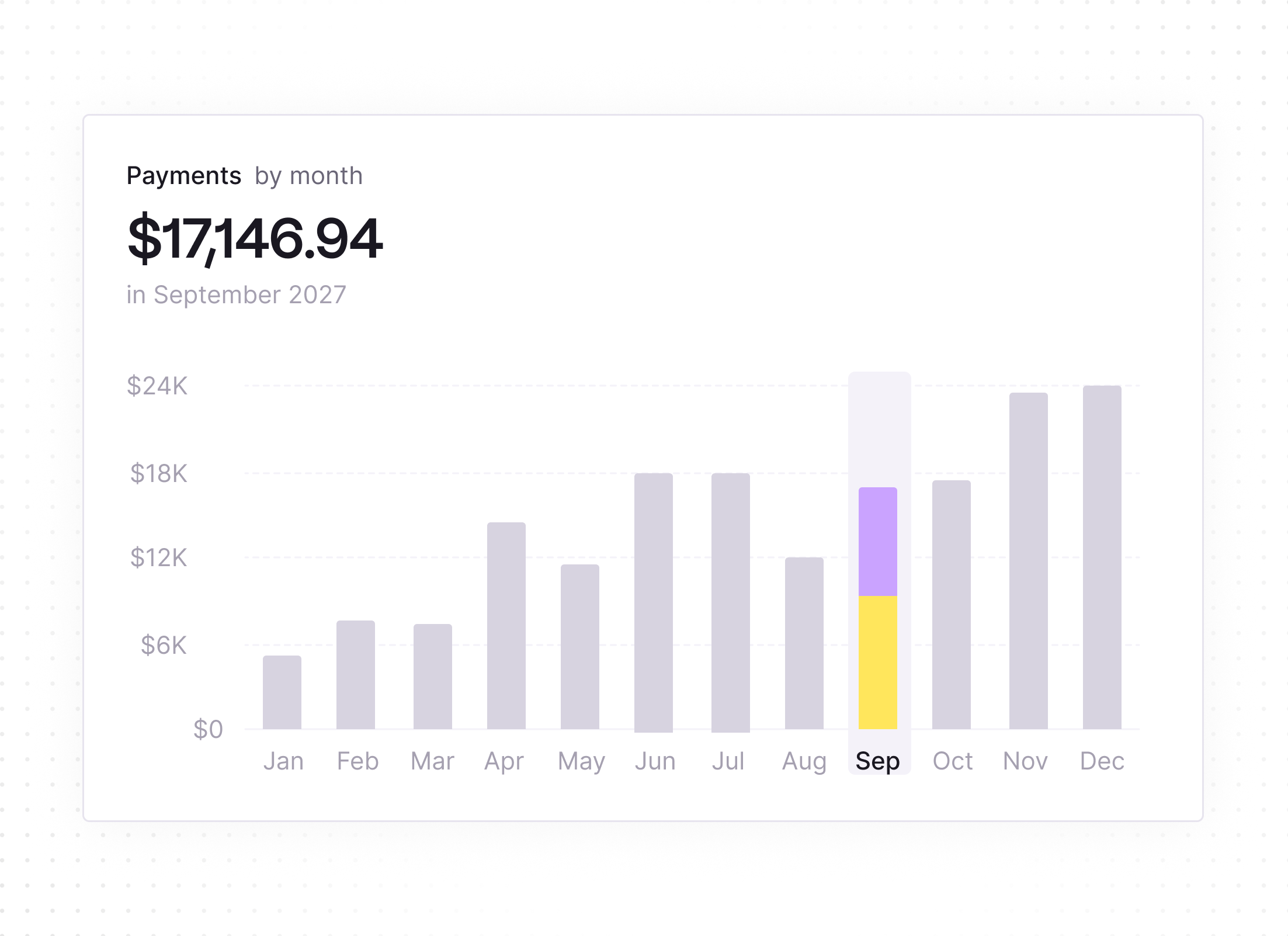
Bar chart displaying monthly payments with a focus on September 2027, showing a total of $17,146.94. Bars for each month from January to December vary in height, with September highlighted in yellow and purple segments reaching between $12K and $18K on the y-axis.

Give agents full visibility.

Transparent statements

Agents see every transaction, every split, and every calculation behind their payout, updated in real time.

Per transaction
Split detail
Real-time

The Sales Coach, their AI comp expert

Agents simulate what a transaction will pay and get instant answers on their plan, without calling the back office.

AI agent
Transaction simulator
Instant answers

Leaderboards and SPIFFs

Run contests on new programs or slow-moving inventory, and keep the network motivated with live rankings.

Contests
SPIFFs
Live rankings
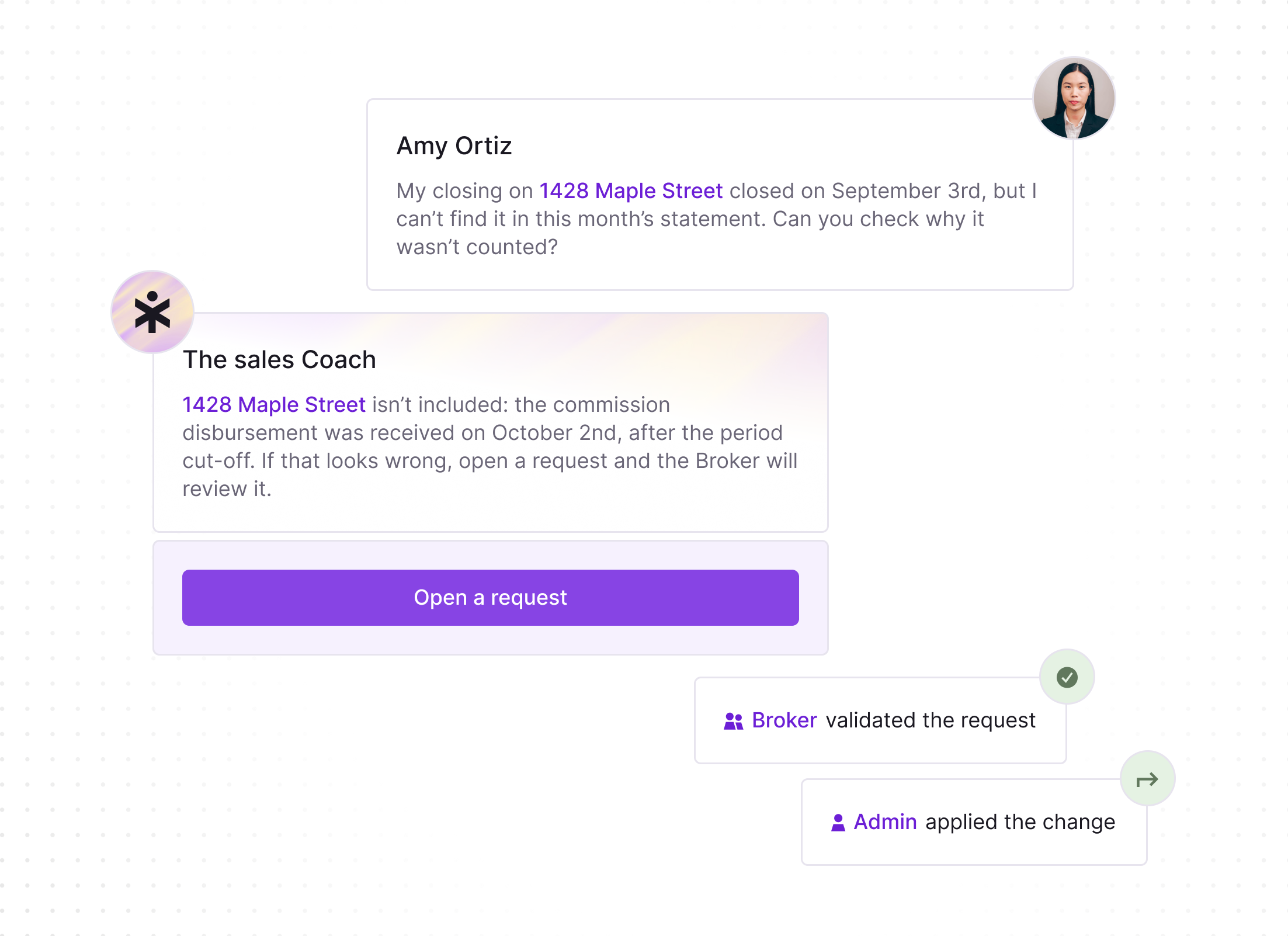
Chat conversation showing Amy Ortiz asking about a missing transaction for 1428 Maple Street in this month's statement, a sales coach replying the commission was received after the cutoff date and advising to open a request, a button labeled 'Open a request,' and confirmation notes that a Broker validated and an Admin applied the change.
Smooth gradient blending soft shades of peach, lavender, and cream with a silky texture.

Meet the three AI agents
that give you your week back.

The word 'qobra' in bold lowercase black letters with a stylized arrow pointing up and to the right as part of the letter 'a'.

Sales comp management,
on autopilot

The Architect

Your plan builder that creates, edits and simulates commission plans for you.

The Sales Coach

Answers every rep question, so you don't have to.

The Analyst

Catches commission errors before your reps do.

Build and test commission plans instantly. Describe a plan in plain language, update ten plans in one prompt, and simulate the result on historical payouts before anything reaches your reps.

Build and edit plans in natural language
Onboard new admins in hours, not weeks
Simulate before you launch
Meet the Architect

Answer every rep question, automatically. "How much will I earn if I close this deal?" "Why was my commission this amount?" The Sales Coach explains each statement with concrete examples, so reps trust their numbers and stop pinging RevOps.

Cut rep questions by 90%
Let reps simulate earnings in real time
Make every plan self-explaining
Meet the Sales Coach

Catch commission errors before payout. The Analyst reconciles data across plans, tracks quota attainment and pay versus performance, and alerts your team before payroll turns into a fire drill.

Reconcile every plan automatically
Track the metrics that matter
Get alerted before errors cost you
Meet the Analyst
3xFaster to implement
“I will say the Architect has been off the charts good. It really is incredible, so I don't see this being a massive lift like in the past.”
Smiling man with glasses and short dark hair wearing a light beige quarter-zip sweater, sitting in front of a purple backdrop with a lion head logo.
Khaled AlSaleh
Head of RevOps at incident.io

Qobra MCP Server

Use Qobra from Claude, ChatGPT or any MCP-compatible assistant. Pull commission data, trigger actions, and build custom workflows that run themselves, with your Qobra permissions applied to every request.
Circular logo with a soft pastel gradient in cream, peach, and lavender colors featuring the text ‘qobra’ in bold black lowercase letters with a rightward arrow integrated into the letter ‘a.’Two small blurred purple comet shapes diagonally positioned.
01
02
03
04
White stylized letter G with a superscript 2 inside a solid orange circle.
4.8/5
with 1,000+ reviews
View all customer stories
“I would say the tooling is very simple. You can see where the variables are coming from, so it was very easy and quick for our team.”
Jessica Ho, RevOps Manager at ElevenLabs
Watch the ElevenLabs story
“Since we’ve had Qobra, we’ve seen between 15 and 20% progress towards our objectives.”
Fabian Q. Veit, CEO at Make
Watch the Make story
“It’s more the fact that I just don’t have to worry about commissions anymore.”
Chris Cook, RevOps Director at GoCardless
Watch the GoCardless story
“At the end of every period, when we run commissions right now, we do a simple check with our finance team, and that’s it.”
Derek Boelig, VP RevOps at DataSnipper
Watch the DataSnipper story
Integrations

Plugs into the tools you already use

Qobra connects natively to your CRM, data warehouse, HRIS and ERP, so commissions run on the same data, refreshed in real time. And yes, you can still make manual adjustments.

View all integrations
CRM & ERP
HRIS
Circular icon with concentric gray and black rings surrounding a center circle that has a soft pastel gradient and features the word 'qobra' in black lowercase letters with a rotated arrow pointing upward to the right.
Data Warehouses & Databases
File Storage Systems
Qobra MCP Server
Use Qobra from Claude, ChatGPT or any MCP-compatible assistant. Pull commission data, trigger actions, and build custom workflows that run themselves, with your Qobra permissions applied to every request.
Smooth gradient blending soft shades of peach, lavender, and cream with a silky texture.

Security and Control

Enterprise-grade security built into every layer.

Time back. More trust.
Their words, not ours.

Man in a blue sweater sitting on a chair in front of a ping pong table with a colorful collage of posters and artwork on the wall behind him.
“Qobra increased my team’s confidence, which directly impacts sales performance.”
Watch the GoCardless story
Smiling young woman with medium-length dark hair wearing a red blouse, standing outdoors with blurred urban background.
RevOps Manager
ElevenLabs
“I don’t really get questions anymore. Reps can see exactly what they’re paid on, and it saves me a lot of time.”


Portrait of a smiling woman with straight shoulder-length light brown hair wearing a black top, against a plain light gray background.
VP Global Sales
DataSnipper
“Qobra has significantly improved my team’s productivity. They no longer have to calculate their commissions manually, and it gives them more confidence in the process.”
Smiling man with short dark hair and beard wearing a light green blazer and white shirt, sitting against a white wall with a blue edge on the left.
RevOps Manager
DataSnipper
“Reps can ask themselves: if I close this $100K deal, how much more commission will I make? That little extra can motivate them to close.”
A man with a beard wearing a purple shirt and dark pants sitting on a blue sectional sofa with two white pillows labeled 'datasnipper' in a room with a large green plant and a wall decorated with photos.
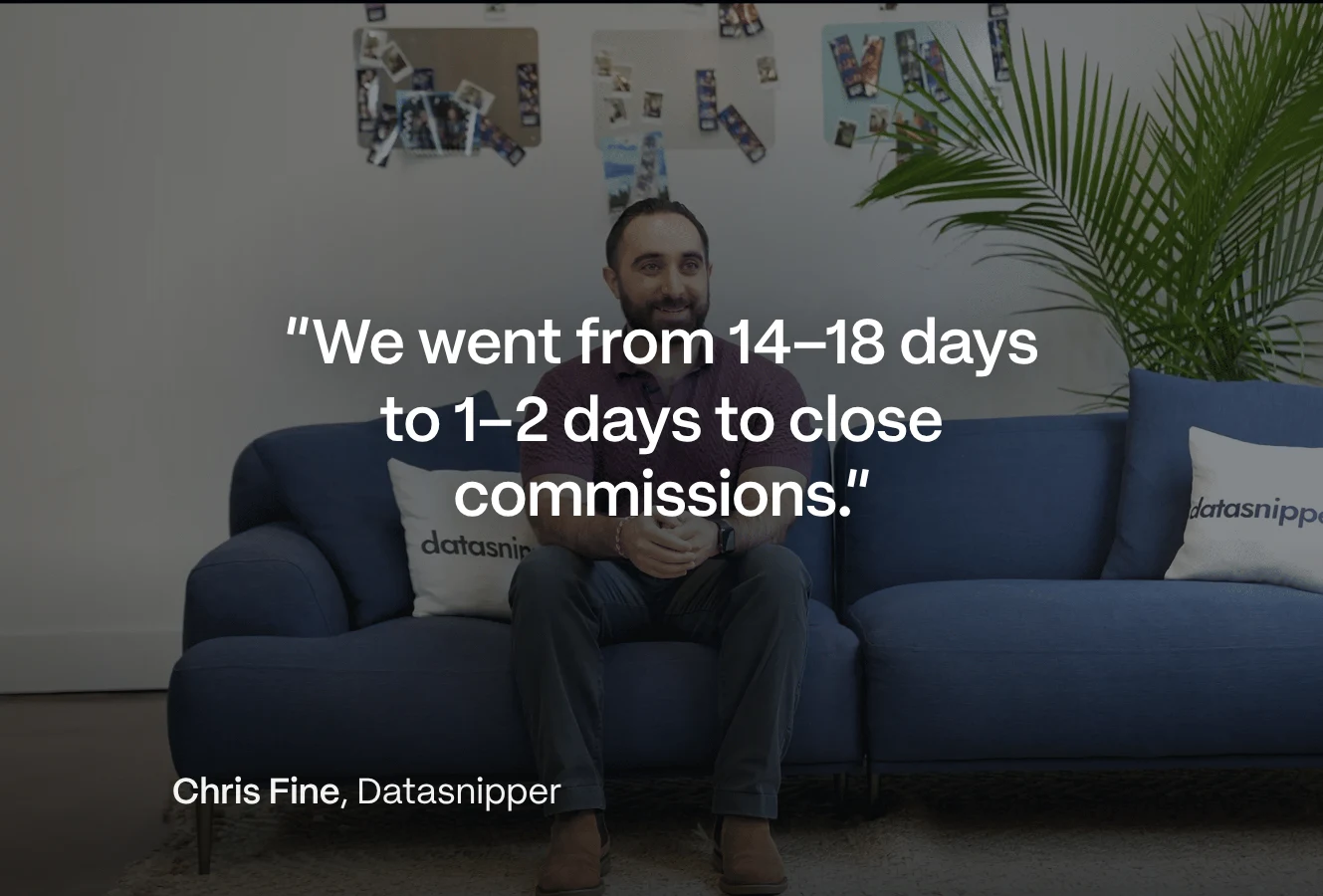
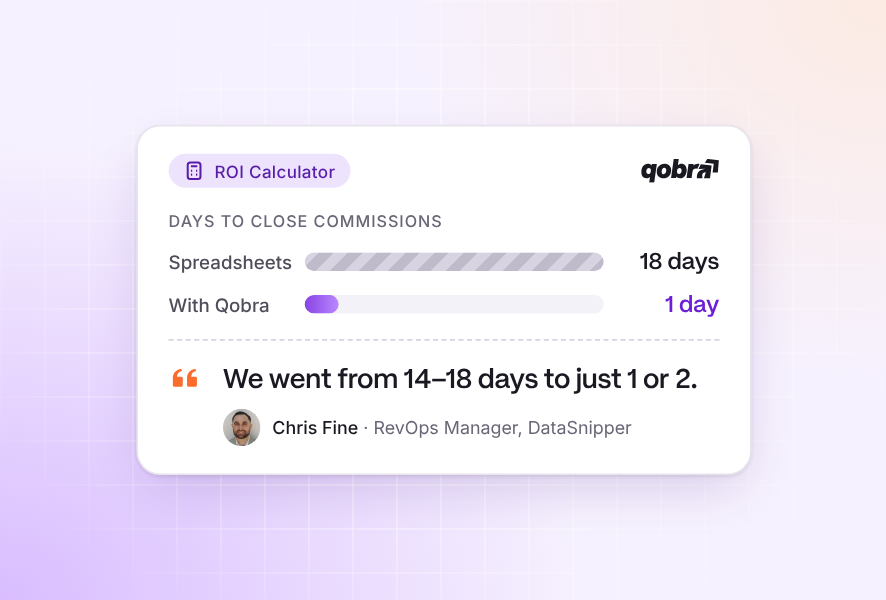
“We went from 14 to 18 days to 2 days, sometimes 1.”
Watch the DataSnipper story

Your frequently asked questions

Commission management software for real estate calculates and pays agent commissions on every transaction: multi-party splits, tiered schedules, caps, draws, and payouts released at reservation, signing, or closing. It replaces spreadsheets with automatic, transparent calculations that every agent can check.

Yes. Qobra splits each transaction between listing and selling agents, teams, managers, and referrers, based on rules you define.

Yes. You can pay at reservation, signing, or closing, or split payouts across several milestones, based on the data in your CRM.

Clawbacks apply automatically on the next statement, and every adjustment is documented in the audit trail.

Yes. Qobra tracks advances and recovers them against future commissions, and applies tiers and caps automatically, with a clear balance for every agent.

Yes. Agents see their statements in real time and can simulate any transaction with The Sales Coach, Qobra’s AI agent, without calling the back office.

Qobra connects natively to your CRM, data warehouse, and finance tools, so transactions, milestones, and cancellations flow in without manual imports. A public API and the Qobra MCP server cover the rest of your stack.

Yes. Qobra adapts to any real estate model, from residential brokerages to developers’ sales teams and commercial leasing.

Most Qobra customers are live within weeks, including data integration and plan configuration, with a dedicated CSM and no external consultants. The Architect speeds things up further by drafting plans from your existing documents.