
8 Best Demo Automation Software Tools for 2026
The 8 best demo automation tools for 2026 by format, from interactive demos and sandboxes to live environments and video, plus how to judge analytics, governance, and pricing.


- Demo automation software lets teams create, personalize, distribute, and measure product experiences across interactive, sandbox, live, video, and website-embedded formats without rebuilding an asset for every deal.
- Guideflow is the strongest all-round option for enablement teams, covering six demo formats in one workspace with buyer engagement analytics attached to each of them.
- Format coverage is the real decision in this category, because a tool built for video-led qualification will not carry a technical sandbox evaluation, and paying for the wrong format means paying for capability nobody adopts.
- Consensus and Saleo now sit inside the same company following Consensus’s acquisition of Saleo in June 2026, so a shortlist that contains both is narrower than it looks.
- Governance decides whether a demo library stays useful, because a library with no named owners, review dates, or expiration controls turns into content sprawl faster than most enablement teams expect.
A demo program has to do several jobs at once: show the product before a rep is on the call, give a champion something they can forward internally, stand up to a technical evaluation, stay current as the product ships, and report back on who actually engaged. Most teams start with screen recordings. None of those jobs survive the first product release.
This guide compares eight demo automation tools on the criteria that decide whether a demo program holds up over a year: format coverage, personalization and branching depth, governance and versioning, buyer-intent analytics and CRM integration, and pricing across team sizes. So which one fits your enablement motion, your format requirements, and your stack?
What is demo automation software?
Demo automation software helps teams create, personalize, distribute, and measure product demonstrations across interactive, sandbox, live, video, and website-embedded formats, without manually rebuilding an asset for every deal or campaign. The distinction that matters against screen recording is interactivity. A recorded video explains the product. An interactive or sandbox demo lets the buyer explore it, and that exploration is what produces the engagement signals your CRM can act on.
Where demo programs actually lose time
The expensive part of a demo program is rarely the first build. It’s everything after it.
- Finding the right asset. Reps fall back on whatever they recorded last month because the library has no persona, stage, or use-case structure, so the approved story goes unused.
- Recapturing after every release. Any ship that changes a screen shown in a demo invalidates that demo, and with no staleness view nobody knows which assets have quietly gone out of date.
- Rebuilding per account. Teams without variables or branching duplicate a demo for each segment. Every later messaging change then has to be applied across every copy by hand.
Best demo automation software 2026 at a glance
| Tool | Category | Best for | Pricing (approx., 2026) | G2 |
|---|---|---|---|---|
| Guideflow | Multi-format demo platform | Cross-functional demo automation | Free; Solo $35/user/mo; Growth $499/mo | 5.0 |
| Consensus | Video-led demos | Presales qualification at scale | Custom, by module | 4.7 |
| Navattic | Website demos | Self-serve demos on websites | Free Starter; paid tiers on request | 4.8 |
| Storylane | Interactive demos | Fast no-code creation | Free; Starter $40/mo | 4.7 |
| Supademo | Guided how-to demos | Onboarding and support content | Free; Scale $38/mo per creator | 4.7 |
| Saleo | Live demo data | Native-product live demos | Custom, by module | 4.9 |
| Demoboost | Multi-format demo platform | Enterprise demo governance | From $375/mo | 4.8 |
| Reprise | Replica environments | Cloned demo environments | Custom | 4.4 |
Published tiers are annual-billed rates. Pricing and G2 ratings checked November 2026.
The best demo automation software tools
1. Guideflow: best overall for cross-functional demo automation
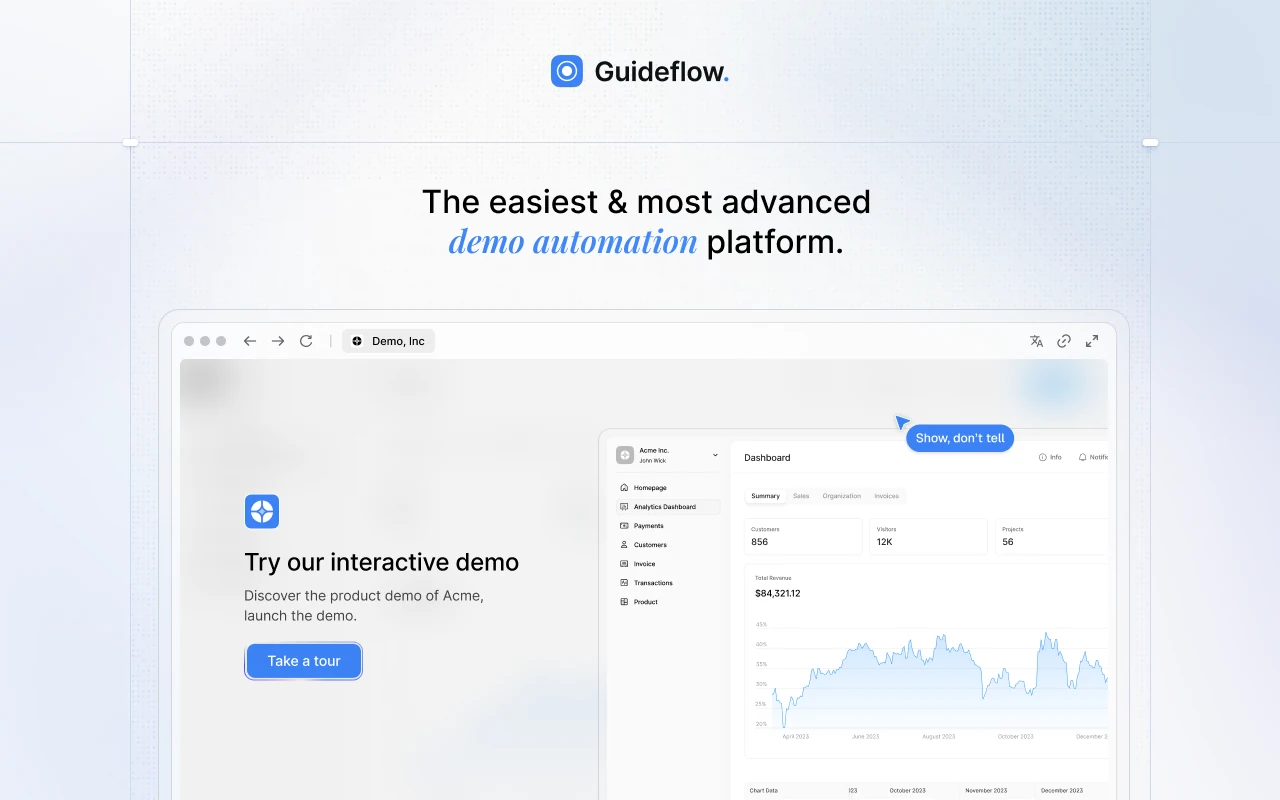
Guideflow is an AI-powered demo automation platform for teams that need more than one demo format. Interactive demos, demo pages, demo centers, sandboxes, live demos, and mobile demos all run from a single workspace, with engagement analytics attached to each. Capture runs through a Chrome extension or the native app in screenshot, HTML, or video capture mode, and step content and CTAs are written automatically on capture, so editing starts from a structured draft rather than a blank canvas. A rep goes from capture to a shareable link in about two and a half minutes in a no-code editor, with no designer and no engineering ticket. Sales, presales, marketing, customer success, onboarding, and partner teams work from the same governed library, organized by persona, stage, and use case.
- Best for: enablement teams that need one governed demo library across sales, presales, marketing, and customer education, with buyer engagement feeding CRM workflows.
- Key features: six demo formats in one workspace, no-code editor, variables and conditional branching, AI content generation, narration and voice cloning, 150+ AI avatars, localization into 100+ languages, demo centers, step-level and account-level analytics, MCP server, Slack intent alerts, and HubSpot, Salesforce, Pipedrive, Zoho, and Marketo integrations.
- Pricing: Free; Solo $35/user/month; Growth $499/month; Advanced $1,499/month; Enterprise from $2,999/month, all billed annually.
- Pro: the widest format coverage in the category, so outbound embeds, live-call prep, leave-behinds, and post-sale onboarding run on one operating model instead of three tools.
- Con: built for teams running demos at scale. With six formats plus AI and personalization, occasional one-off demos will not use everything the platform offers.
- G2: 5.0
2. Consensus: best for video-led presales qualification
Consensus centers on interactive video demos: a buyer selects the product areas that matter to them, the platform assembles a personalized video sequence, and it then reports who watched, for how long, and which features they engaged with. It also covers live demos with real-time data injection and AI demo agents for conversational delivery. Consensus acquired Saleo in June 2026, so the native-product data injection described further down this list now belongs to the same company. For presales teams running high-volume qualification, the model handles the “show me how it works” request before a live call and surfaces engagement across an entire buying committee.
- Best for: enterprise and mid-market presales teams that need personalized video demos and stakeholder-level intent data across multi-threaded deals.
- Key features: interactive video demos, buyer-driven topic selection, live demos with data injection, AI demo agents, multi-stakeholder engagement tracking, CRM integrations.
- Pricing: quoted on module mix and usage, no free tier.
- Pro: buying-committee visibility is the clearest in the category, which makes champion coaching and next-step planning concrete rather than anecdotal.
- Con: building a demo takes more clicks than the pitch suggests, and reviewers report hunting through a cluttered video library before calls.
- G2: 4.7
3. Navattic: best for website-embedded self-serve demos
Navattic builds no-code interactive demos aimed at self-serve website experiences, with an AI Copilot that generates and edits demos from a product URL or existing content. Its Launchpad product routes demo engagement into sales workflows with real-time alerts and buyer-circle discovery, so a high-intent visitor surfaces in the CRM without a rep watching for it. A free Starter tier covering one seat and one demo makes it one of the more accessible entry points in the category, which matters for a marketing team that wants to validate the format before asking for budget.
- Best for: marketing and demand generation teams putting interactive demos on websites, landing pages, and outbound campaigns, with lead capture and engagement data attached.
- Key features: AI Copilot demo generation, dynamic variables, multilingual content, lead capture forms, branching, website embedding, Launchpad alerts and buyer-circle discovery, step-level analytics, CRM integrations.
- Pricing: Starter free with one seat and one demo; Base and Growth on annual contracts, priced on request; Enterprise adds offline demos, granular permissions, and audit logs.
- Pro: the free tier gets a published demo live before any budget conversation, which shortens the internal case for the format.
- Con: organization degrades as the library grows, and support is email-only on limited hours.
- G2: 4.8
4. Storylane: best for fast no-code demo creation
Storylane optimizes for speed from product capture to published demo, supporting screenshot, video, and HTML formats alongside Buyer Hubs that collect demos, PDFs, videos, and embeds under one branded destination. AI video avatars, voiceovers, and AI-assisted creation cut production time for teams with no dedicated content resource. For product marketing and growth teams that need a current demo live for a launch or campaign without a long production cycle, the editor is one of the faster paths from capture to share in this list.
- Best for: product marketing, enablement, and growth teams that need interactive demos and product tours quickly, without a production team.
- Key features: screenshot, video, and HTML capture, Buyer Hubs, AI video avatars and voiceovers, dynamic variables, branching paths, completion and step-level analytics, CRM integration.
- Pricing: Free; Starter $40/month annually; Growth $500/month annually; Premium $1,200/month annually; Enterprise custom.
- Pro: capture to shareable demo fits inside a single editing session, which suits campaign and launch timelines.
- Con: HTML demos, the format that mirrors the live product most closely, sit on the higher tiers.
- G2: 4.7
5. Supademo: best for onboarding and how-to demos
Supademo is built around quick, step-by-step interactive guides for instructional content, covering guided demos, HTML and sandbox demos, AI voiceovers, translations, and dynamic variables, with branching and chapters for structured flows. A Route Hub on the Growth plan adds conditional routing between demos. For support, customer success, and onboarding teams that need how-to content without a production cycle, the creation workflow is fast and the free tier is functional enough to test the format properly before upgrading.
- Best for: lean teams and customer-facing functions building step-by-step demos for help center embeds, onboarding sequences, and training programs.
- Key features: guided demo capture and no-code editing, HTML and sandbox demos on Growth, AI voiceovers and translation, branching and chapters, dynamic variables, Route Hub, trackable share links, completion analytics.
- Pricing: Free with one creator and five demos; Scale $38/month per creator; Growth $350/month for five creators; Enterprise custom with SSO and data residency.
- Pro: replaces written documentation with a clickable format that shows the workflow instead of describing it, at a price lean teams can carry.
- Con: priced per creator seat rather than per demo, which is the wrong axis for a small team maintaining a large library.
- G2: 4.7
6. Saleo: best for live demos with controlled product data
Saleo works inside the native product, injecting AI-powered demo data to replace live production records with controlled, account-specific content during a live call or recorded session. Rather than capturing a static replica, it changes what appears on screen in real time across text, images, tables, graphs, metrics, and workflows. The platform adds interactive product tours, an AI demo agent, a permissioned demo library, and enterprise security controls including SOC 2 Type 2 and ISO 27001. Saleo has been part of Consensus since June 2026 and is still sold as its own module set.
- Best for: enterprise and mid-market presales teams demonstrating inside the native product with account-specific data, without exposing production records.
- Key features: AI demo data injection across text, images, tables, graphs, and metrics, interactive product tours, AI demo agent, permissioned demo library with folders and SSO, SOC 2 Type 2 and ISO 27001.
- Pricing: quoted by module across Live, AI Demo Agent, Capture, and Partner Portal, with no free tier.
- Pro: buyers see the interface they will actually use after purchase, with none of the visual compromises of a screenshot or HTML replica.
- Con: heavy implementation before the first demo, and your own release cadence can break the configuration.
- G2: 4.9
7. Demoboost: best for enterprise demo governance
Demoboost covers a wide format portfolio across HTML, screenshot, video, mobile, sandbox, overlay, and demo hub experiences, with AI for creation, editing, narration, translation, theme application, and graph and data editing. The platform is built around revenue intelligence and enterprise governance, with role-based access control, SSO, whitelabeling, and native Salesforce and HubSpot integrations. For organizations running demos across several product lines, regions, or partner programs, that combination addresses the content sprawl that arrives with scale rather than the difficulty of building any single demo.
- Best for: enterprise enablement teams managing demo assets across multiple formats, contributors, regions, and product lines, where governance and findability are the binding constraints.
- Key features: HTML, screenshot, video, mobile, sandbox, and overlay demos, AI creation, narration, and translation, revenue intelligence analytics, role-based permissions, SSO, full whitelabeling, demo hub, Salesforce and HubSpot integrations.
- Pricing: Start Up $375/month; Essentials $600/month; Growth $1,200/month; Enterprise custom, all billed yearly with no free tier.
- Pro: format breadth plus governance depth replaces several single-format tools in a large demo stack.
- Con: demo upkeep is manual, with nothing flagging which assets have gone stale after a release.
- G2: 4.8
8. Reprise: best for replica demo environments
Reprise specializes in full application cloning, capturing a product’s UI, CSS, and JavaScript to produce a stable replica that behaves like the live product without connecting to production systems. The same captured environment supports both guided demos and open sandbox exploration, and AI-powered data injection personalizes the replica with account-specific content. Reprise holds SOC 2 Type II and ISO/IEC 27001:2022 certifications. For enterprise presales teams running complex demos where interaction fidelity matters more than creation speed, cloning answers a requirement that capture-first tools handle differently.
- Best for: enterprise sales engineering and presales teams needing high-fidelity replica environments for products where static captures cannot convey the interaction model.
- Key features: full application cloning of UI, CSS, and JavaScript, guided and sandbox demos from one environment, AI data injection, post-capture HTML, CSS, and JavaScript editing, role-based access control, SOC 2 Type II and ISO/IEC 27001:2022.
- Pricing: annual platform fee plus per-user licenses, both quoted by sales.
- Pro: preserves the product’s real click behavior, transitions, and workflows rather than a simplified screenshot sequence.
- Con: rigid to set up, where pulling a product update into a demo can mean rebuilding it.
- G2: 4.4
How to choose demo automation software
So how do you actually pick? Start with the motion you’re running, not the feature list.
- Match the format to the buyer moment. Guided interactive demos fit outbound embeds, leave-behinds, and onboarding. Sandboxes fit technical validation. Live environments fit enterprise calls where product behavior is the differentiator. Video-led demos fit presales qualification at volume.
- Check governance before the library grows. Map who owns each asset category, how often product change forces a recapture, and whether the platform supports search, tagging, approval, and automatic expiration. Stale demos cost more in rep confidence than governance costs in license fees.
- Insist on behavioral analytics, not view counts. A view says an asset was opened. Step-level engagement says where buyers stopped, what drew repeat attention, and which accounts spent enough time to signal intent.
- Verify the integrations your reps actually use. A demo platform that doesn’t reach your CRM, sales engagement tool, and Slack routing becomes a parallel data silo. Engagement data that arrives by manual export arrives too late to act on.
- Price the maintenance, not the build. Release cadence, recapture effort, editor seat counts, and the work of updating branching paths when messaging changes determine whether the library stays current or becomes shelfware.
How to measure demo ROI
- Account-level engagement. Which companies are exploring which assets, and how that maps to open opportunities.
- Step-level completion and drop-off. Where buyers stop, which tells you whether the demo or the story is the problem.
- Demo-to-meeting and meeting-to-opportunity conversion. The two rates that connect demo investment to pipeline rather than to content volume.
- Library freshness. The share of assets reviewed since the last release that changed them, which is the leading indicator for everything above.
Frequently asked questions
What is demo automation software and how is it different from screen recording?
Demo automation produces clickable, navigable product experiences across interactive, sandbox, video, live, and website-embedded formats, and updates them without re-recording. Screen recording produces a linear video. The operational difference is that demo automation integrates with CRM and analytics, so viewer behavior becomes pipeline data.
What is the difference between an interactive demo and a live demo?
An interactive demo is self-guided and captured, navigated by the viewer at their own pace with no presenter. A live demo is presenter-led, with a rep or sales engineer adjusting the narrative in real time. Interactive demos suit pre-call qualification, leave-behinds, and async stakeholder sharing; live demos suit discovery calls and technical deep-dives.
Can demo automation reduce the load on sales engineers?
It handles the repetitive “show me how it works” requests that arrive before a deal has technically qualified, so SE time moves to deals that have already shown engagement. It doesn’t replace the SE role; it filters the queue upstream.
How often should demos be updated?
Tie recapture cadence to your release cycle. Any release that changes a screen or workflow shown in a demo should trigger a review of the affected assets. Short demos of three to five steps take fifteen to thirty minutes to recapture, which is cheap enough to sit on a release checklist.
Which demo analytics metrics actually matter?
Unique viewers, account-level engagement, step-level completion and drop-off, repeat sessions, leads captured, and demo-to-meeting conversion. Aggregate view counts are useful for reporting but rarely change an enablement decision.
Does demo automation work for onboarding and customer education?
The same captured experience that qualifies a prospect can onboard a customer. Interactive step-by-step guides embed in help center articles, onboarding sequences, in-app messages, and training programs, so the creation investment pays off across activation, feature adoption, and renewal.
The bottom line
The right demo automation tool is the one that keeps demos findable and current, connects usage to buyer intent, and covers the formats your buyers expect at each stage. Guideflow is the strongest all-round choice on format breadth, governed distribution, and CRM-connected analytics. Consensus fits video-led qualification at presales scale, Navattic website-embedded self-serve demos, Storylane fast no-code creation, Supademo instructional onboarding content, Saleo native-product live demos, Demoboost multi-format enterprise governance, and Reprise high-fidelity replica environments.
Pick the format that matches your buyer moment, build the governance model before the library grows, and measure the metrics that tie demo engagement to pipeline.