


NetSuite vs Xactly for Commission Management
Compare netsuite vs xactly for commission management, covering ERP commission features, incentive rules, pricing models, and agile alternatives today.


- NetSuite CRM handles quotes, forecasts, quotas, and commission processing at month-end or quarter-end within its unified platform.
- Xactly Incent operates as dedicated incentive software with no-code plan modeling, an AI plan agent, statements, disputes, and audit trails.
- NetSuite bills an annual license covering core modules and seats plus implementation, while Xactly provides pricing via quote requests.
- Qobra provides a dedicated compensation platform with a no-code editor, validation workflows, and sandbox testing on copies of real comp data.
Compare NetSuite and Xactly for commission management, covering ERP commission features, dedicated incentive rules, pricing models, and agile alternatives.
What is NetSuite vs Xactly?
When comparing NetSuite vs Xactly, revenue operations teams evaluate two distinct approaches: an integrated ERP and CRM module versus dedicated incentive compensation software. Oracle NetSuite manages quotes, quotas, forecasts, and commissions directly inside its business suite, while Xactly Incent delivers a specialized platform centered on plan modeling, statements, disputes, and commission governance.
Architectural Scope: Native Module vs Dedicated Engine
NetSuite approaches sales compensation through its CRM and ERP environment. NetSuite describes NetSuite CRM as able to manage quotes, commissions, sales forecasts, and partner relationships, allowing finance teams to automatically manage sales and partner quotas and process commissions or referral bonuses at month-end or quarter-end. This approach ties incentive calculations directly to sales orders and general ledger transactions within one database.
In contrast, Xactly Incent functions as an independent compensation management platform. The vendor states that day-to-day configuration, modeling, and adjustments use a no-code interface, complemented by an AI plan agent. Instead of relying solely on accounting ledger rules, dedicated platforms focus on complex sales incentive mechanics, rep transparency, and governance across disparate revenue stacks. Evaluating these tools often leads revenue leaders to explore broader alternatives across the market.
What to expect from it
Selecting an incentive calculation tool requires matching operational workflows against concrete platform features. A modern commission system should bridge finance controls with rep engagement, delivering accurate payouts without administrative gridlock.
Core Functional Checklist for Revenue Operations
- Quota and commission cadence: Ability to track individual and partner quotas, calculating referral bonuses and commissions at month-end or quarter-end schedules.
- No-code plan modeling: Interface flexibility allowing business users to configure tiers, accelerators, and formula rules without waiting for custom engineering.
- Audit trails and dispute resolution: Dedicated workflows to record calculation revisions, manage rep inquiries, and preserve approval histories.
- Commission statement transparency: Detailed payout breakdowns showing deal-level data so sales reps and managers clearly understand earned compensation.
- Pricing clarity: Transparent subscription structures that separate platform access, module licenses, and implementation fees.
Native ERP vs Standalone Incentive Software — A native ERP module centralizes billing and accounting records in one system, processing payouts at scheduled period closes. Standalone incentive platforms focus on detailed rule modeling, dispute workflows, and dedicated rep statement interfaces.

How Qobra handles it
Qobra provides a specialized sales compensation platform designed to give revenue, sales operations, and finance teams complete independence in managing incentives. Built for modern go-to-market teams, Qobra pairs visual administration with enterprise-grade governance controls.
No-Code Plan Configuration and Multi-Currency Logic
Qobra markets a no-code plan editor that allows administrators to implement compensation plans with custom calculation rules. Teams can set up recurring or one-time compensation structures, tiers, bonuses, and split mechanics without technical coding. To support international revenue teams, Qobra includes multi-currency support, handling distinct currencies and exchange conversions across global territories.
Sandbox Environments for Safe Plan Testing
Rather than testing rule modifications directly in production data, Qobra documents sandboxes as copies of real company compensation data. Each sandbox holds its own plans, quotas, statements, and reports, allowing administrators to simulate adjustments and new plan rollouts in a safe, isolated environment without changing live data. Teams can assess calculation impact across specific date ranges before publishing changes.
Statements, Audit Trails, and Approval Workflows
To ensure trust and financial rigor, Qobra provides individual rep statements that present a clear compensation recap for each employee over every period. An integrated lock and validation workflow coordinates approvals across sales managers, HR, and finance departments. Every platform action is recorded in an audit trail, while built-in discussion features allow reps and administrators to resolve commission questions directly within the relevant statement context.
Options compared
Evaluating incentive platforms requires looking at verifiable vendor disclosures regarding architecture, licensing models, and core administrative capabilities. The table below outlines documented dimensions for NetSuite, Xactly, and Qobra based on official published records.
Comparison of documented capabilities and pricing models across NetSuite, Xactly, and Qobra.
| Vendor | Published pricing model | Documented capabilities |
|---|---|---|
| NetSuite CRM | Annual license fee (core platform, optional modules, user count) plus one-time implementation fee | Quotes, commissions, sales forecasts, partner relationships, sales and partner quotas, month-end/quarter-end commission processing |
| Xactly Incent | Quote request (no numeric price observed on public product page) | No-code configuration, modeling, and adjustments; AI plan agent; commission statements; hierarchy management; disputes; audit trails |
| Qobra | Custom quote based on business needs | No-code plan editor, configurable rules, sandbox testing on data copies, multi-currency support, lock and validation workflows, statements, dashboards |
Buyers assessing standalone vendors can also examine detailed peer reviews such as qobra vs spiff or qobra vs captivateiq to compare usability and administration across modern compensation engines.
How to choose
Choosing the right incentive compensation platform depends on the complexity of your commission structures, team technical capacity, and existing ERP environment. Follow these structured steps to evaluate your options thoroughly during procurement.
Selection Steps and Demo Evaluation Checklist
- Assess plan complexity: Determine whether your incentive rules require custom tiers, multi-currency conversions, and split logic, or whether standard ERP period-end quota processing is sufficient.
- Audit system ownership: Clarify whether daily plan updates will be managed directly by RevOps and Finance through a no-code interface or will require specialized IT consultants.
- Evaluate rep engagement: Test how commission statements, deal-level calculation details, and dispute resolution workflows are presented to individual reps.
- Verify testing environments: Request a demonstration of how new compensation plans or mid-year adjustments can be simulated in isolated sandboxes before impacting live payroll data.
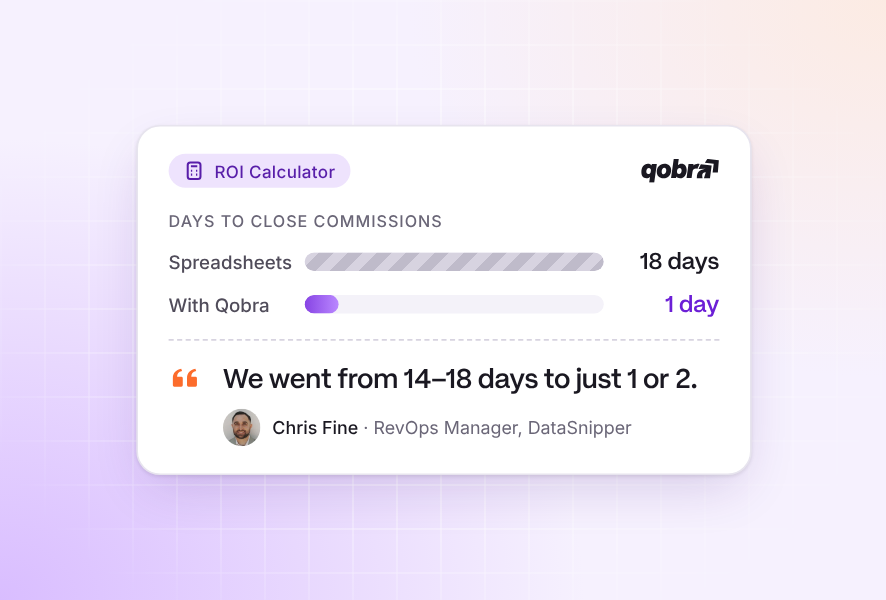
- Calculate financial impact: Model anticipated implementation fees and licensing costs against administrative time savings using a dedicated roi calculator.
Key Questions to Ask in a Vendor Demo — During platform demonstrations, ask each vendor to model a real plan amendment. Verify whether your operations team can adjust quota tiers autonomously in a sandbox and examine how changes are recorded in the audit trail.
Frequently asked questions
How do you choose between the options for NetSuite vs Xactly?
Choose NetSuite CRM if you want unified quota tracking and month-end commission processing built directly into your NetSuite ERP. Choose Xactly Incent or dedicated platforms like Qobra if you need standalone no-code plan configuration, dispute workflows, sandbox simulation on compensation data copies, and detailed rep commission statements.